

Lightleap by Lightricks

10M+
Installs
Lightricks Ltd.
Developer
-
Video Players & Editors
Category
-
Rated for 3+
Content Rating
-
lightleap.android.support@lightricks.com
Developer Email
-
https://static.lightricks.com/legal/privacy-policy.html
Privacy Policy
Screenshots
editor reviews
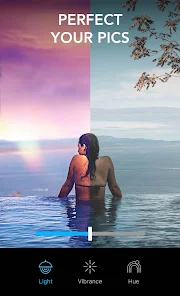
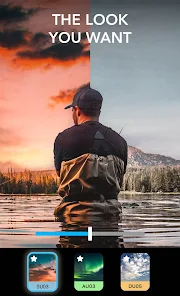
So Lightleap is this photo editing app from Lightricks, the same folks behind Facetune and all those other popular image tools. You basically use it to completely change the look of your photos, especially the lighting and sky. Instead of just adding a filter, it lets you swap out a dull, gray sky for a dramatic sunset or a starry night, and you can tweak the overall atmosphere with all sorts of professional-looking adjustments. I first heard about it while browsing the Google Play store, and the install count is pretty high, sitting well over 10 million, which tells you it's got some traction. It's free to download, but like most apps these days, you'll find in-app purchases and a subscription model if you want to unlock the full library of skies and effects. My first impression after launching it was honestly a bit "wow." The interface is sleek and modern, and it immediately prompts you to pick a photo from your gallery, so there's no confusing onboarding or registration wall to climb over.
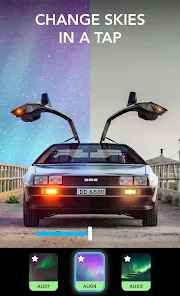
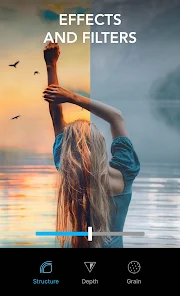
Opening up a regular photo of a park near my place, I tapped the "Sky" option, and the app immediately scanned the image. It automatically detected the horizon and masked the sky area, which was surprisingly accurate for a first try. I scrolled through the options, and each one previews in real-time, which is fantastic because you don't have to apply and undo to see what a "Golden Hour" or "Electric Storm" looks like. The actual editing process felt smooth; you can pinch to adjust the horizon line if the auto-detection isn't perfect, and there are sliders for things like atmosphere, fade, and reflection. One small but useful tip I picked up is to use the "Reflection" slider on water shots, it mirrors the new sky onto lakes or puddles, and the effect looks very natural. I also spent some time with the "Lens Flare" and "Light Leaks" tools in the Effects section, which add a bit of cinematic haze to portraits without ruining skin tones. The whole experience felt like moving through a guided tour rather than a complicated editor, which is exactly what I wanted.
After using Lightleap for a couple of weeks, I have a pretty clear picture of where it fits. It's perfect for someone who wants to salvage a boring travel photo or a flat selfie without spending hours in Lightroom. If you're someone who just wants a quick, dramatic change, this app is a no-brainer. That said, if you're a serious photographer who wants granular control over exposure curves or raw files, you'll probably find it too limiting. Compared to something like Snapseed, Lightleap feels more like a magic wand than a toolbox; Snapseed gives you total control, but Lightleap gives you instant wow factor. What makes it stand out for me is the sky replacement quality, it rarely looks fake or cut out, which is a problem I've seen in simpler apps. I'll probably keep it installed for when I want to post something eye-catching on social media, but I can see myself uninstalling it if I ever feel the novelty of the skies wears off.
features
- Sky replacement that actually makes sense. Unlike apps like PicsArt where the sky swap can look like a messy sticker paste job, Lightleap's AI handles horizon detection and perspective really well. You get reflections on water and accurate lighting shifts that match the new sky, so the final image looks like a real photo rather than a composite.
- Atmosphere and lighting sliders that go beyond basic filters. While apps like VSCO focus on color presets, Lightleap gives you tools like "Glow" and "Haze" that change the entire mood of a shot. You can turn a harsh midday shot into a soft, foggy morning with just a couple of tweaks, no masking needed.
- Real-time previews for everything. This is the killer feature for me. In Adobe Lightroom Mobile, you often have to apply an edit and then toggle it on and off to see the difference. In Lightleap, every sky swap and effect previews instantly as you scroll, which makes the decision process feel fast and natural.
pros
- The sky removal masking is incredibly consistent. Even with messy tree branches or power lines in the frame, the app usually isolates the sky cleanly. I've had Enlight Photofox fail on similar shots, but Lightleap handled it 9 out of 10 times without needing manual corrections.
- The saturation and contrast adjustments are balanced. In other apps like Snapseed, pushing the atmosphere slider can make faces look orange or overblown. Lightleap keeps skin tones natural, even when you crank the drama on the background.
- The library of skies is genuinely high quality. You get everything from pastel sunrises to dark storm clouds, and they don't look like generic stock photos. Each sky has a distinct character, which is more than I can say for the limited options in AirBrush.
cons
- The free version is very restrictive. You can only access a handful of skies and effects before the app pushes you toward a subscription. In comparison, Snapseed is completely free with no paywalls, which makes Lightleap feel a bit greedy for casual users who just want occasional edits.
- No raw file support. If you shoot in DNG format on your phone, you're out of luck. Apps like Lightroom Mobile handle raw files beautifully, but Lightleap is limited to JPEG and HEIC, which limits its appeal for photography enthusiasts.
- Occasional ghosting around edges. On complex subjects like a person's hair blowing in the wind or a chain-link fence, the sky swap can leave a faint, ghostly halo. It's not a dealbreaker for social media, but you won't miss it if you've used better masking tools in Facetune or Photoshop Express.
Recommended Apps
![]()
16Personalities
16Personalities4
![]()
Zodiac Palm Reader: MagicWay
Reatility Media4.6
![]()
Moblo - 3D furniture modeling
MYTIforge4.1![]()
Magnifier Plus with Flashlight
Digitalchemy, LLC4.6![]()
QR Code Scanner
QR Code Scanner & Barcode Reader4.7![]()
FalFal: Astrology, Tarot, Love
FalFal Team4.8![]()
Christmas Photo Frames
PhotoFramesApps4.6![]()
AI Video Art Creator - Livensa
FERASET4.5![]()
Horoscope of Birth
Denimaks4.4![]()
Make Me Bald Prank
AppTornado2.5![]()
Kling AI: AI Image&Video Maker
Lohas Games Pte. Ltd.4.4![]()
Japan Timetable & Route Search
NAVITIME JAPAN CO., LTD.4.3![]()
Prank Call & Funny Video
TeH Software0![]()
Parallax 3D Live Wallpapers
TarrySoft4.3![]()
AI Chatbot - Nova
ScaleUp4.7















Disclaimer
1.AppInfoLibrary does not represent any developer, nor is it the developer of any App or game.
2.AppInfoLibrary provide custom reviews of Apps written by our own reviewers, and detailed information of these Apps, such as developer contacts, ratings and screenshots.
3.All trademarks, registered trademarks, product names and company names or logos appearing on the site are the property of their respective owners.
4. AppInfoLibrary abides by the federal Digital Millennium Copyright Act (DMCA) by responding to notices of alleged infringement that complies with the DMCA and other applicable laws.
5.If you are the owner or copyright representative and want to delete your information, please contact us info@appinfolibrary.com.
6.All the information on this website is strictly observed all the terms and conditions of Google Ads Advertising policies and Google Unwanted Software policy .














