
Cartoon Photo Editor

10M+
Installs
Game Brain
Developer
-
Video Players & Editors
Category
-
Rated for 16+
Content Rating
-
gamebrain@isystem.gr
Developer Email
-
http://www.isystemgroup.org/gamebrain_policy.html
Privacy Policy
Screenshots
editor reviews
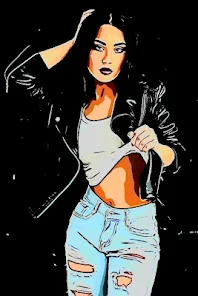
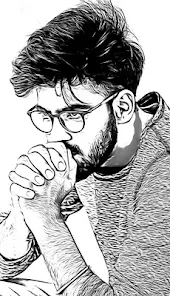
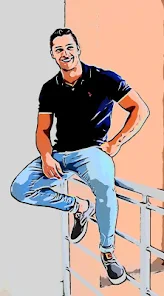
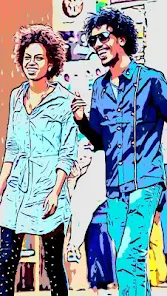
Cartoon Photo Editor is a mobile app, available on both Google Play and the App Store, that lets you turn regular photos into cartoon-style pictures. It's basically one of those quick photo effects tools, the kind you grab when you want to jazz up a selfie or a pet photo for social media without dealing with heavy editing software. The app has been downloaded over a million times, and it's free to install, though there are in-app purchases for extra frames and filters. Opening it for the first time, the screen is pretty straightforward: there's a big button to pick a photo from your gallery and a few sample images to test out. No forced sign-up, which is always a relief. The first impression is that it's simple to get going, but the interface feels a little dated, with clunky icons that look like they're from 2015.
After you take a picture or upload one from your library, the process is quick. The app automatically applies a cartoon effect, and you can tweak it with sliders for detail level and color intensity. I tried it on a photo of my dog, and the result was actually pretty cute, with exaggerated eyes and smooth lines. The main actions include swiping through preset styles like “Comic,” “Sketch,” or “Vintage,” and you can also add background patterns or speech bubbles. A few features are locked unless you pay, which can be annoying when you're just exploring. One tip: if you want a cleaner result, use photos with simple backgrounds. The app struggles with complex scenes full of people or clutter. The onboarding shows you a quick tutorial, but it's easy to skip, and most tools are discoverable just by tapping around.
After using it for a few days, I'd say Cartoon Photo Editor is great if you just want a fast, fun effect for a profile picture or a quick joke with friends. It's not for someone who needs high-quality cartoon portraits or detailed control, like what you get in apps such as Prisma or Clip2Comic. Those apps offer more artistic depth and better output resolution, while this one feels more like a toy. What keeps it on my phone is how quick it is: no waiting around for processing. But I can see people uninstalling it because it's too limited. The same effects get boring after a while, and the ads pop up often unless you buy the paid version. For casual use, it's fine, but don't expect professional results.
features
- 🎨 The cartoon effect works in seconds without any manual editing. You just pick a photo, and the app processes it into a stylized comic look. Other apps like ToonMe require you to wait longer or pay upfront for similar speed.
- 🖼️ There are multiple presets for different styles, including comic, sketch, and vintage looks. You can switch between them easily, whereas apps like Cartoon Camera often lock these behind a paywall or limit you to just one style.
- 🛒 In-app purchases give you access to extra frames and stickers, but the free version still offers a solid set of options. This is better than apps like MomentCam, which push you to pay right after the first use.
pros
- 👍 It's very user-friendly with a simple interface that doesn't require a tutorial. Compared to Prisma, which has a steeper learning curve, this app is great for quick results.
- 👍 The app works offline after you download the base styles. This is a big plus over apps like Clip2Comic that need a constant internet connection for processing.
- 👍 It's lightweight and doesn't drain battery or lag even on older phones. Some similar apps like PicsArt can slow down your device during editing.
cons
- 👎 The output resolution is lower than what you get from paid apps like Clip2Comic. Cartoon Photo Editor reduces image quality, especially when zooming in.
- 👎 Ads are very frequent and sometimes interrupt the workflow. ToonMe has fewer ads in comparison, though it also has a paid version.
- 👎 Limited customization options. You can't manually adjust facial features or add your own textures like you can in Prisma. The presets are also fewer than in Cartoon Camera.
Recommended Apps
![]()
16Personalities
16Personalities4
![]()
Zodiac Palm Reader: MagicWay
Reatility Media4.6
![]()
Moblo - 3D furniture modeling
MYTIforge4.1![]()
Magnifier Plus with Flashlight
Digitalchemy, LLC4.6![]()
QR Code Scanner
QR Code Scanner & Barcode Reader4.7![]()
FalFal: Astrology, Tarot, Love
FalFal Team4.8![]()
Christmas Photo Frames
PhotoFramesApps4.6![]()
AI Video Art Creator - Livensa
FERASET4.5![]()
Horoscope of Birth
Denimaks4.4![]()
Make Me Bald Prank
AppTornado2.5![]()
Kling AI: AI Image&Video Maker
Lohas Games Pte. Ltd.4.4![]()
Japan Timetable & Route Search
NAVITIME JAPAN CO., LTD.4.3![]()
Prank Call & Funny Video
TeH Software0![]()
Parallax 3D Live Wallpapers
TarrySoft4.3![]()
AI Chatbot - Nova
ScaleUp4.7















Disclaimer
1.AppInfoLibrary does not represent any developer, nor is it the developer of any App or game.
2.AppInfoLibrary provide custom reviews of Apps written by our own reviewers, and detailed information of these Apps, such as developer contacts, ratings and screenshots.
3.All trademarks, registered trademarks, product names and company names or logos appearing on the site are the property of their respective owners.
4. AppInfoLibrary abides by the federal Digital Millennium Copyright Act (DMCA) by responding to notices of alleged infringement that complies with the DMCA and other applicable laws.
5.If you are the owner or copyright representative and want to delete your information, please contact us info@appinfolibrary.com.
6.All the information on this website is strictly observed all the terms and conditions of Google Ads Advertising policies and Google Unwanted Software policy .














