
Neon Love Theme

50M+
Installs
Delicate theme for Android App
Developer
-
Productivity
Category
-
Rated for 3+
Content Rating
-
was.design.studio.theme.2008@gmail.com
Developer Email
-
https://wasdesignstudiotheme2008-82ce6.web.app/privacy-policy-en.html
Privacy Policy
Screenshots
editor reviews
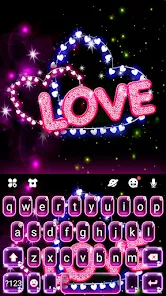
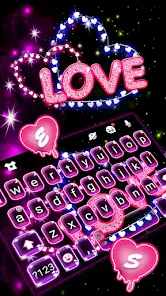
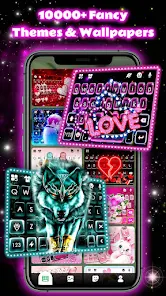
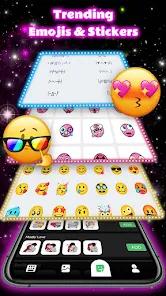
Neon Love Theme is a customization app from the developer Delicate Theme, sitting squarely in the personalization category on the Google Play Store. You grab it to give your Android phone a more flashy, romantic, or vibrant lock screen and home screen makeover, especially if you're into that electric pink-and-purple neon look. After downloading and installing it (it's free, by the way), the first impression when you launch it is a bit of a mixed bag. You immediately see the flashy previews of the theme, which look pretty cool, but the interface itself feels a little cluttered and not as polished as the theme previews suggest. It's a typical third-party launcher theme app, so you immediately know you'll need to apply it through a third-party launcher like Launcher EX or similar, which can be a small hurdle for a casual user just wanting a quick change.
Once you get past the initial setup and actually apply the theme through a compatible launcher, the experience gets better. The main actions involve tapping through the theme previews, hitting the "Apply" button, and then granting permissions. The actual hands-on feel after it's running is fine. The icons get recolored, the wallpaper changes to a glowy neon heart design, and the overall vibe shifts. I found that the theme does a decent job of keeping the app drawer accessible, but some of the custom icon packs don't cover every app, so you get a few mismatched stock icons sticking out like a sore thumb. A small practical tip: you have to manually go into the launcher's settings to pick the icon pack separately after applying the theme, which isn't always obvious. The onboarding is minimal, so you just fumble through it, which is pretty standard for these lightweight customization apps.
After using it for a few days, I can say it's a fun, temporary novelty. If you're a teenager or someone who really loves that bold, glowing aesthetic and wants a cheap thrill for their phone's look, it's a decent free option. But if you're after a clean, modern, or minimalist style, you'll probably uninstall it within an hour. Compared to something like the default Material You theming on newer Androids, Neon Love Theme feels much more amateur and less integrated. It offers a specific, loud style that the default system themes just don't cover, so it has a niche appeal. The main reason someone would keep it installed is if they really, really want that neon heart look and aren't bothered by a few mismatched icons and the extra step of using a third-party launcher. I'll probably keep it for a week for a fun change, but it's not a long-term keeper for me.
features
- 💡 The app's standout feature is its extensive library of neon heart wallpapers and icon packs, which is very specific and hard to find in general launcher apps. Unlike Nova Launcher, which lets you customize everything, Neon Love Theme gives you a curated, ready-to-apply look for users who don't want to tweak every detail.
- 💡 It offers a very low-friction apply process for its specific style. You don't need to manually pick colors or fonts; one tap applies the entire combination. This is way simpler than building a similar look from scratch in something like Action Launcher.
- 💡 The theme includes animated lock screen effects for the neon hearts, which is a feature you don't usually get from just setting a static wallpaper on a stock launcher. That little bit of motion adds to the "wow" factor for its target audience.
pros
- 👍 Its biggest strength is the unique, cohesive aesthetic. You won't find another theme pack that nails the specific "toxic Valentine's neon" look as consistently as this one. It beats generic "Love Theme" apps from random developers who just bundle unrelated wallpapers.
- 👍 The app is completely free with no annoying pop-ups shoving premium icons in your face, which is a relief compared to other theme apps like V Color Theme that constantly push you to buy their "deluxe" packs.
- 👍 It works well with very low-end Android devices, offering a visual upgrade without draining the battery too much, unlike some heavy live wallpaper apps like Kustom Live Wallpaper.
cons
- 👎 The app's biggest weakness is its lack of flexibility. Unlike Lawnchair 2, which allows endless custom icon and widget mixing, Neon Love Theme forces a specific look. If you don't like the pink hearts, you're out of luck.
- 👎 It is essentially an icon pack and wallpaper pack, not a standalone launcher. You must install a third-party launcher like Launcher EX to use it, which adds an unnecessary step compared to using a simple wallpaper app like Zedge.
- 👎 The icon coverage is terrible. Many of my standard apps (like banking or utility apps) were not themed and just looked like a normal Android icon in the middle of the neon setup, which ruins the entire vibe compared to line-icon packs that often have wider coverage.
- 👎 It hasn't been updated in a long time, and the developer seems inactive. Unlike Galaxy Themes which get regular updates for new phone models, this app may have compatibility issues with Android 14 and newer versions.
Recommended Apps
![]()
16Personalities
16Personalities4
![]()
Zodiac Palm Reader: MagicWay
Reatility Media4.6
![]()
Moblo - 3D furniture modeling
MYTIforge4.1![]()
Magnifier Plus with Flashlight
Digitalchemy, LLC4.6![]()
QR Code Scanner
QR Code Scanner & Barcode Reader4.7![]()
FalFal: Astrology, Tarot, Love
FalFal Team4.8![]()
Christmas Photo Frames
PhotoFramesApps4.6![]()
AI Video Art Creator - Livensa
FERASET4.5![]()
Horoscope of Birth
Denimaks4.4![]()
Make Me Bald Prank
AppTornado2.5![]()
Kling AI: AI Image&Video Maker
Lohas Games Pte. Ltd.4.4![]()
Japan Timetable & Route Search
NAVITIME JAPAN CO., LTD.4.3![]()
Prank Call & Funny Video
TeH Software0![]()
Parallax 3D Live Wallpapers
TarrySoft4.3![]()
AI Chatbot - Nova
ScaleUp4.7















Disclaimer
1.AppInfoLibrary does not represent any developer, nor is it the developer of any App or game.
2.AppInfoLibrary provide custom reviews of Apps written by our own reviewers, and detailed information of these Apps, such as developer contacts, ratings and screenshots.
3.All trademarks, registered trademarks, product names and company names or logos appearing on the site are the property of their respective owners.
4. AppInfoLibrary abides by the federal Digital Millennium Copyright Act (DMCA) by responding to notices of alleged infringement that complies with the DMCA and other applicable laws.
5.If you are the owner or copyright representative and want to delete your information, please contact us info@appinfolibrary.com.
6.All the information on this website is strictly observed all the terms and conditions of Google Ads Advertising policies and Google Unwanted Software policy .














