

Find My Phone By Clap, Whistle

5M+
Installs
Neko Soft
Developer
-
Productivity
Category
-
Rated for 3+
Content Rating
-
nekosoft.feedback.app@gmail.com
Developer Email
-
https://sites.google.com/view/nksoftpolicy/home
Privacy Policy
Screenshots
editor reviews
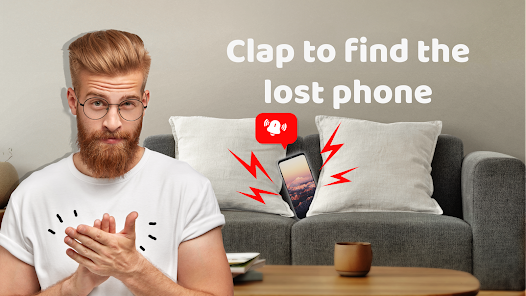
You ever panic because you just know your phone is somewhere in the couch cushions but you cannot be bothered to get up? Find My Phone By Clap, Whistle is exactly that kind of lifesaver. It sits squarely in the utility app category on Google Play, boasting north of ten million installs and it is completely free to download. The idea is dead simple: you clap or whistle, and the app makes your phone ring or flash, even if you left it on silent. When you first launch it, the interface hits you with a slightly dated feel, like it was built a few years ago, but nothing that gets in the way. It asks for microphone and notification permissions right away, which makes sense because the whole trick relies on listening for sound. There are no accounts to create, no email signup, just a couple of buttons and a big "Start" switch. Honestly, the first impression is that it works way better than it looks, and that initial test clap in a quiet room can be surprisingly satisfying.
After you start using it for real, the experience gets a bit messier but still pretty effective. You tap the main button to activate the listening mode, lay the phone down somewhere, and then go hide it or forget where you put it. The app stays active in the background, but you need to make sure your phone's battery optimization does not shut it down, which is a common hiccup. When you clap, it takes maybe half a second to recognize the sound and then the phone starts blasting a ringtone and flashing the screen. The sensitivity slider is buried in the settings menu, and you will definitely want to tweak it because loud TV shows or dogs barking can trigger false alarms. For daily use, the most practical tip is to experiment with different whistles; high-pitched ones tend to register better than low claps. If the environment is noisy, it sometimes misses the cue entirely, and you end up clapping like a maniac before remembering you can just use another phone to call yours.
After spending enough time with this app, I have mixed feelings but I lean positive. It is genuinely useful for people who lose their phone around the house multiple times a day, maybe parents who toss their phone on a cluttered counter or folks with messy rooms. But if you always keep your phone in your pocket or you live alone in a small apartment, you probably do not need it. Compared to similar apps like "Find My Phone by Clap" or "Whistle Finder," Neko Soft's version stands out because it lets you pick between clap and whistle detection instead of forcing one mode. But it lacks a smartwatch integration or a backup GPS locator, which some competitors offer. I keep it installed because it has saved me maybe five minutes of searching every single day, but the occasional missed detection makes me wonder if I should switch to something with better noise filtering. Uninstalling it would mean going back to crawling under furniture, so it stays.
features
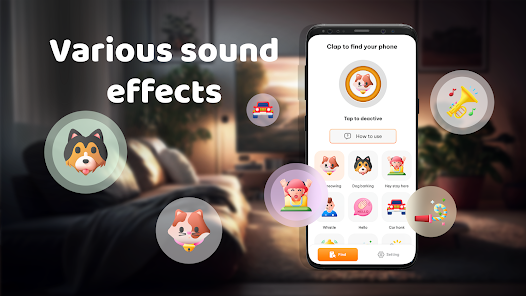
- 🔊 Clap or whistle recognition: The app lets you choose between clapping or whistling to trigger the phone's alarm. This gives you flexibility depending on what is easier in the moment. Similar apps like "Find My Phone by Clap" only react to claps, so having both options here is a nice upgrade.
- 🔊 Silent mode bypass: Even when your phone is set to silent or vibrate only, Find My Phone By Clap, Whistle forces the ringtone to play at full volume. Other tools usually rely on calling the phone, which does not work if you muted it. This app actually overrides the system settings, which is its trickiest feature.
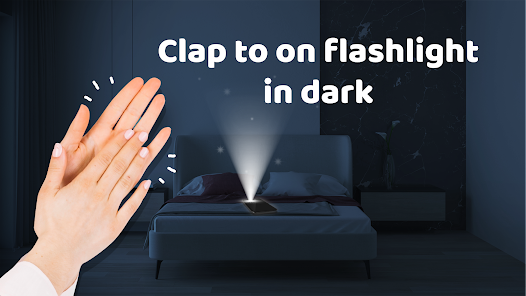
- 🔊 Flashlight strobe: Along with the sound, the app can flash the camera LED or screen. This is incredibly helpful in dark rooms or when your phone slides under a bed. Many similar apps only offer sound or vibration, so the visual cue adds a layer of reliability.
pros
- ➕ Totally free with no ads: Unlike "Find My Phone by Clap" which shoves a banner ad at the bottom, Neko Soft's version runs without any popups or interruptions. You do not need to pay to remove distractions, which makes the experience smoother.
- ➕ Background persistence: The app stays active even when your phone screen is off or other apps are open. Some competitors like "Whistle Finder" tend to stop listening after a few minutes due to battery saving. This one holds the connection longer, reducing the chance of missing your cue.
- ➕ Simple permission setup: It only asks for microphone and notification access, no location tracking or contact reading. Apps like "Find My Device" demand more permissions, so this feels less invasive for a straightforward tool.
cons
- ➖ Occasional sensitivity issues: The app sometimes fails to detect a clap or whistle if the environment is noisy, like near a TV or in a crowded room. "Find My Phone by Clap" handles background noise better with adaptive filtering, while this one struggles more.
- ➖ No smartwatch or wearable support: You cannot trigger the alarm from a smartwatch, which would be convenient for people who often misplace their phone while wearing one. Competitors like "Find My Device" integrate with Wear OS watches, but this app lacks that feature entirely.
- ➖ Battery optimization conflicts: Many Android phones kill the app's background process automatically to save power, so you have to manually disable battery optimization. "Whistle Finder" solves this with a clear guide inside the app, but Neko Soft's version just leaves you to figure it out.
- ➖ Outdated interface design: The UI looks like it was built for Android 6, with tiny buttons and clunky fonts. "Find My Phone by Clap" offers a modern dark mode and smoother animations, making it more pleasant to use day to day.
Recommended Apps
![]()
16Personalities
16Personalities4
![]()
Zodiac Palm Reader: MagicWay
Reatility Media4.6
![]()
Moblo - 3D furniture modeling
MYTIforge4.1![]()
Magnifier Plus with Flashlight
Digitalchemy, LLC4.6![]()
QR Code Scanner
QR Code Scanner & Barcode Reader4.7![]()
FalFal: Astrology, Tarot, Love
FalFal Team4.8![]()
Christmas Photo Frames
PhotoFramesApps4.6![]()
AI Video Art Creator - Livensa
FERASET4.5![]()
Horoscope of Birth
Denimaks4.4![]()
Make Me Bald Prank
AppTornado2.5![]()
Kling AI: AI Image&Video Maker
Lohas Games Pte. Ltd.4.4![]()
Japan Timetable & Route Search
NAVITIME JAPAN CO., LTD.4.3![]()
Prank Call & Funny Video
TeH Software0![]()
Parallax 3D Live Wallpapers
TarrySoft4.3![]()
AI Chatbot - Nova
ScaleUp4.7















Disclaimer
1.AppInfoLibrary does not represent any developer, nor is it the developer of any App or game.
2.AppInfoLibrary provide custom reviews of Apps written by our own reviewers, and detailed information of these Apps, such as developer contacts, ratings and screenshots.
3.All trademarks, registered trademarks, product names and company names or logos appearing on the site are the property of their respective owners.
4. AppInfoLibrary abides by the federal Digital Millennium Copyright Act (DMCA) by responding to notices of alleged infringement that complies with the DMCA and other applicable laws.
5.If you are the owner or copyright representative and want to delete your information, please contact us info@appinfolibrary.com.
6.All the information on this website is strictly observed all the terms and conditions of Google Ads Advertising policies and Google Unwanted Software policy .














