
PhotoLayers-Superimpose,Eraser

10M+
Installs
handyCloset Inc.
Developer
-
Video Players & Editors
Category
-
Rated for 12+
Content Rating
-
support_android@handycloset.com
Developer Email
-
https://privacy.handycloset.com
Privacy Policy
Screenshots
editor reviews
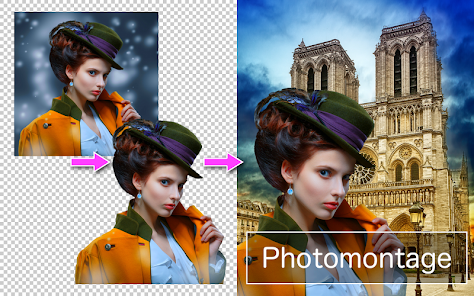
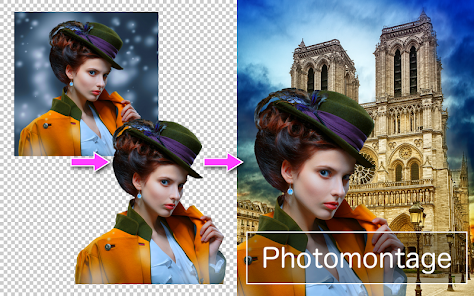
PhotoLayers-Superimpose,Eraser is a straightforward utility tool for anyone who wants to cut out subjects or objects from photos and place them onto different backgrounds. It falls into the photo editing and compositing category, and it's the kind of app you might grab when you need a quick result without opening a full desktop suite. Most people probably download it from Google Play or the App Store for a specific reason, like removing an ex from a group shot or making a silly meme. Once you install and launch it, the first impression is that it's very no-nonsense. The interface is clean but a bit dated, with a simple toolbar at the bottom. There's no forced sign-up, and while there are in-app purchases, the core cutout tool works just fine for free. The app has over ten million installs on Android, which tells you it's popular for a reason, but you'll also notice occasional banner ads.
After you open the app, the hands-on experience is surprisingly direct. You pick a photo from your gallery, and the app immediately shows you three main options: Cutout, Eraser, and Clone. For a typical task, like cutting out a person, you tap Cutout and then roughly paint over the area you want to keep. The AI does a decent job of detecting edges, but you'll almost always need to refine it using the Eraser or Restore brushes. A small tip is to zoom in and use a smaller brush for hair or messy edges. The background removal is not instant, taking maybe five to ten seconds, which is acceptable. Once you have your cutout, you can superimpose it onto another image. The resizing and positioning are smooth, but I noticed the app sometimes lags when you try to rotate the object. There are also basic tools for adjusting brightness and adding shadows, but they feel a bit hidden in the menu.
After using PhotoLayers for a while, I think it's a solid pick for casual users who want a quick cutout without paying for a subscription. It's especially handy for social media posts or simple collages where perfection isn't critical. However, if you need precise edge detection for professional work, like a marketing asset, you'll likely get frustrated with the manual cleanup. Compared to apps like Background Eraser or Picsart, PhotoLayers feels more focused on the superimpose feature, which is a plus if that's your main goal. The free version gets the job done, but the ads are a bit annoying during longer edits. I kept it installed because it's fast for simple tasks, but I can see someone uninstalling it if they find a more modern alternative with better AI detection.
features
- 🖼️ The standout feature is the Cutout tool, which uses basic AI to separate a subject from the background. It's more hands-on than something like Adobe Photoshop Express, where you just tap and it works. Here, you paint the area you want to keep, and the app does a fairly good job, though it sometimes misses fine details like flyaway hair or transparent objects.
- 🧹 The Clone Stamp tool is a hidden gem that lets you duplicate parts of an image to cover up unwanted objects. It's not as smooth as the one in Snapseed, but for a free app, it's functional. You can fix small blemishes or remove a stray branch with a bit of patience.
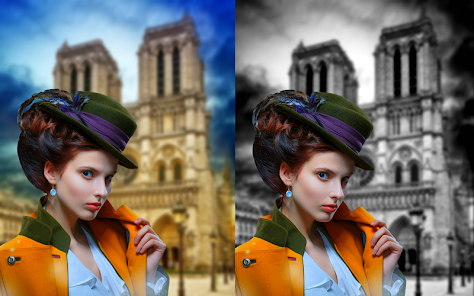
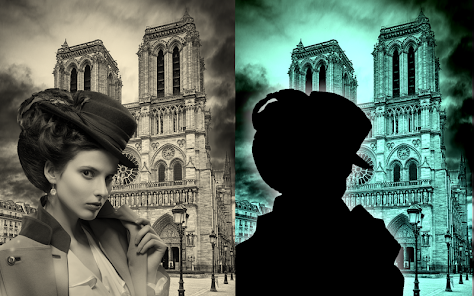
- 🔄 The Superimpose feature allows you to blend two images seamlessly. You can adjust the opacity, scale, and position of the foreground object. It's simpler than the layer system in Picsart, but that also means less clutter. You won't find blending modes or masks, which limits creative control.
- ⚡ The instant preview is a nice touch. Every time you tweak the cutout or adjust the position, the app shows you the result right away without a lag. This makes trial and error much faster compared to apps like PhotoDirector, where you often need to apply changes first.
pros
- ✅ One major strength is the low barrier to entry. You can achieve decent results without paying a cent, while apps like TouchRetouch lock essential features behind a paywall. This makes it great for occasional users.
- ✅ The learning curve is almost non-existent. The interface is straightforward, with clear icons for Cutout, Eraser, and Clone. Unlike Enlight or Facetune, which have complex menus, you can figure out the basics in under a minute.
- ✅ The app works well offline, which is a big plus. You don't need a constant internet connection to process images, unlike many AI-based editors that rely on cloud servers. This makes it reliable when you're on the go or have a weak signal.
cons
- ❌ The AI edge detection is inconsistent. It often struggles with busy backgrounds or fine details like hair, forcing you to spend extra time on manual cleanup. In comparison, Adobe Photoshop Express or even the free version of Background Eraser handles similar tasks with fewer errors.
- ❌ The ad experience is intrusive. After every few actions, a full-screen video ad pops up, which disrupts the workflow. Competing apps like Snapseed are completely ad-free, making them more pleasant for longer editing sessions.
- ❌ The export quality feels capped. Even when you choose high resolution, the final image sometimes appears slightly compressed or with artifacts. This is a letdown if you plan to print the photo or use it for professional stuff.
- ❌ There is no batch processing or undo history. If you mess up a step, you have to start over from the last save point. Other free editors like Canva allow you to undo multiple actions, which saves a lot of frustration.
Recommended Apps
![]()
16Personalities
16Personalities4
![]()
Zodiac Palm Reader: MagicWay
Reatility Media4.6
![]()
Moblo - 3D furniture modeling
MYTIforge4.1![]()
Magnifier Plus with Flashlight
Digitalchemy, LLC4.6![]()
QR Code Scanner
QR Code Scanner & Barcode Reader4.7![]()
FalFal: Astrology, Tarot, Love
FalFal Team4.8![]()
Christmas Photo Frames
PhotoFramesApps4.6![]()
AI Video Art Creator - Livensa
FERASET4.5![]()
Horoscope of Birth
Denimaks4.4![]()
Make Me Bald Prank
AppTornado2.5![]()
Kling AI: AI Image&Video Maker
Lohas Games Pte. Ltd.4.4![]()
Japan Timetable & Route Search
NAVITIME JAPAN CO., LTD.4.3![]()
Prank Call & Funny Video
TeH Software0![]()
Parallax 3D Live Wallpapers
TarrySoft4.3![]()
AI Chatbot - Nova
ScaleUp4.7















Disclaimer
1.AppInfoLibrary does not represent any developer, nor is it the developer of any App or game.
2.AppInfoLibrary provide custom reviews of Apps written by our own reviewers, and detailed information of these Apps, such as developer contacts, ratings and screenshots.
3.All trademarks, registered trademarks, product names and company names or logos appearing on the site are the property of their respective owners.
4. AppInfoLibrary abides by the federal Digital Millennium Copyright Act (DMCA) by responding to notices of alleged infringement that complies with the DMCA and other applicable laws.
5.If you are the owner or copyright representative and want to delete your information, please contact us info@appinfolibrary.com.
6.All the information on this website is strictly observed all the terms and conditions of Google Ads Advertising policies and Google Unwanted Software policy .














