
Face Changer - My Fake Look

10M+
Installs
Cards
Developer
-
Video Players & Editors
Category
-
Rated for 3+
Content Rating
-
support.myfakelook@zipoapps.com
Developer Email
-
https://zipoapps.com/myfakelook/privacy
Privacy Policy
Screenshots
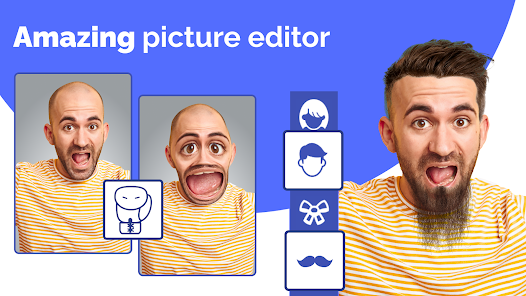
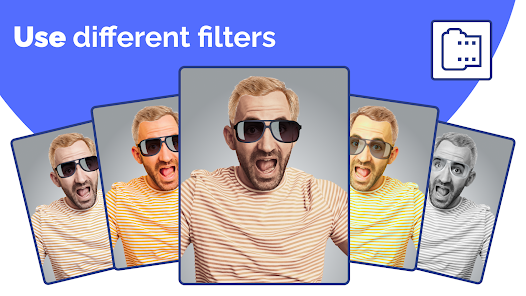
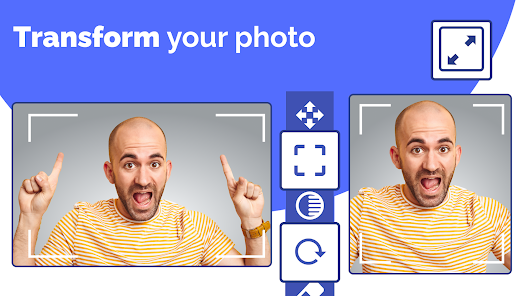
editor reviews
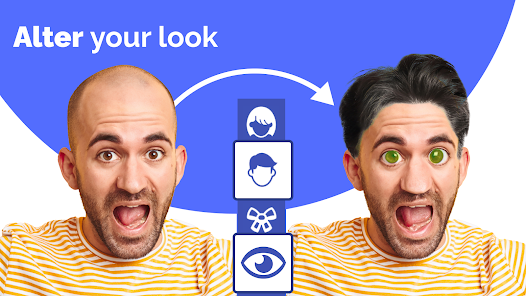
Face Changer - My Fake Look is a photo editing utility that lets you swap or alter faces in your pictures, something many people dabble in for fun or privacy. On Google Play, it sits in the photography category and has over 50 million downloads, which suggests plenty of folks have given it a shot. You can grab it for free, and after a quick install, the first thing you notice when launching the app is how straightforward the landing screen is -- just a big button to pick a photo or snap one on the spot. For a normal user, that instant simplicity feels inviting, no complicated menus or registration hurdles right away. There are in-app purchases and occasional ads, but they don't hit you before you even try a face swap, so the first impression is pretty clean and direct.
Once you're inside, the actual hands-on experience revolves around selecting a base photo and then a target face to paste onto it. The interface is basic -- a source image area on top and a swap area below, with a few editing sliders for blending and adjusting skin tone. Onboarding is barely there; you just tap and go. The main action is hitting the swap button and watching the app process the faces, which takes a few seconds. A common usage step is cropping the faces manually if the auto-detection misses the mark, which happens more often than you'd hope. On the smooth side, the app handles clear, front-facing portraits well, so if you have a group shot with everyone looking forward, the swaps look decent. On the confusing side, profile shots or faces with heavy shadows can throw it off, and you might end up with a wonky alignment that needs redos. A small practical tip is to use well-lit straight-on photos for best results, as the algorithm seems tuned for that. Navigating between the editing tools is fine, but the app lacks undo buttons, so one wrong tap and you're starting over.
After using it for a while, I'd say Face Changer fits casual users who want quick laughs or need to hide someone's identity in a photo for sharing online. Someone obsessed with flawless edits might not stick with it, as tools like FaceApp or Reface offer more seamless results with AI polish. What makes this app different from those bigger names is its lack of a social feed or subscription push -- you just edit and save. I'd keep it installed for those moments when a friend sends a silly group photo and we want to swap faces for a joke, but I could see uninstalling it if I found the ads too frequent or the app got stale. Compared to something like Snapchat's face swap, this gives you more control over saved photos, but it's less accurate overall. It's a fair middle ground for the price of free.
features
- 😊 Face swapping is the core feature: you pick two photos and the app blends the faces together with basic controls for opacity and color matching. It works fast for simple swaps, though complex lighting can trip it up. In comparison, FaceApp offers similar face manipulation but with more AI-driven realism, so Face Changer feels more manual and less polished.
- 😊 Simple photo editing tools come built in: you can crop, rotate, or adjust brightness before swapping, which saves you from jumping to another editor first. Apps like PicsArt have more extensive editing suites, but for a quick swap, this app's bundled basics are handy.
- 😊 No login requirement stands out: unlike many photo apps that push account creation, this one lets you use it fully offline and anonymous. Reface requires sign-in for some features, so this is a plus for privacy-minded users who just want to edit without a digital footprint.
pros
- 👍 Free to use with minimal restrictions: compared to YouCam Perfect which locks many face tools behind a subscription, Face Changer lets you swap unlimited times without paying upfront. Just watch for occasional ads.
- 👍 Works offline entirely: no internet needed after download, unlike FaceSwap Live which relies on cloud processing. This means you can mess around with photos anywhere without mobile data worries.
- 👍 Very low learning curve: the app has fewer than ten buttons on the main screen, so anyone can pick it up in seconds. In contrast, Adobe Photoshop Express has a steeper learning curve for similar face edits.
- 👍 No social sharing pressure: there's no feed or like system, so you just edit and save alone. Apps like Snapchat push sharing constantly, which can feel noisy if you only want private edits.
cons
- 👎 Inconsistent face detection: if your photo isn't perfectly front-facing, the app often misaligns eyes or mouths, leading to creepy results. FaceApp handles angles much better with its AI.
- 👎 No high-resolution support: saved images look compressed, so if you want prints or social media posts with clarity, another tool like Reface performs better for output quality.
- 👎 Undo button is missing: slip up with a slider and you can't revert without restarting the whole process. Even basic editors like Google Photos have undo, so this feels like an oversight.
- 👎 Ads are placed awkwardly: they pop up after every three swaps, which breaks your flow during a creative session. While free apps need ad revenue, Meitu's ad placements are less intrusive.
Recommended Apps
![]()
16Personalities
16Personalities4
![]()
Zodiac Palm Reader: MagicWay
Reatility Media4.6
![]()
Moblo - 3D furniture modeling
MYTIforge4.1![]()
Magnifier Plus with Flashlight
Digitalchemy, LLC4.6![]()
QR Code Scanner
QR Code Scanner & Barcode Reader4.7![]()
FalFal: Astrology, Tarot, Love
FalFal Team4.8![]()
Christmas Photo Frames
PhotoFramesApps4.6![]()
AI Video Art Creator - Livensa
FERASET4.5![]()
Horoscope of Birth
Denimaks4.4![]()
Make Me Bald Prank
AppTornado2.5![]()
Kling AI: AI Image&Video Maker
Lohas Games Pte. Ltd.4.4![]()
Japan Timetable & Route Search
NAVITIME JAPAN CO., LTD.4.3![]()
Prank Call & Funny Video
TeH Software0![]()
Parallax 3D Live Wallpapers
TarrySoft4.3![]()
AI Chatbot - Nova
ScaleUp4.7















Disclaimer
1.AppInfoLibrary does not represent any developer, nor is it the developer of any App or game.
2.AppInfoLibrary provide custom reviews of Apps written by our own reviewers, and detailed information of these Apps, such as developer contacts, ratings and screenshots.
3.All trademarks, registered trademarks, product names and company names or logos appearing on the site are the property of their respective owners.
4. AppInfoLibrary abides by the federal Digital Millennium Copyright Act (DMCA) by responding to notices of alleged infringement that complies with the DMCA and other applicable laws.
5.If you are the owner or copyright representative and want to delete your information, please contact us info@appinfolibrary.com.
6.All the information on this website is strictly observed all the terms and conditions of Google Ads Advertising policies and Google Unwanted Software policy .














