

Toolwiz Photos - Pro Editor

10M+
Installs
Toolwiz.com
Developer
-
Video Players & Editors
Category
-
Rated for 16+
Content Rating
-
James@toolwiz.com
Developer Email
-
http://www.toolwiz.com/lead/privacy_policy/
Privacy Policy
Screenshots

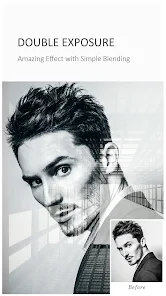


editor reviews
Toolwiz Photos - Pro Editor is an image editing app that acts like a small, portable Photoshop in your pocket. It's one of those apps you download when you spot a bug on Google Play or the App Store and think, "I might need that someday." After launching it, the first impression is honestly a bit overwhelming. There are so many icons, sliders, and stickers packed into one screen that it feels cluttered. But that also gives you the sense that this app can actually do a lot. It's free to download and seems to have decent install numbers globally, though I didn't dig into exact statistics. No registration is needed right away, so you can start playing with your photos almost instantly.
When you start using it, the interface takes some getting used to. There's no smooth onboarding walkthrough, so you're just dropped into the editing screen. The main actions involve pulling a photo from your gallery and then poking around the bottom toolbar. One minute you're adjusting brightness, the next you're adding a text overlay with a hundred fonts. The clone stamp tool works surprisingly well for removing small objects, and the color adjustment sliders give you fine control. But be prepared for occasional lag if your photo is high-resolution. My typical workflow is to load a selfie, fix the lighting, maybe blur the background, and export. The export step is fast, which is a relief because the editing itself can feel a little slow.
After using it for a couple of weeks, I'd say this app is for people who want more than just filters and one-tap fixes. If you enjoy tweaking shadows and highlights manually, you'll get into it. But if you just want a quick Instagram story edit, it might be too much. Compared to apps like Snapseed or Lightroom, Toolwiz offers more playful stickers and text options, but the interface is much less polished. I kept it installed because it has a few effects that no other free app offers out of the box. But honestly, the occasional crashes and lag make me consider uninstalling it more than once. It's a good backup tool, not my daily driver.
features
- 📸 Layer-based editing is the standout feature. Unlike many mobile editors that just apply filters over a single image, Toolwiz lets you stack multiple adjustments, stickers, and text on separate layers. This makes composite edits or adding watermarks really straightforward. Snapseed doesn't offer true layer support, so this is a big plus for more serious phone editors.
- 🎨 The sheer quantity of tools is impressive. You get clone stamp, curves, color balance, selective color, dodge and burn, plus a ton of frames and filters. Most apps make you pay for half of these, but Toolwiz bundles them all in the free version. It's almost like having a scaled-down desktop editor in your hand.
- ✏️ The text and sticker library is extensive and often overlooked. You can add speech bubbles, vintage posters, or neon signs without leaving the app. PicsArt has a similar library, but Toolwiz keeps it more organized and less ad-heavy, which makes the editing flow smoother.
pros
- 👍 Zero cost for advanced tools. Apps like Adobe Lightroom lock the curves and healing brush behind a subscription. Toolwiz gives you these for free, which is a massive win for budget-conscious users. You don't get tricked into a trial that expires.
- 👍 Good artistic filter variety. The oil painting, sketch, and watercolor effects look genuinely good compared to the cheap-looking filters in YouCam Perfect. They add a handcrafted feel to photos without looking too digital or artificial.
- 👍 The ability to adjust color channels individually. While Snapseed has white balance, Toolwiz lets you tweak red, green, and blue curves separately. That level of control is rare in a free app and helps with color grading photos exactly how you imagine them.
cons
- 👎 The interface is cluttered and outdated. Navigating menus feels like digging through a drawer. Buttons are small, labels are confusing, and it's easy to accidentally apply a filter you didn't want. Snapseed's simple swipe gestures are much more intuitive.
- 👎 Performance issues with large files. Editing a 12-megapixel photo from a recent phone often causes lag or crashes. Lightroom handles high-res images smoothly, but Toolwiz struggles when you try to layer multiple effects on a big picture.
- 👎 Excessive permissions requested on install. The app asks for access to your camera, storage, and even phone state. While common in older apps, this feels suspicious compared to more modern editors like Remini that ask for less upfront. Makes you question how your data is handled.
Recommended Apps
![]()
16Personalities
16Personalities4
![]()
Zodiac Palm Reader: MagicWay
Reatility Media4.6
![]()
Moblo - 3D furniture modeling
MYTIforge4.1![]()
Magnifier Plus with Flashlight
Digitalchemy, LLC4.6![]()
QR Code Scanner
QR Code Scanner & Barcode Reader4.7![]()
FalFal: Astrology, Tarot, Love
FalFal Team4.8![]()
Christmas Photo Frames
PhotoFramesApps4.6![]()
AI Video Art Creator - Livensa
FERASET4.5![]()
Horoscope of Birth
Denimaks4.4![]()
Make Me Bald Prank
AppTornado2.5![]()
Kling AI: AI Image&Video Maker
Lohas Games Pte. Ltd.4.4![]()
Japan Timetable & Route Search
NAVITIME JAPAN CO., LTD.4.3![]()
Prank Call & Funny Video
TeH Software0![]()
Parallax 3D Live Wallpapers
TarrySoft4.3![]()
AI Chatbot - Nova
ScaleUp4.7















Disclaimer
1.AppInfoLibrary does not represent any developer, nor is it the developer of any App or game.
2.AppInfoLibrary provide custom reviews of Apps written by our own reviewers, and detailed information of these Apps, such as developer contacts, ratings and screenshots.
3.All trademarks, registered trademarks, product names and company names or logos appearing on the site are the property of their respective owners.
4. AppInfoLibrary abides by the federal Digital Millennium Copyright Act (DMCA) by responding to notices of alleged infringement that complies with the DMCA and other applicable laws.
5.If you are the owner or copyright representative and want to delete your information, please contact us info@appinfolibrary.com.
6.All the information on this website is strictly observed all the terms and conditions of Google Ads Advertising policies and Google Unwanted Software policy .














