
Doodle Master - Glow Art

10M+
Installs
Hydodo
Developer
-
Art & Design
Category
-
Rated for 3+
Content Rating
-
Drawapp.feedback@hotmail.com
Developer Email
-
https://sites.google.com/view/draw-apps-for-free/
Privacy Policy
Screenshots
editor reviews
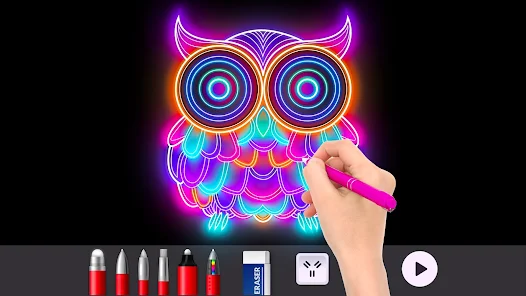
Doodle Master - Glow Art is a casual drawing app that turns your phone screen into a neon canvas. You basically use your finger to paint with glowing, colorful strokes that look like those light-up tracing boards you see at fairs. I downloaded it from Google Play because I wanted something quick to kill time during commutes, and the install count seemed decent enough to give it a shot. First impression right after launching was that it feels surprisingly polished for a free app. No forced registration, just a clean interface with a few pre-made templates and a blank canvas waiting. There are in-app purchases for extra brush packs and ad removal, but nothing pops up aggressively out of the gate.
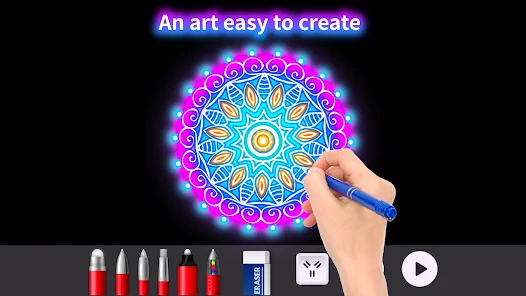
Once you actually start doodling, the experience is pretty straightforward. You pick a color from the wheel, adjust the brush size with a slider, and just swipe away. The glow effect kicks in immediately, with your lines lighting up against a dark background, which looks cool even if you're just scribbling. The onboarding is minimal — a quick tip about the undo button and layers, then you're on your own. I found the interface smooth for the most part, though switching between colors can feel a tiny bit laggy on older phones. One small tip that helps: use two fingers to zoom in on details, which makes fine line work much easier. The app also comes with pre-drawn outlines like mandalas or animals that you can fill in, which is handy when you're not feeling creative but still want that satisfying glow effect.
After using it for a few weeks, I'd say this app is perfect for anyone who enjoys relaxing, mindless creativity without pressure. It's not for people who need deep features like layers or vector tools — if you want that, just use ibis Paint X or something similar. What sets Doodle Master apart is how immediate and satisfying the glow visuals are, even for the most basic doodles. The biggest downside for me is that the base brush collection feels limited, and unlocking the good ones gets pricey. Still, I keep it installed for late-night doodle sessions when I just want to unwind. It's a toy more than a tool, and once you accept that, it's genuinely fun.
features
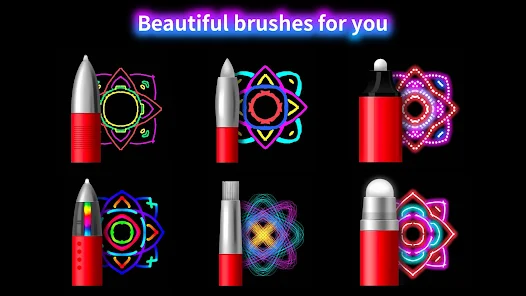
- ✨ Neon glow brushes react instantly with smooth, fluid lines that mimic real light painting, which is the main reason I keep coming back.
- 🎨 Color palette is massive and easy to navigate, with a live preview showing how each shade will look glowing against the dark canvas.
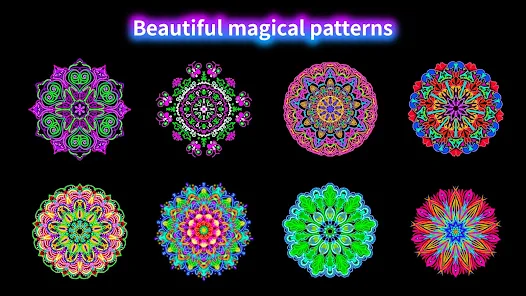
- 🖌️ Pre-made templates like mandalas and animals are perfect for beginners, and the fill tool works accurately without leaking outside lines.
- 💡 Compared to similar glow drawing apps like Glow Draw or Neon Paint, this one handles brush lag much better and doesn't crash as often during long sessions.
pros
- 🎯 The glow effect is genuinely striking and works on any phone screen, while similar apps often make colors look flat or washed out.
- 🔄 Undo and redo buttons are placed right where you need them, and they work instantly — something that Glow Draw gets wrong with annoying delays.
- 📦 Templates are regularly updated through free updates, so you're not stuck with the same five designs forever like in some other free doodle apps.
cons
- 🔒 The free brush selection feels too small; you'll hit a wall quickly and feel pressured to buy packs, whereas Neon Paint gives more variety upfront.
- 🐌 On lower-end devices, the app stutters noticeably when using larger brush sizes, which ruins the otherwise smooth drawing flow.
- 💸 Removing ads costs almost as much as a full premium drawing app, and the ads themselves appear between every few strokes, which gets annoying fast.
- 📱 No cloud save or social sharing integration — you have to screenshot your work manually, while competitors like Glow Draw let you post directly to communities.
Recommended Apps
![]()
16Personalities
16Personalities4
![]()
Zodiac Palm Reader: MagicWay
Reatility Media4.6
![]()
Moblo - 3D furniture modeling
MYTIforge4.1![]()
Magnifier Plus with Flashlight
Digitalchemy, LLC4.6![]()
QR Code Scanner
QR Code Scanner & Barcode Reader4.7![]()
FalFal: Astrology, Tarot, Love
FalFal Team4.8![]()
Christmas Photo Frames
PhotoFramesApps4.6![]()
AI Video Art Creator - Livensa
FERASET4.5![]()
Horoscope of Birth
Denimaks4.4![]()
Make Me Bald Prank
AppTornado2.5![]()
Kling AI: AI Image&Video Maker
Lohas Games Pte. Ltd.4.4![]()
Japan Timetable & Route Search
NAVITIME JAPAN CO., LTD.4.3![]()
Prank Call & Funny Video
TeH Software0![]()
Parallax 3D Live Wallpapers
TarrySoft4.3![]()
AI Chatbot - Nova
ScaleUp4.7















Disclaimer
1.AppInfoLibrary does not represent any developer, nor is it the developer of any App or game.
2.AppInfoLibrary provide custom reviews of Apps written by our own reviewers, and detailed information of these Apps, such as developer contacts, ratings and screenshots.
3.All trademarks, registered trademarks, product names and company names or logos appearing on the site are the property of their respective owners.
4. AppInfoLibrary abides by the federal Digital Millennium Copyright Act (DMCA) by responding to notices of alleged infringement that complies with the DMCA and other applicable laws.
5.If you are the owner or copyright representative and want to delete your information, please contact us info@appinfolibrary.com.
6.All the information on this website is strictly observed all the terms and conditions of Google Ads Advertising policies and Google Unwanted Software policy .














