

HD Camera for Android

50M+
Installs
Mobile_V5
Developer
-
Video Players & Editors
Category
-
Rated for 3+
Content Rating
-
mobilev5.dev@gmail.com
Developer Email
-
https://mobv5privacy.ijoysoftconnect.com/camera/AppPrivacy.html
Privacy Policy
Screenshots
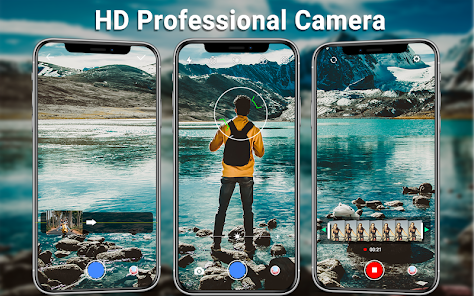
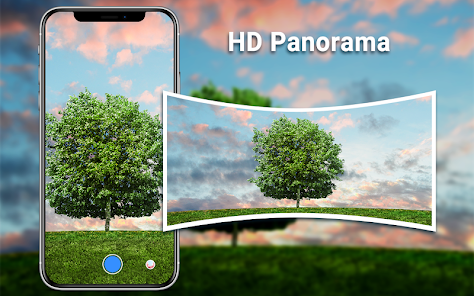
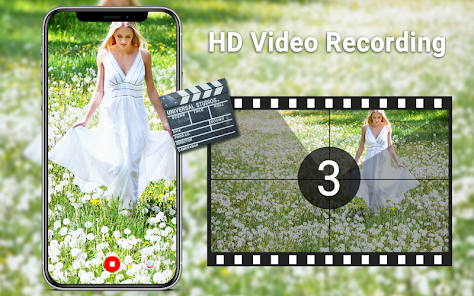
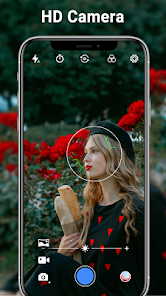
editor reviews
HD Camera is a straightforward camera replacement app on Android, falling into the photography and utility category. People who download this from Google Play are usually looking for something more than what their stock camera offers, maybe better manual controls or a cleaner interface. I installed it because I wanted to see if a third-party option could actually improve my phone's mediocre camera output. The first impression after launching the app is that it looks modern but not overly flashy, which I appreciated. It had a simple welcome screen that let me skip straight to the viewfinder, so no forced registration or tutorial. I noticed it had over 50 million installs according to the Play Store, and it's completely free with no in-app purchases, though there were some banner ads at the bottom, which wasn't too distracting. No account or sign-up was required, so I was shooting within seconds.
When I started using it, the interface felt intuitive, with all the main controls like flash, HDR, and grid lines placed along the side. The shutter button is big and responsive, but the autofocus seemed a bit slower than the native camera on my device. I took a few pictures around my apartment, testing the manual exposure and white balance settings, which worked smoothly but required some tapping to get right. The app's common usage flow is point, tap to focus, and shoot, but the burst mode is hidden in a menu, which took me a minute to find. A practical tip I figured out is that you can long-press the shutter for continuous shooting. The image quality was decent in good light, but in lower light, the noise handling wasn't as good as some other apps I've tried.
After using it for a week, I think HD Camera is solid for someone who just wants a free alternative with a few extra controls, especially if they don't want to pay for something like ProCamera or Open Camera. It lacks the advanced raw processing or manual focusing aids that more serious photography apps have. What makes it different from similar free apps is that it's very lightweight, loads instantly, and doesn't shove features in your face. I can see a casual user keeping it installed for quick snapshots, but anyone who shoots seriously will probably uninstall it after a few days because of the slower autofocus and limited post-processing. Personally, I kept it as a backup cam, but I wouldn't rely on it for anything important.
features
- 📸 The standout feature here is the manual control set, which lets you tweak ISO, white balance, and exposure compensation. This puts it ahead of the basic Google Camera in terms of user control, though not matching Open Camera's depth.
- 📸 It uses a clean, minimal interface with a left-side control panel, making it easier to adjust settings without clutter. This is more user-friendly than many alternatives that bury options in long menus.
- 📸 The app is extremely lightweight, under 5MB, and launches almost instantly, which is a huge plus compared to bloated apps like Camera MX that take time to load.
- 📸 Image stabilization here is basic but effective for steady shots, though it's not as good as what you get in the built-in Samsung Camera app.
pros
- 🏆 Its biggest strength is being completely free with no hidden paywalls, unlike ProCamera which locks advanced features behind a purchase.
- 🏆 The app is very battery-friendly because it doesn't run background services, a clear advantage over Battery Camera which drains power quickly.
- 🏆 It supports a wide range of devices, including older Android versions, making it more accessible than many modern camera apps that require newer OS versions.
cons
- 👎 The autofocus is noticeably slow in low light, which is frustrating compared to the fast focus on Stock Camera apps or Open Camera.
- 👎 Video recording maxes out at 1080p with no 4K option, which makes it less capable than Camera FV-5 for videographers.
- 👎 The app includes occasional banner ads that pop up in the viewfinder, which can be distracting and isn't something you see in paid alternatives like Footej Camera.
- 👎 It lacks any form of manual focus or focus peaking, which hurts its usability for macro photography compared to HedgeCam 2.
Recommended Apps
![]()
16Personalities
16Personalities4
![]()
Zodiac Palm Reader: MagicWay
Reatility Media4.6
![]()
Moblo - 3D furniture modeling
MYTIforge4.1![]()
Magnifier Plus with Flashlight
Digitalchemy, LLC4.6![]()
QR Code Scanner
QR Code Scanner & Barcode Reader4.7![]()
FalFal: Astrology, Tarot, Love
FalFal Team4.8![]()
Christmas Photo Frames
PhotoFramesApps4.6![]()
AI Video Art Creator - Livensa
FERASET4.5![]()
Horoscope of Birth
Denimaks4.4![]()
Make Me Bald Prank
AppTornado2.5![]()
Kling AI: AI Image&Video Maker
Lohas Games Pte. Ltd.4.4![]()
Japan Timetable & Route Search
NAVITIME JAPAN CO., LTD.4.3![]()
Prank Call & Funny Video
TeH Software0![]()
Parallax 3D Live Wallpapers
TarrySoft4.3![]()
AI Chatbot - Nova
ScaleUp4.7















Disclaimer
1.AppInfoLibrary does not represent any developer, nor is it the developer of any App or game.
2.AppInfoLibrary provide custom reviews of Apps written by our own reviewers, and detailed information of these Apps, such as developer contacts, ratings and screenshots.
3.All trademarks, registered trademarks, product names and company names or logos appearing on the site are the property of their respective owners.
4. AppInfoLibrary abides by the federal Digital Millennium Copyright Act (DMCA) by responding to notices of alleged infringement that complies with the DMCA and other applicable laws.
5.If you are the owner or copyright representative and want to delete your information, please contact us info@appinfolibrary.com.
6.All the information on this website is strictly observed all the terms and conditions of Google Ads Advertising policies and Google Unwanted Software policy .














