

Mirror App: Magic Photo Editor

50M+
Installs
Lyrebird Studio
Developer
-
Video Players & Editors
Category
-
Rated for 3+
Content Rating
-
lyrebirdstudio@gmail.com
Developer Email
-
https://lyrebirdstudio.net/privacy_policy.htm
Privacy Policy
Screenshots
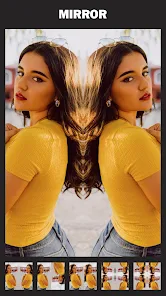
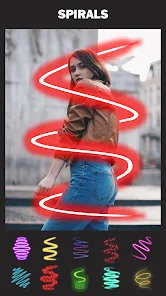

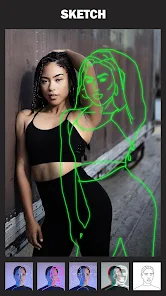
editor reviews
The Mirror App, from Lyrebird Studio, falls squarely into the photo editing and effects category, specifically focusing on symmetrical and kaleidoscopic transformations. You open it to turn a regular selfie or snapshot into something that looks like a trippy, perfectly mirrored fractal. Most people download it from the Google Play or App Store because they want that quick, shareable wow factor for social media posts. After launching it, the first impression is pretty straightforward: a clean interface with your camera roll at the bottom and a few effect thumbnails at the top. It feels light and focused, not bloated with a thousand sliders. The app is free to install, though you'll quickly notice some in-app purchases for extra pattern packs and the occasional banner ad, which is fairly standard for this kind of utility.
The actual hands-on experience is where the app either clicks or doesn't. You pick a photo, and the app instantly shows a live preview with a default mirror effect, usually a left-right reflection. The real fun starts when you swipe through the effect styles; you have basic symmetry, then four-way kaleidoscopes, mandala patterns, and even some that warp the image in an organic way. The interface is responsive, so you can see the change immediately as you scroll. A common usage step is adjusting the center point of the reflection by dragging on the screen, which lets you focus on a specific eye or object. One small tip: turning your phone sideways sometimes gives a better layout for the symmetrical cut. The app is generally smooth, though with very high-resolution photos, it can stutter a bit when applying the more complex kaleidoscope filters.
After spending some time with it, I think it's a fun tool for creating distinctive profile pictures or abstract art, but it's not something you'd use for everyday photo touch-ups. Someone who enjoys graphic design or psychedelic visuals will get a kick out of it, but if you just want to edit a basic portrait, you're better off with a standard editor. What sets it apart from apps like Mirror Lab or the many copycat symmetry apps is the sheer variety of the patterns and the live preview responsiveness. However, the free version feels limited after a while, nudging you to buy packs. I kept it installed for those moments when I want a quick, trippy background, but I could see a casual user uninstalling it after a week just because the core gimmick gets repetitive.
features
- ✨ Kaleidoscope Variety: The standout feature is the sheer range of mirror effects, from basic 2-fold symmetry to complex 8-fold mandalas and warped reflections. This beats PhotoLab or Snapseed, which lack dedicated, high-variety kaleidoscopic tools.
- 🎯 Live Drag Adjustment: You can tap and drag on the image to reposition the exact center of the mirror effect. This level of precise control for symmetry is rare in simpler apps, making each result feel custom rather than just a one-size-fits-all filter.
- 📱 Real-time Preview Gallery: The gallery view shows live previews of each effect, not just static thumbnails. This means you see your photo morphing in real time as you scroll, a much more intuitive and fun way to pick a filter compared to the typical tap-to-apply workflow in something like PicsArt.
pros
- 🌟 Unique Pattern Library: The app offers a library of patterns that go beyond basic reflection, including organic, fluid-like distortions and intricate geometric layouts. Most other mirror apps, like the standard ones on Google Play, stop at simple left-right or top-bottom mirrors.
- 🚀 Instant, Clean Processing: The app processes effects almost instantly with no loading screens. Competing apps like Mirror Lab often have a small lag before applying the effect, breaking the creative flow.
- 🎨 Great for Abstract Art: It's particularly strong at turning everyday photos into abstract, wallpaper-ready art. The default camera editor on your phone can't do anything close to this level of psychedelic transformation.
cons
- 💸 Limited Free Content: The free version is very restrictive, offering only a handful of basic effects before you hit a paywall. Competitors like PicsArt or VSCO offer a lot more free functionality for filters, making Mirror App feel like a pure demo.
- 📱 No Batch Editing: If you want to apply the same mirror effect to multiple photos, you have to do it one by one. Apps like Snapseed allow you to save and reapply edits, which is a major time saver for social media series.
- 🔇 No Tutorial or Help Section: The app assumes you know what a kaleidoscope is and how to use it. There is no onboarding or quick tips, so a new user might be confused by the center-point adjustment tool, whereas apps like Adobe Lightroom offer in-app tutorials.
Recommended Apps
![]()
16Personalities
16Personalities4
![]()
Zodiac Palm Reader: MagicWay
Reatility Media4.6
![]()
Moblo - 3D furniture modeling
MYTIforge4.1![]()
Magnifier Plus with Flashlight
Digitalchemy, LLC4.6![]()
QR Code Scanner
QR Code Scanner & Barcode Reader4.7![]()
FalFal: Astrology, Tarot, Love
FalFal Team4.8![]()
Christmas Photo Frames
PhotoFramesApps4.6![]()
AI Video Art Creator - Livensa
FERASET4.5![]()
Horoscope of Birth
Denimaks4.4![]()
Make Me Bald Prank
AppTornado2.5![]()
Kling AI: AI Image&Video Maker
Lohas Games Pte. Ltd.4.4![]()
Japan Timetable & Route Search
NAVITIME JAPAN CO., LTD.4.3![]()
Prank Call & Funny Video
TeH Software0![]()
Parallax 3D Live Wallpapers
TarrySoft4.3![]()
AI Chatbot - Nova
ScaleUp4.7















Disclaimer
1.AppInfoLibrary does not represent any developer, nor is it the developer of any App or game.
2.AppInfoLibrary provide custom reviews of Apps written by our own reviewers, and detailed information of these Apps, such as developer contacts, ratings and screenshots.
3.All trademarks, registered trademarks, product names and company names or logos appearing on the site are the property of their respective owners.
4. AppInfoLibrary abides by the federal Digital Millennium Copyright Act (DMCA) by responding to notices of alleged infringement that complies with the DMCA and other applicable laws.
5.If you are the owner or copyright representative and want to delete your information, please contact us info@appinfolibrary.com.
6.All the information on this website is strictly observed all the terms and conditions of Google Ads Advertising policies and Google Unwanted Software policy .














