
Themepack - App Icons, Widgets

10M+
Installs
YoloTech
Developer
-
Productivity
Category
-
Rated for 12+
Content Rating
-
xmind0303@gmail.com
Developer Email
-
https://www.themer-iconwidgets.com/privacy_policy.html
Privacy Policy
Screenshots
editor reviews
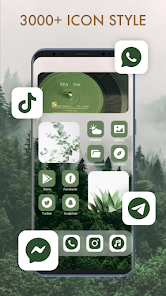
Themepack - App Icons, Widgets is a personalization tool on Google Play that lets you change the look of your phone's home screen. It falls into the customization genre, sitting alongside other icon packs and widget apps. People usually download this kind of app when they're bored with their default interface or want to give their device a fresh vibe without switching to a completely new launcher. After I installed it and opened it, the first impression was decent, though not jaw-dropping. The app itself is free to download, and it has over a million installs, so it's clearly been used quite a bit. There's no forced registration upfront, which is nice. You just land on a page of icon sets and widget previews. There are in-app purchases for certain premium themes, and I noticed some ads here and there, but they didn't feel too aggressive during initial browsing.
Actually using Themepack was a mixed experience. The interface is straightforward: you browse categories like neon, nature, or minimal, and tap on a set to see how the icons and matching widgets look together. To apply an icon pack, you need to have a third-party launcher installed, like Nova Launcher or Lawnchair. That's pretty typical for icon packs, but it might trip up someone who expects a one-tap change. The widget part is easier — you long-press the home screen, find the Themepack widget section, and pick a style. The widgets themselves are mostly clock and weather combos, and they resize reasonably well. I found that some icon sets looked crisp on my display, while a few others had slightly jagged edges, especially on older themes. One small tip: scale up the icons in your launcher settings if they look too tiny. Navigating between the app's tabs felt smooth, but the search function could be better — it didn't always pull up what I typed.
After spending a few days with Themepack, I'd say it's a solid choice for casual customizers who want variety without paying for a subscription every month. There is a decent selection of free themes, though the best-looking ones are locked behind a paywall. What sets it apart from something like the Google Material You theming is that it actually changes app icons and offers coordinated widget sets, giving a more unified look. But compared to competitors like X Icon Changer or H2O Icon Pack, Themepack feels a bit inconsistent in quality across its catalog. Some themes look polished, others not so much. I kept it installed because I like swapping looks every couple of weeks, but if you're someone who just wants one permanent clean setup, you might uninstall it after finding your favorite pack. It does the job, but it doesn't blow you away.
features
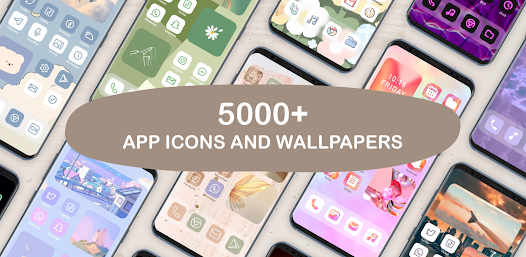
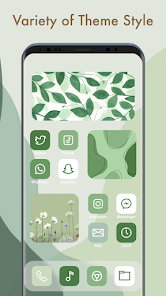
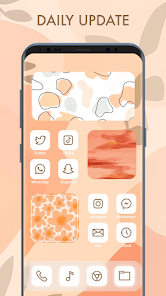
- 📦 Curated Theme Packs – Unlike something like CandyCons, where you pick individual icons one by one, Themepack bundles icons, wallpapers, and widgets into complete visual sets. You don't have to guess if things match — the work is already done. This makes applying a new look much faster for someone who just wants a cohesive style without manual assembly. 🎨 Widget Customization Options – Most icon packs, like Aura or Viral, focus just on icons and leave widgets up to you. Themepack includes its own set of widgets that sync with the icon theme. You can tweak colors and font styles, but the flexibility isn't as deep as dedicated widget apps like KWGT. Still, for quick setups, it works fine. 🔄 Regular Updates to the Library – The app refreshes its theme library fairly often, adding new seasonal or trending packs. Other packs, such as Crayon or Moonshine, rely on one static set and rarely update. With Themepack, you get new options every month or so, which keeps the app relevant if you like browsing frequently. 🚀 Low System Resource Usage – Themepack doesn't run in the background aggressively. Unlike some apps that drain battery by constantly refreshing previews or fetching new content, this one stays pretty light. It only draws power when you're actually customizing, which is a nice plus compared to apps that keep services running 24/7.
pros
- 🟢 Broad Free Catalog – While apps like Backdrops or Line X Icon Pack lock most content behind a full price upfront, Themepack gives you a generous selection of free themes. You can fully customize a few screens without spending anything, which is great for testing the waters before committing. 🟢 Integrated Look – Matching widgets to icons can be a pain in apps like One Icon Pack, where you have to download separate widget apps. Themepack handles both in one place, so the colors and shapes sync naturally across your home screen. 🟢 No Account Required – Some customization apps force you to sign up just to browse. Themepack keeps it open and anonymous, similar to the approach of Simple Icon Pack but with more content variety.
cons
- 🔴 Dependence on Third-Party Launchers – You can't apply the icons on stock launchers from Samsung or OnePlus without first installing something like Nova. Apps like X Icon Changer bypass this on some devices, but Themepack doesn't offer that flexibility. 🔴 Inconsistent Visual Quality – In comparison to premium packs like PixBit or Voxel, some themes in Themepack have low-res icons or uneven edge smoothing. Promotional screenshots can look better than the actual icons on your phone. 🔴 Occasional Widget Lag – When you resize a widget or switch themes, there is sometimes a small delay before the widget refreshes properly. Dedicated widget apps like KWGT don't have this glitch as often, which makes Themepack feel less polished in that area.
Recommended Apps
![]()
16Personalities
16Personalities4
![]()
Zodiac Palm Reader: MagicWay
Reatility Media4.6
![]()
Moblo - 3D furniture modeling
MYTIforge4.1![]()
Magnifier Plus with Flashlight
Digitalchemy, LLC4.6![]()
QR Code Scanner
QR Code Scanner & Barcode Reader4.7![]()
FalFal: Astrology, Tarot, Love
FalFal Team4.8![]()
Christmas Photo Frames
PhotoFramesApps4.6![]()
AI Video Art Creator - Livensa
FERASET4.5![]()
Horoscope of Birth
Denimaks4.4![]()
Make Me Bald Prank
AppTornado2.5![]()
Kling AI: AI Image&Video Maker
Lohas Games Pte. Ltd.4.4![]()
Japan Timetable & Route Search
NAVITIME JAPAN CO., LTD.4.3![]()
Prank Call & Funny Video
TeH Software0![]()
Parallax 3D Live Wallpapers
TarrySoft4.3![]()
AI Chatbot - Nova
ScaleUp4.7















Disclaimer
1.AppInfoLibrary does not represent any developer, nor is it the developer of any App or game.
2.AppInfoLibrary provide custom reviews of Apps written by our own reviewers, and detailed information of these Apps, such as developer contacts, ratings and screenshots.
3.All trademarks, registered trademarks, product names and company names or logos appearing on the site are the property of their respective owners.
4. AppInfoLibrary abides by the federal Digital Millennium Copyright Act (DMCA) by responding to notices of alleged infringement that complies with the DMCA and other applicable laws.
5.If you are the owner or copyright representative and want to delete your information, please contact us info@appinfolibrary.com.
6.All the information on this website is strictly observed all the terms and conditions of Google Ads Advertising policies and Google Unwanted Software policy .














