

Wonder - AI Art Generator

10M+
Installs
Codeway Dijital
Developer
-
Generative AI
Category
-
Rated for 3+
Content Rating
-
wonder@codeway.co
Developer Email
-
https://static.wonderai.app/privacy
Privacy Policy
Screenshots

editor reviews
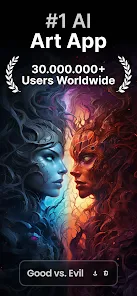
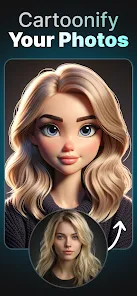
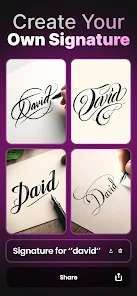
Wonder by Codeway Dijital is one of those AI image generators that popped up when the whole text-to-art craze really took off. It's basically a mobile-first tool where you type in a description or pick a style, and the app creates an artwork based on that. A lot of people download it because they see cool AI art on social media and want to try making their own without needing any actual drawing skills. When you first launch it, the interface feels pretty clean and modern, with some trending styles and examples right on the home screen. It's free to download from both Google Play and the App Store, though you'll quickly notice there are in-app purchases and a subscription model if you want to generate more images or use higher-quality settings. The install count is quite high given it's been around for a while, and registration is optional at first but encouraged later to save your creations.
After you get past the onboarding, the actual usage is pretty straightforward. You type a prompt into the text box, pick an art style from a grid of options, and hit generate. The app processes it for maybe ten to twenty seconds, then shows you the result. I found myself fumbling a bit with the style selection at first because the previews are small and some styles look too similar until you actually generate with them. A nice touch is that you can see example prompts under each style, which helps if you're new and don't know what to type. The app also has an upscale feature that makes the image sharper, but that uses more credits. For daily use, you basically browse styles, tweak your prompt, and save whatever looks decent. The whole flow feels smooth on a modern phone, though older devices might lag a bit when rendering.
After using Wonder for a while, I'd say it's a solid choice if you just want quick, pretty AI art on your phone without messing with complicated settings. The visual quality is good for a mobile app, and the curated styles help you get consistent results. But honestly, it doesn't feel as powerful or flexible as something like Midjourney on desktop, and the credit system can be frustrating if you generate a lot. People who just want to make a few cool wallpapers or social media posts will probably enjoy it and keep it installed. Power users or anyone who wants fine control over their prompts might get annoyed by the limitations and uninstall it later. It's decent for casual creativity, but not a replacement for more advanced tools.
features
- 🎨 Wonder offers a wide variety of preset art styles like cinematic, anime, oil painting, and cyberpunk, which makes it super easy for beginners to get a specific look without having to write complex prompts. In comparison, Midjourney gives you more control but expects you to know style keywords or use reference images, so Wonder feels much more beginner-friendly right out of the box.
- 🖼️ The built-in upscale and enhance features are quite useful for improving the resolution and detail of generated images. Apps like Dream by Wombo lack this refinement step, so your images often stay at a low resolution with visible artifacts. Wonder's upscale actually makes the artwork look cleaner and more printable.
- ⚡ The generation speed on Wonder is noticeably fast for a mobile app, usually taking under 20 seconds per image. This beats Stable Diffusion mobile versions, which can sometimes take 40 seconds or more on similar hardware. It's a small difference, but when you're iterating on prompts, it adds up.
pros
- 🚀 Wonder's interface is arguably the cleanest among mobile AI art generators. It doesn't feel cluttered or overwhelming like DreamStudio's mobile version, which throws too many sliders and technical terms at you. Everything is laid out as visual buttons, making the app feel more like a creative toy than a technical tool.
- 📱 The app runs reliably on older phones as well. Some users report that apps like StarryAI crash or lag on mid-range devices, but Wonder stays pretty stable. This wider device compatibility is a big plus for anyone not using the latest flagship.
- 🎯 The artwork quality for portrait and character generation is noticeably higher compared to apps like WOMBO Dream. Wonder handles faces and hands better, with fewer of those weird AI distortions that can ruin an otherwise good image.
cons
- ⏳ The free credit system is very stingy. You only get a handful of free generations per day, and each upscale costs extra credits. In comparison, StarryAI gives you more daily free credits and has a slower but more forgiving timer system. This makes Wonder feel more like a paid app disguised as a free one.
- 🎨 The prompt understanding is less accurate compared to Midjourney or DALL-E. If you type a complex or abstract description, Wonder often ignores key elements or mixes them up. For example, if you ask for a tiger underwater floating in space with jellyfish, Wonder might just give you a tiger in water and drop the jellyfish and space context.
- 📸 The community showcase feature is quite limited. Unlike apps such as Dream by Wombo, where you can scroll through tons of user creations and borrow their style and prompt settings, Wonder's gallery is small and not very inspiring. This reduces the sense of community and discovery.
- 💰 The subscription model is pricey compared to similar apps. You can get a stable diffusion app with more control for the same monthly price, so Wonder's value proposition weakens if you plan to use it heavily.
Recommended Apps
![]()
16Personalities
16Personalities4
![]()
Zodiac Palm Reader: MagicWay
Reatility Media4.6
![]()
Moblo - 3D furniture modeling
MYTIforge4.1![]()
Magnifier Plus with Flashlight
Digitalchemy, LLC4.6![]()
QR Code Scanner
QR Code Scanner & Barcode Reader4.7![]()
FalFal: Astrology, Tarot, Love
FalFal Team4.8![]()
Christmas Photo Frames
PhotoFramesApps4.6![]()
AI Video Art Creator - Livensa
FERASET4.5![]()
Horoscope of Birth
Denimaks4.4![]()
Make Me Bald Prank
AppTornado2.5![]()
Kling AI: AI Image&Video Maker
Lohas Games Pte. Ltd.4.4![]()
Japan Timetable & Route Search
NAVITIME JAPAN CO., LTD.4.3![]()
Prank Call & Funny Video
TeH Software0![]()
Parallax 3D Live Wallpapers
TarrySoft4.3![]()
AI Chatbot - Nova
ScaleUp4.7















Disclaimer
1.AppInfoLibrary does not represent any developer, nor is it the developer of any App or game.
2.AppInfoLibrary provide custom reviews of Apps written by our own reviewers, and detailed information of these Apps, such as developer contacts, ratings and screenshots.
3.All trademarks, registered trademarks, product names and company names or logos appearing on the site are the property of their respective owners.
4. AppInfoLibrary abides by the federal Digital Millennium Copyright Act (DMCA) by responding to notices of alleged infringement that complies with the DMCA and other applicable laws.
5.If you are the owner or copyright representative and want to delete your information, please contact us info@appinfolibrary.com.
6.All the information on this website is strictly observed all the terms and conditions of Google Ads Advertising policies and Google Unwanted Software policy .














