

Mirror Plus: Mirror with Light

10M+
Installs
Digitalchemy, LLC
Developer
-
Video Players & Editors
Category
-
Rated for 3+
Content Rating
-
mirrorplus@digitalchemy.us
Developer Email
-
https://www.digitalchemy.us/mirror/privacy-policy
Privacy Policy
Screenshots
editor reviews
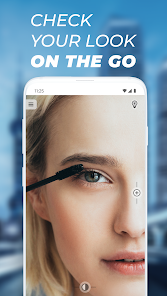
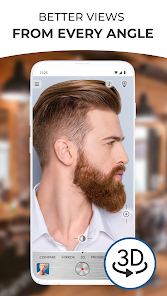
Mirror Plus: Mirror with Light is a utility app that turns your phone's screen into a functional mirror. It's the kind of app you download when you need a quick reflection check—fixing your hair, checking your teeth, or applying makeup in dim lighting—and you don't want to carry a separate mirror. Digitalchemy, LLC handles the development, and the app has been installed over 10 million times on Google Play, with a free download option that includes ads and in-app purchases for removing them. The first time you open it, the whole screen goes dark, and your camera feed lights up, so you basically see yourself staring back. It's surprisingly simple: no account creation, no loading screen, just your face with a few adjustment buttons at the bottom. The brightness slider and flashlight toggle are right there, so even someone who's not techy can figure it out in seconds.
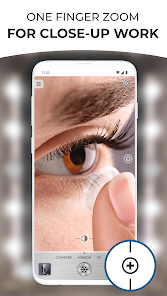
After using it a few times, you start noticing the little things that make or break the experience. The interface is incredibly minimal: a dark background with your camera image centered, and a handful of controls like zoom, rotate, and brightness. Onboarding is nonexistent—you just launch and go. In daily use, tapping the flashlight icon instantly lights up the room through your phone's LED, which is great for touching up makeup in a dark bathroom or checking a tie before a meeting. The app doesn't clutter your view with ads until after you finish a session, which feels decent for a free tool. One neat trick: you can double-tap the screen to freeze the image, so you don't have to keep your arms up while checking details. However, the camera quality depends heavily on your phone's front lens, and sometimes the image looks slightly stretched in portrait mode if you're not holding it straight.
After a few weeks, I think this app is perfect for anyone who frequently needs a mirror but doesn't always carry a physical one—like studio makeup artists, commuters, or people who travel light. It's not for someone with a cracked camera or low-end front sensor, since the image can get grainy. Compared to something like the basic “Mirror” function in some phone cameras or third-party apps like “CamMirror,” Mirror Plus stands out because of the extreme brightness boost and the freeze-frame feature, which actually works better than screen-recording yourself. I kept it installed because it's lightweight and serves one purpose well. But if you already have a case with a mirror or a phone with a dedicated mirror widget, you might uninstall it after a week. The ad-free version costs a few bucks, and for some, that's worth paying to avoid the occasional banner after a mirror session.
features
- 🪞 One-tap freeze frame: Unlike basic mirror apps that just show live feed, Mirror Plus lets you double-tap to freeze the image. This means you can adjust your makeup or hair without holding the phone in position—way more convenient than most competitors that require you to screen-record or take a photo.
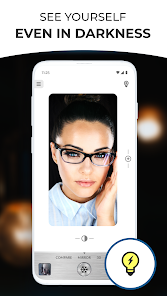
- 🪞 Automatic brightness boost: The app doesn't just use your screen light—it actually increases your camera's exposure in low-light settings. Compared to something like the default camera app on an iPhone or Samsung, this makes a huge difference when you're in a dimly lit room or at a dinner table with poor lighting.
- 🪞 No account login or permissions overload: Many mirror tools from companies like “Mirr” ask for location or storage access right away. Mirror Plus only requires camera permission, and you're in the app instantly. No registration, no tutorials—just your reflection.
pros
- ✅ Instant startup with zero learning curve: You press the icon and see yourself immediately. No splash screens, no ads blocking the view for ten seconds. Apps like “Super Mirror” often force you to watch a video before use, which is annoying when you're in a hurry.
- ✅ Flashlight integration that works independently: The app can switch between camera LED flash and screen brightness separately. Unlike “Mirror Mirror,” which just cranks up screen brightness and drains battery, Mirror Plus uses the phone's actual flashlight for a more targeted light.
- ✅ No background data or fancy features to break: It's a single-purpose app with no updates that suddenly change the interface. That's a big plus compared to bloated utilities like “All-in-One Mirror Tool,” which keep adding filters and features you never asked for.
cons
- ❌ No portrait mode or beauty filter: If you're used to apps like “YouCam Makeup” that smooth skin or adjust lighting, Mirror Plus feels very raw. Your imperfections show clearly, which isn't always what you want before a video call or date.
- ❌ Free version shows ad banners after the session: The ads don't pop up during use, but after you close the mirror, you get a full-screen ad. Competitors like “Mirror HD” show smaller banners that are easier to dismiss.
- ❌ Front camera quality depends entirely on your phone: On a budget Android phone with a terrible front camera, the image can be sharp and clear on the edges, but the center looks fuzzy. Apps like “CamScanner” don't really have this issue because they rely on the rear camera for scanning.
- ❌ No history or gallery for frozen images: When you freeze the frame, you can't save it as a photo unless you screenshot manually. That's a missed opportunity for people who want to compare makeup looks or hair styles over time.
Recommended Apps
![]()
16Personalities
16Personalities4
![]()
Zodiac Palm Reader: MagicWay
Reatility Media4.6
![]()
Moblo - 3D furniture modeling
MYTIforge4.1![]()
Magnifier Plus with Flashlight
Digitalchemy, LLC4.6![]()
QR Code Scanner
QR Code Scanner & Barcode Reader4.7![]()
FalFal: Astrology, Tarot, Love
FalFal Team4.8![]()
Christmas Photo Frames
PhotoFramesApps4.6![]()
AI Video Art Creator - Livensa
FERASET4.5![]()
Horoscope of Birth
Denimaks4.4![]()
Make Me Bald Prank
AppTornado2.5![]()
Kling AI: AI Image&Video Maker
Lohas Games Pte. Ltd.4.4![]()
Japan Timetable & Route Search
NAVITIME JAPAN CO., LTD.4.3![]()
Prank Call & Funny Video
TeH Software0![]()
Parallax 3D Live Wallpapers
TarrySoft4.3![]()
AI Chatbot - Nova
ScaleUp4.7















Disclaimer
1.AppInfoLibrary does not represent any developer, nor is it the developer of any App or game.
2.AppInfoLibrary provide custom reviews of Apps written by our own reviewers, and detailed information of these Apps, such as developer contacts, ratings and screenshots.
3.All trademarks, registered trademarks, product names and company names or logos appearing on the site are the property of their respective owners.
4. AppInfoLibrary abides by the federal Digital Millennium Copyright Act (DMCA) by responding to notices of alleged infringement that complies with the DMCA and other applicable laws.
5.If you are the owner or copyright representative and want to delete your information, please contact us info@appinfolibrary.com.
6.All the information on this website is strictly observed all the terms and conditions of Google Ads Advertising policies and Google Unwanted Software policy .














