
Facemoji:Emoji Keyboard&ASK AI

100M+
Installs
EKATOX APPS
Developer
-
Productivity
Category
-
Rated for 12+
Content Rating
-
facemojikeyboard@gmail.com
Developer Email
-
https://www.facemojikeyboard.com/page/privacy/googleplay/privacy.html
Privacy Policy
Screenshots
editor reviews
Facemoji is marketed as a keyboard app, but it's really more of a complete emoji and sticker toolkit than a standard typing replacement. You can download it from the Google Play Store for free, and it shows over 100 million installs, which is a huge number. The main idea is to give you thousands of emojis, GIFs, stickers, and even an AI chatbot tied directly into the keyboard interface. When you first launch the app, the initial impression is a bit overwhelming. Tons of categories, colorful themes, and pop-ups try to get you to customize everything immediately. It feels like stepping into a busy digital marketplace rather than a simple keyboard setting. For a normal user like me who just wanted a few more emoji options, that first launch was a lot to take in, but the sheer variety is immediately obvious.
Actually using Facemoji day-to-day is a mixed bag of convenience and clutter. After you set it as your default keyboard, the interface shows a standard keyboard layout, but the emoji button has been replaced with a small GIF of their mascot. Tapping that opens a vast drawer at the top. You can swipe through emoji sets, trending GIFs, sticker collections, and even AI-generated art. The typing experience itself is fine, with decent autocorrect and swipe typing, though it isn't as smart as Gboard. The standout moment for me was the "AI" feature. You can type a question or request and it generates a response or an image directly in your chat. For example, I typed "dog wearing sunglasses" and it gave me a sticker instantly. However, navigating back to regular typing after using the sticker drawer takes a few taps, which can slow down a quick conversation.
After a couple of weeks, I can see why people keep it, but also why some might uninstall it. If you love sending custom stickers, expressive GIFs, and want an AI helper built into your keyboard, Facemoji is fantastic. The variety is unmatched by Google's Gboard or Samsung's stock keyboard. The AI sticker generator is genuinely fun and a big differentiator. On the other hand, the app is very heavy with ads and constant prompts to try new themes or premium features. It feels pushy. The free version forces a lot of marketing on you, and the typing prediction isn't as accurate as other keyboards. I would recommend it to social media enthusiasts or younger users who prioritize expression over efficiency. For someone who just types messages quickly without fuss, the extra bloat might feel unnecessary, and they might switch back to a cleaner, faster keyboard like Gboard or SwiftKey.
features
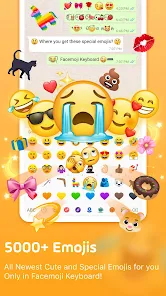
- 🎨 Vast Emoji and Sticker Library: Facemoji goes far beyond standard emoji. It offers thousands of custom emoji packs, animated stickers, and GIFs that are updated frequently. In contrast, Gboard has a solid emoji search but lacks the curated, themed sticker packs that Facemoji offers. The variety here is the standout, making every chat feel more expressive.
- 🤖 Built-in AI Assistant: The integrated AI feature lets you generate text responses, stickers, or images right from the keyboard without switching apps. While Gboard has Smart Compose for text suggestions, Facemoji's AI is more interactive and creative, allowing you to type a prompt like "sad cat" and get a custom sticker instantly. This is its most unique selling point.
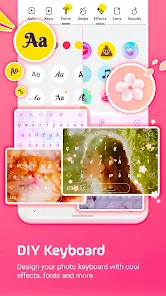
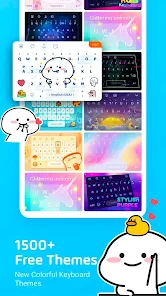
- 🎭 Highly Customizable Themes: Unlike SwiftKey, which offers some themes, Facemoji gives you thousands of user-created themes that change the keyboard's background, font, and key colors. You can mix and match elements. This level of personalization is unmatched among mainstream keyboard apps, making your keyboard feel truly unique.
pros
- ✨ Unmatched Emoji Variety: The biggest strength is the sheer volume of emoji, stickers, and GIFs available. Compared to Samsung Keyboard or Gboard, Facemoji feels like a bottomless treasure chest for expressions. You almost never need to search elsewhere for the perfect reaction.
- ⚡ Fast AI Sticker Generation: The ability to create a custom sticker from a text prompt in seconds is a feature no major keyboard offers as seamlessly. This makes conversations more fun and personalized than what you get with standard emoji keyboards.
- 🎉 Engaging Community Themes: The theme marketplace is vibrant and active. Unlike static themes on other apps, the community-created designs constantly refresh the look of your keyboard, keeping it from feeling stale.
cons
- 🔇 Heavy Ad Interruption: The free version shows frequent full-screen ads and constantly suggests premium features. This is much more aggressive than the ad experience on Gboard or SwiftKey, which are mostly ad-free. It interrupts typing flow and feels intrusive.
- ⌨️ Less Accurate Typing Engine: The autocorrect and swipe prediction are noticeably less reliable than Gboard or SwiftKey. I found myself correcting words more often, which slows down typing speed and reduces overall efficiency.
- 📱 Bloated App Size and Navigation: The app is quite large and can sometimes feel slow. Navigating out of the sticker drawer back to the keyboard takes extra taps. Compared to the streamlined SwiftKey, the interface feels cluttered and less intuitive for quick messaging.
Recommended Apps
![]()
16Personalities
16Personalities4
![]()
Zodiac Palm Reader: MagicWay
Reatility Media4.6
![]()
Moblo - 3D furniture modeling
MYTIforge4.1![]()
Magnifier Plus with Flashlight
Digitalchemy, LLC4.6![]()
QR Code Scanner
QR Code Scanner & Barcode Reader4.7![]()
FalFal: Astrology, Tarot, Love
FalFal Team4.8![]()
Christmas Photo Frames
PhotoFramesApps4.6![]()
AI Video Art Creator - Livensa
FERASET4.5![]()
Horoscope of Birth
Denimaks4.4![]()
Make Me Bald Prank
AppTornado2.5![]()
Kling AI: AI Image&Video Maker
Lohas Games Pte. Ltd.4.4![]()
Japan Timetable & Route Search
NAVITIME JAPAN CO., LTD.4.3![]()
Prank Call & Funny Video
TeH Software0![]()
Parallax 3D Live Wallpapers
TarrySoft4.3![]()
AI Chatbot - Nova
ScaleUp4.7















Disclaimer
1.AppInfoLibrary does not represent any developer, nor is it the developer of any App or game.
2.AppInfoLibrary provide custom reviews of Apps written by our own reviewers, and detailed information of these Apps, such as developer contacts, ratings and screenshots.
3.All trademarks, registered trademarks, product names and company names or logos appearing on the site are the property of their respective owners.
4. AppInfoLibrary abides by the federal Digital Millennium Copyright Act (DMCA) by responding to notices of alleged infringement that complies with the DMCA and other applicable laws.
5.If you are the owner or copyright representative and want to delete your information, please contact us info@appinfolibrary.com.
6.All the information on this website is strictly observed all the terms and conditions of Google Ads Advertising policies and Google Unwanted Software policy .














