

Phone Tracker - Phone Locator

1M+
Installs
Lutech Ltd
Developer
-
Travel & Local
Category
-
Rated for 3+
Content Rating
-
teammarketing@lutech.ltd
Developer Email
-
https://doc-hosting.flycricket.io/phone-tracker-gps-locator-app-privacy-policy/0933f8b1-86c7-43f5-8a1c-5bccdc733169/privacy
Privacy Policy
Screenshots
editor reviews
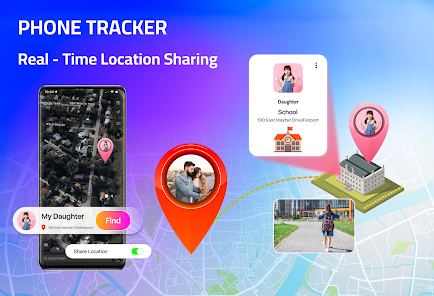
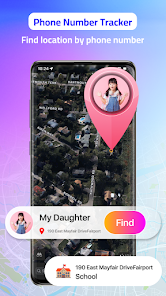
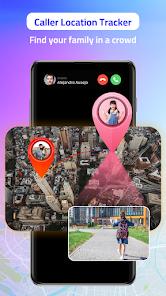
Phone Tracker - Phone Locator, developed by Lutech Ltd, is a utility app designed for locating and keeping tabs on mobile devices. It falls squarely into the family safety and device tracking category on Google Play and the App Store, with over a million installs and a free download option. Most people pick this up because they want a simple way to find a lost phone or keep an eye on a family member's location without signing up for a complex subscription service. The first impression after launching it is surprisingly straightforward — a clean map interface pops up almost immediately, asking for basic location permissions. There is no forced registration or account creation right away, which feels refreshing compared to other apps that make you jump through hoops before doing anything useful.
In daily use, the hands-on experience is pretty smooth once you get past the permission prompts. The app guides you through enabling GPS and background location access step by step, which is necessary but can feel a bit heavy for a first-time user. After setup, the main screen shows a real-time map with your device's position, and a big "Locate" button sits right in the middle. Common usage steps involve tapping that button to refresh the location, or setting up a geofence zone so you get notified when someone leaves a designated area like school or work. One small practical tip is that the app works better when you let it run in the background rather than closing it completely. There were moments where the location update lagged a bit, especially in areas with weak signal, but overall it does what it says without too many confusing menus or buried settings.
After spending a few weeks with this app, I can see who might really enjoy it and who might find it lacking. Parents with young kids who just want a basic way to confirm their child made it to school will find this useful, especially since it doesnt push a yearly subscription like many family trackers do. On the other hand, someone looking for advanced features like location history logs or real-time movement tracking might feel this app is too simple and might be better off with something like Life360, which offers more detailed reporting. What makes it different from Life360 or Find My is its no-nonsense approach — you open it, you see a location, and thats about it. I kept it installed because it takes up almost no space and works reliably for quick checks, but I can see myself uninstalling it if I needed a more feature-rich option down the line.
features
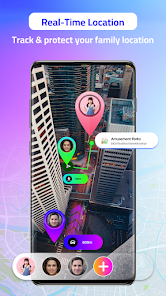
- 🌍 Real-time location updates work without needing a subscription, which is a big plus over Life360's premium tier for basic tracking.
- 📍 Geofencing alerts let you create virtual boundaries so you get a notification when someone leaves or enters a specific area, though the setup is more manual than Google's Family Link.
- 🔋 Battery optimization mode helps reduce power drain during background tracking, which is something Find My on iPhone handles automatically but is a welcome option here for Android users.
- 📱 Cross-platform support means you can use it to track between Android and iOS devices, giving it an edge over Apple's Find My that only works within its own ecosystem.
pros
- 🌍 Completely free to download and use without any hidden paywalls for core location features, unlike Life360 which restricts geofencing to its paid plan.
- 📍 Simple user interface that shows exactly one thing — a map with a pin — so there is no learning curve compared to some family trackers that bury settings in multiple menus.
- 🔋 Works on older phone models without slowing them down, which is a clear advantage over heavier apps like Glympse that demand more processing power.
cons
- 🌍 Location history is missing entirely, so you cannot see where someone has been over the past few hours or days like you can with Life360's free version.
- 📍 No real-time route tracking or speed alerts, which makes it less useful for monitoring drivers compared to Glympse, which shows movement on a live map.
- 🔋 Background location occasionally stops updating on some Android phones due to aggressive battery optimization settings, forcing you to manually check the map.
- 📱 Does not include any social features or status updates that apps like Life360 offer for families to share arrival times or check-ins.
Recommended Apps
![]()
16Personalities
16Personalities4
![]()
Zodiac Palm Reader: MagicWay
Reatility Media4.6
![]()
Moblo - 3D furniture modeling
MYTIforge4.1![]()
Magnifier Plus with Flashlight
Digitalchemy, LLC4.6![]()
QR Code Scanner
QR Code Scanner & Barcode Reader4.7![]()
FalFal: Astrology, Tarot, Love
FalFal Team4.8![]()
Christmas Photo Frames
PhotoFramesApps4.6![]()
AI Video Art Creator - Livensa
FERASET4.5![]()
Horoscope of Birth
Denimaks4.4![]()
Make Me Bald Prank
AppTornado2.5![]()
Kling AI: AI Image&Video Maker
Lohas Games Pte. Ltd.4.4![]()
Japan Timetable & Route Search
NAVITIME JAPAN CO., LTD.4.3![]()
Prank Call & Funny Video
TeH Software0![]()
Parallax 3D Live Wallpapers
TarrySoft4.3![]()
AI Chatbot - Nova
ScaleUp4.7















Disclaimer
1.AppInfoLibrary does not represent any developer, nor is it the developer of any App or game.
2.AppInfoLibrary provide custom reviews of Apps written by our own reviewers, and detailed information of these Apps, such as developer contacts, ratings and screenshots.
3.All trademarks, registered trademarks, product names and company names or logos appearing on the site are the property of their respective owners.
4. AppInfoLibrary abides by the federal Digital Millennium Copyright Act (DMCA) by responding to notices of alleged infringement that complies with the DMCA and other applicable laws.
5.If you are the owner or copyright representative and want to delete your information, please contact us info@appinfolibrary.com.
6.All the information on this website is strictly observed all the terms and conditions of Google Ads Advertising policies and Google Unwanted Software policy .














