

ChatGPT

100M+
Installs
OpenAI
Developer
-
Generative AI
Category
-
Teen
Content Rating
-
support@openai.com
Developer Email
-
https://openai.com/policies/privacy-policy
Privacy Policy
Screenshots
editor reviews
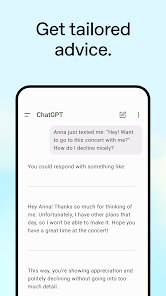
So, ChatGPT is essentially an AI chatbot app from OpenAI. It lives in the productivity or utility section of both Google Play and App Store, but honestly, it's more like having a very smart friend in your pocket. You can use it for pretty much anything: writing emails, brainstorming ideas, learning a new topic, debugging code, or just having a random chat when you're bored. I downloaded it out of curiosity, like a lot of people, after seeing it all over social media. The install count is huge, over 100 million on Android alone, and it's free to download. The first impression after launching is clean and minimal, a simple chat window with a text bar at the bottom. It's a bit quiet, no flashy tutorial, just a blank page waiting for you to type something. For a new user, that can be either refreshing or slightly intimidating because you have to figure out what to ask.
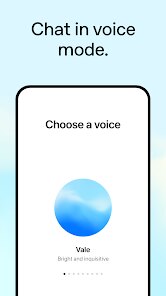
Once you start using it, the experience is mostly smooth. You type a question, hit send, and the AI types back its answer word by word. That typing animation actually keeps you hooked, it feels like someone is thinking and writing to you. The interface is simple, just a back-and-forth conversation. There's a voice input option too, which is handy when you're too lazy to type. Onboarding is almost nonexistent, but after sending a few messages, you quickly learn the limits. For example, it can handle really long prompts and still give a detailed answer, but sometimes it gets confused if you change the topic suddenly. A practical tip is to start a new chat for a totally different subject, because it tends to mix context if you keep everything in one thread. It also suggests follow-up questions sometimes, which is nice when you don't know what to ask next. However, there's a bit of a learning curve for prompt phrasing, asking vague things can give generic answers.
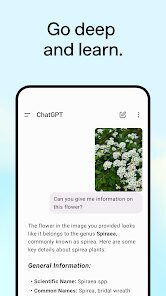
After using it for a while, I think it's a great tool for people who need quick writing help or learning support. Students, writers, and developers will get the most out of it. But if you're just looking for casual conversation, it can feel a bit formal or robotic at times. What makes it different from other chatbots is how human-like its responses can be, but that also means you have to fact-check it occasionally. I keep it installed because it genuinely saves me time when writing drafts or figuring out code logic. But I can see why someone might uninstall it, especially if they don't have a clear use case or if they find the free version too restrictive due to message limits. Compared to Google Assistant or Siri, it's way more conversational and creative, but less useful for quick real-world tasks like setting a timer or calling someone. So, it's not a replacement for those, but a different kind of helper.
features
- 🆚 Conversations feel more natural and fluid than what you get with Google Assistant. Instead of getting a short, fact-based answer, you get a full explanation that builds context. For example, ask about climate change and ChatGPT will give you causes, effects, and solutions, while Assistant just shows a search snippet.
- 🆚 The context memory is surprisingly deep. You can have a long back-and-forth about a topic, and it remembers what you said earlier in the session. Google Bard (now Gemini) tends to forget details faster, especially if your query is complex. This makes ChatGPT better for step-by-step problem solving.
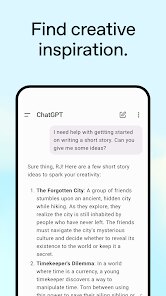
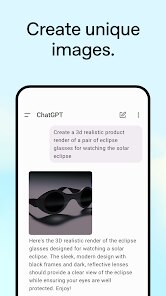
- 🆚 It handles creative prompts amazingly well. You can ask for a poem, a story, a song, or even a marketing slogan, and the quality is often very high. Other models like Copilot are more reserved and fact-oriented, so they struggle with creative tasks.
- 🆚 The free version is actually useful. Most AI chatbots offer a free tier with heavy limitations, but ChatGPT gives you a solid experience without paying. Microsoft Copilot also has a free version, but it pushes you toward the paid subscription more aggressively with feature gates.
pros
- ✅ The flexibility is unmatched. You can use it for work, study, coding, or just fun, all in one app. Other apps like Jasper or Perplexity are more niche, one is for marketing, the other for research. ChatGPT covers all bases without forcing you to switch tools.
- ✅ The learning curve is small. You type, it answers. No complicated settings or commands. With Siri or Alexa, you have to remember specific phrases to trigger actions. ChatGPT just takes anything you say and tries to help.
- ✅ The responses are educational. It explains things clearly, often with examples. When I ask for a Python script, it not only writes the code but also adds comments explaining each line. You don't get that level of teaching from standard assistants.
cons
- ❌ The free version has a message cap. After a certain number of messages in a few hours, the app slows down and uses a weaker model. That's frustrating when you're in the middle of a complex task. Both Gemini and Copilot also limit free usage, but ChatGPT feels more restrictive because the timeout is short.
- ❌ It sometimes gives confidently wrong answers. Unlike a search engine like Google, it can make up facts or cite nonexistent sources. You have to double-check important information, which defeats the purpose of saving time.
- ❌ It is not always the best for real-time data. For news, weather, or stock prices, it relies on static knowledge unless you use the web search feature in the paid version. Google Assistant is way better for these things because it pulls live data instantly.
Recommended Apps
![]()
16Personalities
16Personalities4
![]()
Zodiac Palm Reader: MagicWay
Reatility Media4.6
![]()
Moblo - 3D furniture modeling
MYTIforge4.1![]()
Magnifier Plus with Flashlight
Digitalchemy, LLC4.6![]()
QR Code Scanner
QR Code Scanner & Barcode Reader4.7![]()
FalFal: Astrology, Tarot, Love
FalFal Team4.8![]()
Christmas Photo Frames
PhotoFramesApps4.6![]()
AI Video Art Creator - Livensa
FERASET4.5![]()
Horoscope of Birth
Denimaks4.4![]()
Make Me Bald Prank
AppTornado2.5![]()
Kling AI: AI Image&Video Maker
Lohas Games Pte. Ltd.4.4![]()
Japan Timetable & Route Search
NAVITIME JAPAN CO., LTD.4.3![]()
Prank Call & Funny Video
TeH Software0![]()
Parallax 3D Live Wallpapers
TarrySoft4.3![]()
AI Chatbot - Nova
ScaleUp4.7















Disclaimer
1.AppInfoLibrary does not represent any developer, nor is it the developer of any App or game.
2.AppInfoLibrary provide custom reviews of Apps written by our own reviewers, and detailed information of these Apps, such as developer contacts, ratings and screenshots.
3.All trademarks, registered trademarks, product names and company names or logos appearing on the site are the property of their respective owners.
4. AppInfoLibrary abides by the federal Digital Millennium Copyright Act (DMCA) by responding to notices of alleged infringement that complies with the DMCA and other applicable laws.
5.If you are the owner or copyright representative and want to delete your information, please contact us info@appinfolibrary.com.
6.All the information on this website is strictly observed all the terms and conditions of Google Ads Advertising policies and Google Unwanted Software policy .














