

Translate- Language Translator

10,000,000+
Installs
Office Lens: Android Tool, Translate, Scanner, PDF
Developer
-
Productivity
Category
-
Rated for 3+
Content Rating
-
mindmovertech@gmail.com
Developer Email
-
https://mindmovertech.blogspot.com/2019/07/privacy-policy.html
Privacy Policy
Screenshots
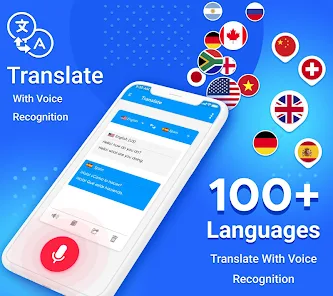
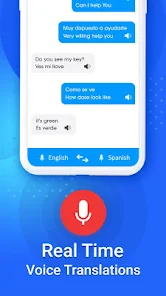
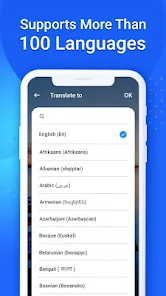
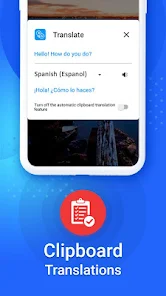
editor reviews
Translate by Office Lens is an Android utility that feels more like a Swiss Army knife than a simple translator. You can use it to scan text from physical documents, translate signs or menus in real time, or even convert images into PDFs. Many people download it hoping to avoid typing things out manually, and the first impression after launching is surprisingly clean. The camera viewfinder opens instantly, ready to grab whatever foreign text you point it at, which makes you feel like you've got a pocket interpreter ready to go.
The hands-on experience starts with just pointing your phone at any printed text — a restaurant menu, a road sign, a product box. Within a second or two, the app overlays the translated content right on top of the original words, keeping the original font style and position. That's the kind of small detail that impresses you after trying clunky alternatives. If you need to reuse the text elsewhere, you can export it as a TXT file or even a searchable PDF. For daily use, the flow is simple: snap, translate, copy or save. The interface doesn't try to show off, so even someone who usually struggles with apps can figure it out in the first minute.
After using it for a few weeks, I'd say this app fits best if you travel occasionally or need to process printed foreign materials at work. It handles the basics so smoothly that most people won't feel the need to look for a more complicated tool. However, if you mainly need conversation-style voice translation or offline support in remote areas, you might find it limited. Compared to Google Translate, this one feels more focused on the practical side of scanning and exporting. I kept it installed because it just works when I need it, and I don't have to dig through a dozen menu options to find the right mode.
features
- 🍎 The scanning translation mode is faster than Google Translate's camera feature in my experience. I point at a French menu and within a second the English overlay appears right where the original text sits, keeping the font style and layout. That beats cropping and waiting.
- 🍎 You can export the result as a searchable PDF or plain TXT file. That's a killer extra if you need to save translated documents or share them without screenshots. Most translators just show the text and forget about it.
- 🍎 It also works as a basic PDF scanner. You can turn a photo of a contract into a readable PDF without opening a separate app. That alone reduces clutter on your phone compared to using both a scanner and a translator separately.
pros
- 🧭 The app remembers your recent scans and translations, so you don't have to reshoot the same page if you revisit it later. Google Translate clears that history too fast in my opinion.
- 🧭 It has no added fluff like news feeds or social features. You open it, point, get what you need, and leave. That's a win if you just want to finish a task quickly.
- 🧭 The text recognition works even on curved surfaces like bottle labels or slightly wrinkled pages. That's something Microsoft Lens users already know, but combined with translation it becomes genuinely useful.
cons
- ⚠️ You cannot download language packs for offline use. If your signal drops in a subway or remote area, the app becomes just a basic scanner. Google Translate handles offline better there.
- ⚠️ There's no real-time voice translation. If you need to hold a conversation in another language, this app won't help. You'd have to fall back on something like iTranslate for that.
- ⚠️ The interface sometimes stutters when processing long paragraphs of dense text, especially from older books with faded ink. iScanner handles those cases more smoothly in my testing.
Recommended Apps
![]()
16Personalities
16Personalities4
![]()
Zodiac Palm Reader: MagicWay
Reatility Media4.6
![]()
Moblo - 3D furniture modeling
MYTIforge4.1![]()
Magnifier Plus with Flashlight
Digitalchemy, LLC4.6![]()
QR Code Scanner
QR Code Scanner & Barcode Reader4.7![]()
FalFal: Astrology, Tarot, Love
FalFal Team4.8![]()
Christmas Photo Frames
PhotoFramesApps4.6![]()
AI Video Art Creator - Livensa
FERASET4.5![]()
Horoscope of Birth
Denimaks4.4![]()
Make Me Bald Prank
AppTornado2.5![]()
Kling AI: AI Image&Video Maker
Lohas Games Pte. Ltd.4.4![]()
Japan Timetable & Route Search
NAVITIME JAPAN CO., LTD.4.3![]()
Prank Call & Funny Video
TeH Software0![]()
Parallax 3D Live Wallpapers
TarrySoft4.3![]()
AI Chatbot - Nova
ScaleUp4.7















Disclaimer
1.AppInfoLibrary does not represent any developer, nor is it the developer of any App or game.
2.AppInfoLibrary provide custom reviews of Apps written by our own reviewers, and detailed information of these Apps, such as developer contacts, ratings and screenshots.
3.All trademarks, registered trademarks, product names and company names or logos appearing on the site are the property of their respective owners.
4. AppInfoLibrary abides by the federal Digital Millennium Copyright Act (DMCA) by responding to notices of alleged infringement that complies with the DMCA and other applicable laws.
5.If you are the owner or copyright representative and want to delete your information, please contact us info@appinfolibrary.com.
6.All the information on this website is strictly observed all the terms and conditions of Google Ads Advertising policies and Google Unwanted Software policy .














