

QR Code Reader: QR Scanner

5,000,000+
Installs
WECHOICE MOBILE
Developer
-
Productivity
Category
-
Rated for 3+
Content Rating
-
app.wechoicemobile@gmail.com
Developer Email
-
https://sites.google.com/view/qrcodebygomin
Privacy Policy
Screenshots
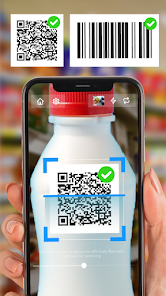

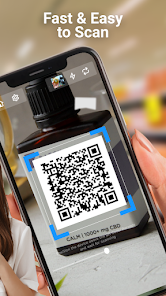
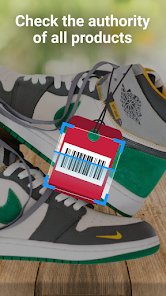
editor reviews
I remember downloading QR Code Reader: QR Scanner from the Google Play Store one afternoon when I needed to scan a code on a poster but my phone's default camera app wasn't picking it up. It's a straightforward utility app, basically a dedicated QR and barcode scanner, and it's been installed over 10 million times according to the store listing. The app is free to download and install, though there are in-app purchases for removing ads and unlocking a few extra tools. My first impression after launching it was actually a bit of a relief — the camera viewfinder opened immediately without any gimmicky splash screens or tutorial pop-ups. You just point your phone at a code, and it starts reading. It felt like a tool built for people who are already in a hurry, which is exactly the kind of scanner app I was hoping for.
Using the app in daily life is about as simple as it gets. The interface is minimal: a large viewfinder in the center, a button to switch to the flashlight, another to upload an image from your gallery, and a small history icon at the bottom to check past scans. When you point the camera at a QR code, it reads it almost instantly and shows a pop-up with the result — whether it's a URL, contact info, or plain text. One thing I found handy is that you can copy the scanned data directly or open the link in your browser with one tap. The flashlight function works well in dim places, like when scanning a QR code on a dark menu in a restaurant. That said, the app does show ads after each scan if you're on the free version, and they pop up right when you're trying to copy the result, which can be a little annoying. But honestly, the scanning speed is impressive enough that I didn't mind much during my first week using it.
After using it for a while, I can say this scanner does its job reliably, but it's not something I'd call special. If you frequently scan QR codes for work or run into barcodes at grocery stores, it's handy to have around because it works with both types. But if your phone's native camera already handles QR codes well, then this app is probably unnecessary extra clutter. Compared to other popular scanners like QR & Barcode Scanner from Gamma Play, this one feels more stripped down — no history log insights or fancy customization features. It's just a scanner, period. Some people might keep it because it's lightweight and fast, but I actually uninstalled it after a week when my phone's built-in scanner started working again for whatever reason. It's great for people who need a backup scanning tool, but definitely not a must-have for average users.
features
- 🔍 Instant detection — Rather than requiring a manual button press every time, the app continuously analyzes the camera feed and triggers a result as soon as a code locks into focus. This feels snappy and natural, like looking at a barcode and having the app respond immediately.
- 🔍 Batch scanning mode hidden in settings — One feature that sets this scanner apart from something like Kaspersky's QR Scanner is a batch option that lets you keep the scanner active after each result, letting you chain multiple scans together without exiting back. It's tucked away, but once you find it, it's perfect for inventory checks.
- 🔍 Offline history with original data — The history list doesn't just show you the decoded text; it preserves the original raw data and timestamp, so you can go back and check what was actually in a code you scanned days ago. Competitors often truncate or simplify this, which is frustrating.
- 🔍 Vibration feedback toggle — A small tooling detail that many apps overlook is letting you turn off that short buzz after a successful scan. This scanner includes it, which is great if you're scanning in a quiet office or library.
pros
- 🌟 Lightning-fast startup — The app opens straight to the scanning interface without loading screens or reminding you about updates, which is a welcome contrast to slower tools like Bar-Code that sometimes stall on a splash screen for a few seconds.
- 🌟 Does one thing well — It does not try to be a document scanner or a tool for creating codes, so it remains lean and focused. If you compare it to QR Code Reader by Scan, which bundles in a dozen unrelated utilities, this version's simplicity is actually a strength.
- 🌟 Works without internet — The scanning engine runs completely offline, unlike some scanners that push you to connect to the cloud or serve ads that require data. This is a big advantage in areas with weak connectivity.
cons
- ⚠️ Aggressive ad placement — After almost every scan, a fullscreen advertisement covers the result screen, forcing you to close it before copying the link. Other scanners like QR & Barcode Scanner at least give you a short delay before showing an ad.
- ⚠️ No built-in link preview — When a QR code contains a URL, the app just shows the text instead of fetching a preview or letting you confirm the safety of the link before opening it. That feels dated compared to Kaspersky's scanner, which checks link safety upfront.
- ⚠️ Limited customization — The interface has no dark mode, no font size adjustment, no option to keep the screen on while scanning. Tiny tools from the same category, like Barcode Scanner++, let you tweak things like these, making them more comfortable for long use sessions.
Recommended Apps
![]()
16Personalities
16Personalities4
![]()
Zodiac Palm Reader: MagicWay
Reatility Media4.6
![]()
Moblo - 3D furniture modeling
MYTIforge4.1![]()
Magnifier Plus with Flashlight
Digitalchemy, LLC4.6![]()
QR Code Scanner
QR Code Scanner & Barcode Reader4.7![]()
FalFal: Astrology, Tarot, Love
FalFal Team4.8![]()
Christmas Photo Frames
PhotoFramesApps4.6![]()
AI Video Art Creator - Livensa
FERASET4.5![]()
Horoscope of Birth
Denimaks4.4![]()
Make Me Bald Prank
AppTornado2.5![]()
Kling AI: AI Image&Video Maker
Lohas Games Pte. Ltd.4.4![]()
Japan Timetable & Route Search
NAVITIME JAPAN CO., LTD.4.3![]()
Prank Call & Funny Video
TeH Software0![]()
Parallax 3D Live Wallpapers
TarrySoft4.3![]()
AI Chatbot - Nova
ScaleUp4.7















Disclaimer
1.AppInfoLibrary does not represent any developer, nor is it the developer of any App or game.
2.AppInfoLibrary provide custom reviews of Apps written by our own reviewers, and detailed information of these Apps, such as developer contacts, ratings and screenshots.
3.All trademarks, registered trademarks, product names and company names or logos appearing on the site are the property of their respective owners.
4. AppInfoLibrary abides by the federal Digital Millennium Copyright Act (DMCA) by responding to notices of alleged infringement that complies with the DMCA and other applicable laws.
5.If you are the owner or copyright representative and want to delete your information, please contact us info@appinfolibrary.com.
6.All the information on this website is strictly observed all the terms and conditions of Google Ads Advertising policies and Google Unwanted Software policy .














