

Bolt: Request a Ride

50,000,000+
Installs
Bolt Technology
Developer
-
Travel & Local
Category
-
Rated for 3+
Content Rating
-
+37253541272
Developer Email
-
https://bolt.eu/en/legal/privacy-for-riders/
Privacy Policy
Screenshots
editor reviews
Bolt is a ride-hailing app that's been making waves in Europe and Africa, positioning itself as a direct rival to Uber. You download it from Google Play or the App Store, install it, and after a quick registration—usually with just your phone number and payment method—you're ready to book a ride. It's free to download, though pricing depends on distance and demand, and you might see occasional in-app promotions. The first time I opened it, I was struck by how clean and uncluttered the interface feels. There's no flashy fluff—just a map, a destination bar, and a few ride options. For anyone tired of Uber's sometimes bloated interface, Bolt's simplicity is a breath of fresh air.
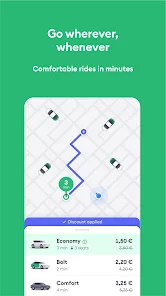
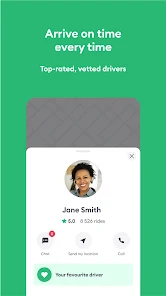
Using Bolt day-to-day is pretty smooth. You open the app, and the map centers on your location automatically. Tapping the “Where to?” box brings up recent destinations and a search field. Once you punch in a spot, you see fare estimates for different car types—Bolt offers economy, premium, and sometimes electric options. I noticed the waiting times are often shorter than Uber's in my city, which is a nice bonus. The booking process takes about three taps: choose a ride, confirm, and track the driver. The live map updates well, and driver details—name, car model, license plate—appear clearly. One small tip: if you're in a busy area, the app's suggested pickup points are usually spot-on, but you can drag the pin to a more precise spot. I've had a few moments where the app lagged slightly when switching between Wi-Fi and mobile data, but nothing deal-breaking. The in-app chat with drivers works, though I prefer the direct call feature for urgent stuff.
After a few weeks, I'd say Bolt is a solid pick for budget-conscious riders in regions where it's active. Compared to Uber, Bolt often undercuts fares by 10-20%, which adds up if you ride frequently. But it's not perfect—driver availability can be spotty in less central neighborhoods, and surge pricing kicks in just like Uber's. What keeps me using it is the straightforward loyalty program: you earn points per ride that unlock small perks like priority support or discounted rides. For someone like me who uses ride-hailing for daily commutes, Bolt feels less corporate and more user-friendly. That said, if you're in a city where Uber has tighter driver partnerships (like parts of the US), Bolt might have longer wait times. I'd keep it installed for the price, but for late-night safety, I sometimes fall back on Uber's more polished SOS features.
features
- 🚗 Real-Time Price Comparison – Unlike Uber, which shows only the basic fare breakdown, Bolt displays a clear upfront price with no hidden fees. You can see how the cost changes if you select a different car type or add a stop, making it easier to budget on the fly.
- 📱 Instant Booking Without Hiccups – The app's booking flow is impressively fast. I've had times where Uber's “confirming ride” screen hung for 10-20 seconds; with Bolt, the confirmation is nearly instant, and the driver notification pops up within seconds. This reliability matters when you're in a rush.
- ⭐ Bolt Loyalty Program – This is the standout feature for me. You earn “Bolt Points” on every ride, and after a few trips, you unlock tiers like Silver or Gold. These give you tangible perks—like free priority pickup (which Uber charges for) or a dedicated support line. Uber's Uber Rewards was better in its heyday, but Bolt's system feels more generous with lower spending thresholds.
- 🌍 Regional Focus on Affordability – Bolt's pricing is tailored to local markets, especially in Eastern Europe and Africa. In my city, Bolt costs about 15% less than UberX for the same route, and they often run “50% off” promotions for new users. This makes it the go-to for short, frequent trips where every dollar counts.
pros
- 💸 Cheaper Fares – Bolt consistently undercuts Uber by 10-20% in most markets. For example, a 15-minute ride that costs $12 on Uber often runs $9-$10 on Bolt. That's a real saving for daily commuters or students.
- ⚡ Faster Driver Matching – I've noticed Bolt often assigns a driver within 30-60 seconds, while Uber can take 2-3 minutes during peak hours. In a city with decent driver density, this speed is a huge plus.
- 🧭 Simple Interface – Bolt's UI is less cluttered than Uber's. No pop-ups for “Uber Eats” or “Uber Reserve” when you just want a ride. This minimalism reduces friction and makes booking feel effortless.
- 🎁 Generous Promotions – Bolt offers more frequent discounts, like “code SHARE20” for 20% off your next trip. Uber's promotions are rarer and often tied to specific events or partnerships.
cons
- 📡 Sparse Coverage in Some Areas – In smaller towns or suburbs, Bolt's driver pool is often thinner than Uber's. I've had instances where no drivers were available for 15 minutes, whereas Uber had a car 5 minutes away.
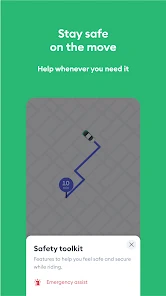
- 🛡️ Weaker Safety Features – Uber's “Share Trip” and “Emergency Button” are more polished. Bolt has similar features, but they're buried in menus, and the emergency contact setup is less intuitive.
- 🐌 Slightly Larger App Size – Bolt's app is around 80MB, compared to Uber's 60MB. On older phones or slow connections, this increases download time and initial load speed.
- 💬 Less Robust Support – If a ride goes wrong, Bolt's in-app reporting can feel slow. Uber's support chat usually responds within minutes; I've waited hours for Bolt to resolve a fare dispute.
Recommended Apps
![]()
16Personalities
16Personalities4
![]()
Zodiac Palm Reader: MagicWay
Reatility Media4.6
![]()
Moblo - 3D furniture modeling
MYTIforge4.1![]()
Magnifier Plus with Flashlight
Digitalchemy, LLC4.6![]()
QR Code Scanner
QR Code Scanner & Barcode Reader4.7![]()
FalFal: Astrology, Tarot, Love
FalFal Team4.8![]()
Christmas Photo Frames
PhotoFramesApps4.6![]()
AI Video Art Creator - Livensa
FERASET4.5![]()
Horoscope of Birth
Denimaks4.4![]()
Make Me Bald Prank
AppTornado2.5![]()
Kling AI: AI Image&Video Maker
Lohas Games Pte. Ltd.4.4![]()
Japan Timetable & Route Search
NAVITIME JAPAN CO., LTD.4.3![]()
Prank Call & Funny Video
TeH Software0![]()
Parallax 3D Live Wallpapers
TarrySoft4.3![]()
AI Chatbot - Nova
ScaleUp4.7















Disclaimer
1.AppInfoLibrary does not represent any developer, nor is it the developer of any App or game.
2.AppInfoLibrary provide custom reviews of Apps written by our own reviewers, and detailed information of these Apps, such as developer contacts, ratings and screenshots.
3.All trademarks, registered trademarks, product names and company names or logos appearing on the site are the property of their respective owners.
4. AppInfoLibrary abides by the federal Digital Millennium Copyright Act (DMCA) by responding to notices of alleged infringement that complies with the DMCA and other applicable laws.
5.If you are the owner or copyright representative and want to delete your information, please contact us info@appinfolibrary.com.
6.All the information on this website is strictly observed all the terms and conditions of Google Ads Advertising policies and Google Unwanted Software policy .














