

Geeni

5,000,000+
Installs
Merkury Innovations
Developer
-
Productivity
Category
-
Rated for 3+
Content Rating
-
support@mygeeni.com
Developer Email
-
https://merkuryinnovations.com/privacy/
Privacy Policy
Screenshots
editor reviews
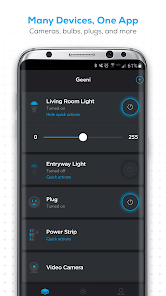
Geeni is a smart home app that lets you control all sorts of connected devices like lights, plugs, cameras, and sensors from your phone. You basically use it to turn things on and off remotely, set schedules, or check what your camera sees while you're out. I downloaded it from the Google Play Store because I got a cheap Wi-Fi plug on sale and the box said this was the only way to set it up. Installation was free, no unusual permissions asked, but I did have to create an account with my email right away before seeing anything. The first launch pushed me straight into a registration screen, which felt a bit pushy since I just wanted to see what the app looked like first. After that quick step, the main screen was pretty clean with a big plus button to add a device.
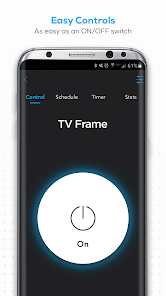
Adding my smart plug was a mixed bag. The app scanned for nearby devices automatically after I put the plug into pairing mode, but it took three tries before it actually found anything. Once connected, the control panel for that plug was simple: a big on/off button, a timer option, and a schedule section. Setting a daily schedule to turn my lamp on at sunset was surprisingly easy since the app pulled my location automatically. The interface is mostly white and blue with big icons, so it feels straightforward for someone who isn't super techy. However, switching between multiple devices in different rooms got confusing because the room organization didn't sync properly from my first setup. I also noticed that turning a light off from the app sometimes had a two-second delay, which makes quick actions feel sluggish.
After using Geeni for a few months, I think it's fine for basic needs but not for power users. Anyone who just wants to control a few lights or plugs from their couch will probably be happy with how simple it is. But if you're used to apps like Philips Hue or TP-Link Kasa, you'll notice Geeni misses some polish. The device connection process feels less reliable, and the lack of advanced automation like geofencing or voice assistant shortcuts without extra configuration is noticeable. What keeps Geeni on my phone is that it works well enough for the cheap devices from Walmart or Amazon, and I don't have to pay a subscription to use schedules or timers. I might uninstall it if I eventually replace all my gadgets with something from a more established brand, but for now, it does the job without much fuss.
features
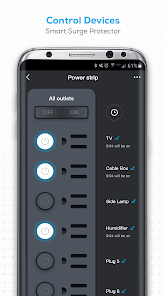
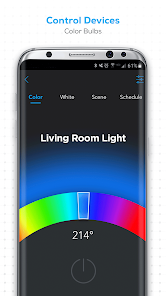
- 🔌 Geeni does a solid job handling basic on/off controls for plugs and lights, similar to TP-Link Kasa, but it lacks Kasa's advanced energy monitoring features. What stands out is how Geeni's device discovery mode works with many cheap off-brand Wi-Fi gadgets, meaning you can pair random smart bulbs from lesser-known sellers without compatibility headaches. Kasa usually only works reliably with its own hardware, so Geeni wins on flexibility here.
- ⏰ Setting schedules and timers is where Geeni shines compared to Wyze Home. While Wyze forces you into its own ecosystem for reliable scheduling, Geeni's timer option lets you set a simple countdown without needing any account gimmicks or subscription. The schedule creation is also straightforward, though it doesn't support sunrise-based triggers unless you manually adjust the time yourself, which feels like a missed opportunity.
- 📹 Live camera viewing is included for free with Geeni's cameras, unlike Ring's subscription model for any useful video history. The app streams video decently over Wi-Fi, and two-way audio works without lag most of the time. The outstanding feature here is that Geeni doesn't nag you to upgrade for basic live view access, whereas Ring hides that behind a paid plan after the first month.
pros
- 👍 First big strength is that Geeni doesn't lock any essential controls behind a subscription fee, unlike Ring or Nest. You get schedules, timers, and live camera feeds without paying monthly, which is rare among apps for security-focused smart devices.
- 👍 Second strength is the broad device compatibility. Geeni works with many unbranded smart plugs and bulbs sold at discount stores, something that Feit Electric or Cync apps don't support well. This makes it a safe bet if you buy cheap random smart home gear.
- 👍 The simple user interface is also a plus. Compared to the cluttered Govee Home app, Geeni presents just the essentials without burying controls in submenus. First-time users won't feel overwhelmed when they open the app.
cons
- 👎 The device pairing process is unreliable compared to TP-Link Kasa. I've had to reset my plug several times because the app stopped detecting it during setup, while Kasa usually finds devices in one try with minimal troubleshooting required.
- 👎 The delay between tapping a control and seeing the device respond is longer than what you'd get with Philips Hue. Turning off a light in Geeni can take two seconds, whereas Hue's response is nearly instant, which matters when you're trying to quickly turn something off before leaving a room.
- 👎 Room and device organization syncing is buggy. I named a plug "Living Room" but it kept showing under "Default Room" after multiple saves, a problem I never had with the Meross app that sorts devices correctly right away after setup.
- 👎 There's no geofencing automation, which is a standard feature in apps like SmartThings. You can't make your lights turn on automatically when you arrive home unless you manually trigger them or use a third-party voice assistant shortcut workaround.
Recommended Apps
![]()
16Personalities
16Personalities4
![]()
Zodiac Palm Reader: MagicWay
Reatility Media4.6
![]()
Moblo - 3D furniture modeling
MYTIforge4.1![]()
Magnifier Plus with Flashlight
Digitalchemy, LLC4.6![]()
QR Code Scanner
QR Code Scanner & Barcode Reader4.7![]()
FalFal: Astrology, Tarot, Love
FalFal Team4.8![]()
Christmas Photo Frames
PhotoFramesApps4.6![]()
AI Video Art Creator - Livensa
FERASET4.5![]()
Horoscope of Birth
Denimaks4.4![]()
Make Me Bald Prank
AppTornado2.5![]()
Kling AI: AI Image&Video Maker
Lohas Games Pte. Ltd.4.4![]()
Japan Timetable & Route Search
NAVITIME JAPAN CO., LTD.4.3![]()
Prank Call & Funny Video
TeH Software0![]()
Parallax 3D Live Wallpapers
TarrySoft4.3![]()
AI Chatbot - Nova
ScaleUp4.7















Disclaimer
1.AppInfoLibrary does not represent any developer, nor is it the developer of any App or game.
2.AppInfoLibrary provide custom reviews of Apps written by our own reviewers, and detailed information of these Apps, such as developer contacts, ratings and screenshots.
3.All trademarks, registered trademarks, product names and company names or logos appearing on the site are the property of their respective owners.
4. AppInfoLibrary abides by the federal Digital Millennium Copyright Act (DMCA) by responding to notices of alleged infringement that complies with the DMCA and other applicable laws.
5.If you are the owner or copyright representative and want to delete your information, please contact us info@appinfolibrary.com.
6.All the information on this website is strictly observed all the terms and conditions of Google Ads Advertising policies and Google Unwanted Software policy .














