
QR & Barcode Scanner

100,000,000+
Installs
Gamma Play
Developer
-
Productivity
Category
-
Rated for 3+
Content Rating
-
gammaplay.com@gmail.com
Developer Email
-
http://gammaplay.com/privacy_policy.php
Privacy Policy
Screenshots
editor reviews
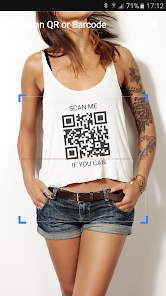
I first grabbed QR & Barcode Scanner from Gamma Play when I needed a quick way to check a QR code on a takeout menu. It's a straightforward scanning utility that lives on your phone for reading those black-and-white squares and zebra-striped barcodes. With over 100 million downloads on Google Play, it's clearly one of those apps everyone ends up installing at some point. The first time I opened it, the interface was just a camera viewfinder with a simple button, no sign-up or registration gatekeeping, which felt refreshing. It's free to download and use, though I noticed it does show some ads, but they didn't pop up aggressively right after launch.
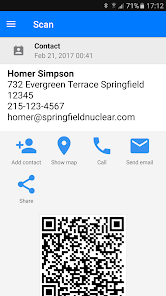
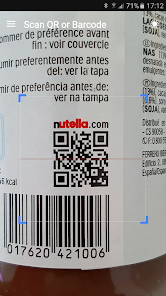
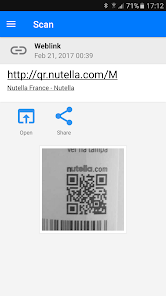
Using the app day-to-day is about as simple as it gets. You open it, point the camera at any barcode or QR code, and it scans almost instantly. The app auto-focuses pretty reliably, even on crumpled receipts or poorly printed codes. After scanning, it shows the decoded content, whether it's a URL, text, or product info. I found the in-app flashlight handy for dimly lit grocery store aisles, and the history feature lets you revisit codes you've scanned before. One small hiccup I noticed is that the app sometimes takes an extra beat to recognize a smaller barcode on a package, but a slight adjustment of the angle usually fixes it. The interface stays clean throughout, with no confusing menus or hidden settings.
After using it for a few weeks, I think this scanner works great for casual users who just need something reliable without any fuss. People who scan codes occasionally for shopping, boarding passes, or restaurant menus will find it perfectly fine. But if you're the type who needs batch scanning or inventory management features, you might feel a bit limited here compared to something like QR Scanner by Kaspersky or Barcode Scanner by ZXing Team. The Gamma Play app stands out because it's lightweight and doesn't nag you with unnecessary permissions. For me, the lack of bloat means I'll probably keep it around for quick scans, but I can see power users uninstalling it in favor of a more feature-packed alternative.
features
- 📷 Automatic detection works right out of the box. Unlike QR Code Reader by Scan, which sometimes requires manual mode switching, this app instantly recognizes both QR codes and barcodes without you having to select a type. It just figures out what you're pointing at and decodes it in a split second.
- 📷 History log keeps every scan accessible. Many basic scanners, like Barcode Scanner by QR Code Scanner Team, purge your history after you close the app. This one saves everything you've scanned, so you can revisit old codes or product info days later without rescanning.
- 📷 Built-in flashlight for low-light situations. Compared to QR & Barcode Scanner by Simple Design Ltd., which buries the flashlight button in a settings menu, Gamma Play's version puts a big, easy-to-tap button right on the main scan screen, making it actually usable when you're in a dimly lit store or restaurant.
- 📷 No account or login required at all. Unlike some scanners like QR Scanner by Kaspersky that prompt you to create a profile for syncing your history, this app stays completely anonymous and works the moment you open it, which feels more respectful of your privacy.
pros
- ⚡ Ultra-fast scanning speed compared to Barcode Scanner by ZXing Team. While ZXing's app sometimes lags for a second when processing a code, Gamma Play's scanner registers barcodes almost the moment the camera focuses, which is noticeable when you're in a hurry at checkout.
- ⚡ No unnecessary permissions like many QR code apps. Barcode Scanner by QR Code Scanner Studio asks for access to your photos and contacts, but this one only needs camera access, which feels much lighter and less intrusive.
- ⚡ Reliable with damaged codes compared to QR Reader by iHandy. When I scanned a slightly crumpled airline boarding pass, Gamma Play's app decoded it cleanly, while the iHandy app gave up and showed an error message.
cons
- ⚠️ Frequent banner ads interrupt the scanning flow. Unlike QR Scanner by Kaspersky, which only shows unobtrusive small ads, Gamma Play places large banner ads that sometimes cover part of the viewfinder, forcing you to wait or accidentally tap them.
- ⚠️ No batch scanning option for power users. Compared to Barcode Scanner by ZXing Team, which lets you scan multiple codes in a row and save them as a list, this app only handles one code at a time, making it impractical for inventory or library work.
- ⚠️ Limited export options for scanned data. While QR Code Reader by Scan allows you to share or export scan results as text or CSV files, Gamma Play's app only copies the content to your clipboard, which feels restrictive if you want to organize or save multiple scans.
- ⚠️ No offline mode for stored codes. Unlike Barcode Scanner by Simple Design Ltd., which caches your history for offline viewing, this app requires an internet connection to show some linked content or ads, which can be annoying in areas with poor signal.
Recommended Apps
![]()
16Personalities
16Personalities4
![]()
Zodiac Palm Reader: MagicWay
Reatility Media4.6
![]()
Moblo - 3D furniture modeling
MYTIforge4.1![]()
Magnifier Plus with Flashlight
Digitalchemy, LLC4.6![]()
QR Code Scanner
QR Code Scanner & Barcode Reader4.7![]()
FalFal: Astrology, Tarot, Love
FalFal Team4.8![]()
Christmas Photo Frames
PhotoFramesApps4.6![]()
AI Video Art Creator - Livensa
FERASET4.5![]()
Horoscope of Birth
Denimaks4.4![]()
Make Me Bald Prank
AppTornado2.5![]()
Kling AI: AI Image&Video Maker
Lohas Games Pte. Ltd.4.4![]()
Japan Timetable & Route Search
NAVITIME JAPAN CO., LTD.4.3![]()
Prank Call & Funny Video
TeH Software0![]()
Parallax 3D Live Wallpapers
TarrySoft4.3![]()
AI Chatbot - Nova
ScaleUp4.7















Disclaimer
1.AppInfoLibrary does not represent any developer, nor is it the developer of any App or game.
2.AppInfoLibrary provide custom reviews of Apps written by our own reviewers, and detailed information of these Apps, such as developer contacts, ratings and screenshots.
3.All trademarks, registered trademarks, product names and company names or logos appearing on the site are the property of their respective owners.
4. AppInfoLibrary abides by the federal Digital Millennium Copyright Act (DMCA) by responding to notices of alleged infringement that complies with the DMCA and other applicable laws.
5.If you are the owner or copyright representative and want to delete your information, please contact us info@appinfolibrary.com.
6.All the information on this website is strictly observed all the terms and conditions of Google Ads Advertising policies and Google Unwanted Software policy .














