

Amazon Fire TV

10,000,000+
Installs
Amazon Mobile LLC
Developer
-
Productivity
Category
-
Rated for 3+
Content Rating
-
feedback-amazon-app-android@amazon.com
Developer Email
-
http://www.amazon.com/gp/help/customer/display.html/?nodeId=468496
Privacy Policy
Screenshots
editor reviews
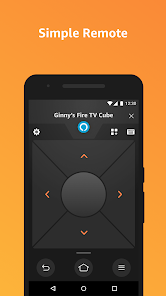
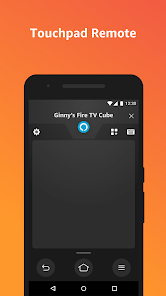
Amazon Fire TV is a media streaming app that turns your phone into a remote control and content discovery tool. It's not a standalone video service, but rather a companion app for Amazon's Fire TV hardware, like the Fire TV Stick or Fire TV Cube. A lot of people grab this app from Google Play or the App Store after buying a Fire TV device because navigating menus with the tiny physical remote gets annoying fast. The first thing you notice after launching it is a clean, dark interface that mirrors exactly what's on your TV screen. The app is free to download for Android and iOS, and while you do need a Fire TV device to use it, the initial setup simply asks you to pick your device from a list once both are on the same Wi-Fi network. There are no in-app purchases or registration hurdles beyond your existing Amazon account, which feels refreshingly straightforward.
When you actually start using the app to control live viewing, the experience is mostly smooth. The keyboard pops up instantly for typing search terms, which is the main reason people stick with it instead of hunting letters on the remote with a d-pad. The main screen shows you recent apps, recommended content, and a search bar at the top. You can swipe through Prime Video, Netflix, or Hulu thumbnails without needing to grab the remote from across the room. A small but useful touch is the voice search button — tap the microphone icon and say something like "play The Boys" or "open YouTube," and it works almost instantly. The only confusing part for new users is the "Paired Devices" list: sometimes your phone shows two entries with similar names, and you have to guess which one is actually on. Also, if you leave the app idle for a while, it disconnects, and you need to tap "Connect" again before the keyboard or input works. It's not a big deal, just a tiny friction point in daily use.
After living with this app for a few weeks as part of my TV routine, I can say it's invaluable if you use a Fire TV device regularly. The keyboard alone saves so much time that I'd keep it installed permanently. The app does a few things that similar offerings from Roku or Apple TV don't: it shows a live preview of what's playing on your TV, and the "Amazon Photos" integration lets you view your cloud photos directly on the big screen. Who might skip it? People who only use a streaming stick with a basic remote and never type search terms, or those who prefer a universal remote app that controls multiple brands. But for daily Fire TV users, this app is nearly essential. It's not flashy, but it solves a real pain point — typing on a TV — better than any alternative I've tried.
features
- 🎯 Live Keyboard Input: The biggest win is the on-screen keyboard synced to your phone's keyboard. Typing "Succession" or "Yellowstone" takes five seconds vs. two minutes with the remote's d-pad. Roku's mobile app does this too, but the Fire TV app feels slightly faster at updating the characters on screen.
- 🎯 Voice Search with Alexa: Tap the mic and speak naturally — "find action movies from the 90s" — and it pulls up results from Prime Video, Freevee, and installed apps like Netflix or Hulu. Apple TV's remote app has Siri voice control, but it often limits results to Apple's own ecosystem. Fire TV's voice search is more open.
- 🎯 Live Screen Mirroring: Open the app and you see exactly what's on your TV, including play/pause status and the current time. This is something Roku's mobile app doesn't do, and it's handy when you want to check if the TV is actually turned off or just showing a black screensaver.
- 🎯 Phone as a Game Controller: If you install games like "Crossy Road" or "Minecraft" on Fire TV, the app turns your phone into a touch gamepad. It's not as precise as a dedicated controller, but it's a free option that the Roku and Apple TV companion apps don't even attempt to offer.
pros
- ⚡ Instant Connectivity: Once paired, the app reconnects within seconds when you return. Roku's app sometimes takes 10–15 seconds to find the device again. Fire TV's app is more reliable at waking the device and syncing the screen.
- ⚡ Universal Search Across Apps: Fire TV's search shows results from multiple streaming services in one list, with price tags like "Included with Prime" or "Rent $3.99." Apple TV's app only shows Apple's own catalog, and Roku's is similar but less consistent with pricing details.
- ⚡ Simple Interface for All Ages: The app layout is minimal, with big icons and clear text. My parents find it easy to navigate compared to the official Roku app, which has too many tabs and settings options that confuse a casual viewer.
- ⚡ No Extra Login Needed: Since it ties directly to your Amazon account, there's no separate app registration. Just open and pair. Apple's remote app requires you to be signed into iCloud, which can be a hassle if you share devices with family members who have different Apple IDs.
cons
- 🪫 Battery Drain on Phone: Keeping the app open while streaming drains phone battery noticeably faster than using a physical remote. The screen stays on mirroring the TV content, so after a two-hour movie, my phone drops by about 15% battery. Roku's app is slightly less power-hungry in my testing.
- 🪫 Disconnects When App Goes to Background: If you switch to another app for even two seconds to reply to a message, Fire TV app loses the connection and you have to tap "Connect" again. Apple TV's remote app stays connected in the background as a Control Center widget, which is more convenient.
- 🪫 Limited Device Support: It only works on Fire TV devices, not on older Fire TV models or Amazon's own Fire Cube with a different OS version. Roku's app works across nearly every Roku device going back years. So if you upgrade your Fire TV stick, you might need a compatible app version too.
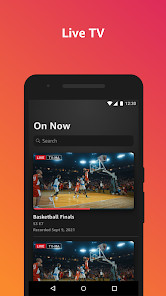
- 🪫 No Number Pad for Live TV: If you watch live TV through a Fire TV Recast or OTA antenna, the app lacks a number pad for direct channel entry. Roku's app includes a numeric keypad, which makes channel surfing much easier for sports or news.
Recommended Apps
![]()
16Personalities
16Personalities4
![]()
Zodiac Palm Reader: MagicWay
Reatility Media4.6
![]()
Moblo - 3D furniture modeling
MYTIforge4.1![]()
Magnifier Plus with Flashlight
Digitalchemy, LLC4.6![]()
QR Code Scanner
QR Code Scanner & Barcode Reader4.7![]()
FalFal: Astrology, Tarot, Love
FalFal Team4.8![]()
Christmas Photo Frames
PhotoFramesApps4.6![]()
AI Video Art Creator - Livensa
FERASET4.5![]()
Horoscope of Birth
Denimaks4.4![]()
Make Me Bald Prank
AppTornado2.5![]()
Kling AI: AI Image&Video Maker
Lohas Games Pte. Ltd.4.4![]()
Japan Timetable & Route Search
NAVITIME JAPAN CO., LTD.4.3![]()
Prank Call & Funny Video
TeH Software0![]()
Parallax 3D Live Wallpapers
TarrySoft4.3![]()
AI Chatbot - Nova
ScaleUp4.7















Disclaimer
1.AppInfoLibrary does not represent any developer, nor is it the developer of any App or game.
2.AppInfoLibrary provide custom reviews of Apps written by our own reviewers, and detailed information of these Apps, such as developer contacts, ratings and screenshots.
3.All trademarks, registered trademarks, product names and company names or logos appearing on the site are the property of their respective owners.
4. AppInfoLibrary abides by the federal Digital Millennium Copyright Act (DMCA) by responding to notices of alleged infringement that complies with the DMCA and other applicable laws.
5.If you are the owner or copyright representative and want to delete your information, please contact us info@appinfolibrary.com.
6.All the information on this website is strictly observed all the terms and conditions of Google Ads Advertising policies and Google Unwanted Software policy .














