

Google Pay

1,000,000,000+
Installs
Google LLC
Developer
-
Finance
Category
-
Rated for 3+
Content Rating
-
apps-help@google.com
Developer Email
-
http://www.google.com/policies/privacy
Privacy Policy
Screenshots
editor reviews
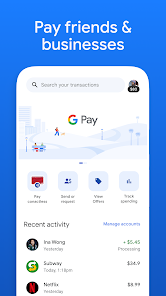
Google Pay is essentially Google's own digital wallet and contactless payment system, tightly woven into the Android ecosystem. It's the sort of app you install because you're tired of rummaging through your pockets for a card every time you buy a coffee or hop on the subway. The idea is to turn your phone into a payment terminal, storing your credit cards, debit cards, loyalty cards, and even some boarding passes all in one place. I remember downloading it from the Google Play Store – it was free, obviously – and after a quick launch, the first impression was surprisingly clean. It didn't bombard me with a tutorial or ask for a million permissions upfront. Instead, it just scanned my screen for any existing payment info on my Google account and asked if I wanted to add a card. That sort of no-nonsense approach made me feel like I was in control, not being sold to.
Once you get past the initial setup, the hands-on experience is where Google Pay really shines, or at least tries to. The interface is minimalist, with the main screen showing your default card and a carousel of your others below. To actually pay, you just unlock your phone and tap it on the terminal – that's it. No need to even open the app. It works with NFC, so proximity matters, but the response is instant. For online purchases, the "Pay with Google" button pops up on supported sites, which saves you from typing in card numbers and addresses every single time. However, it's not all smooth sailing. I found that the transaction history can be a bit buried in the menus, and occasionally, it would ask me to re-authenticate my fingerprint for no obvious reason, which was mildly annoying. A small practical tip: you can set a specific default card for contactless payments, which is useful if you alternate between personal and business accounts.
After using it for a few weeks, my opinion is mixed. If you are an Android loyalist who lives in a country with widespread NFC terminal support, you will likely keep it installed. It's genuinely convenient for quick store runs or grabbing a sandwich. But if you're in the US, the app doesn't offer much beyond what services like Apple Pay or Samsung Pay provide, and it lacks some of the peer-to-peer payment ease that Venmo or Cash App have built their reputation on. It feels more like a utility than a standout feature. What makes it different is its deep integration with Google's own apps – you can use it to pay for parking in Google Maps or buy tickets in Assistant. Still, I could see someone uninstalling it if they found it redundant because their bank's own app already had contactless payments built-in. It's solid, but not essential.
features
- 📱 Tap-to-Pay with Mastercard, Visa, and AmEx – Unlike Samsung Pay, which tries to emulate magnetic stripes for older terminals, Google Pay relies purely on NFC. This makes it faster and more secure, but it only works if the store has a modern reader. It's a trade-off, but one that prioritizes safety over compatibility.
- 📱 Works with Google Maps and Assistant – You can pay for gas, parking, or movie tickets directly from within Google Maps. Samsung Pay doesn't offer this kind of deep integration with a mapping service, making Google's ecosystem feel more cohesive for daily errands.
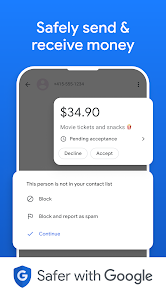
- 📱 Tokenization for every transaction – Every payment generates a unique virtual account number instead of exposing your real card. While other apps like Apple Pay also do this, Google Pay makes it visible in the transaction details, so you can see it's happening.
pros
- 👍 Strong Google Ecosystem Integration – Google Pay links seamlessly with Chrome, Google Maps, and Assistant. For example, you can pay for a hot dog at a baseball game from a notification. With Apple Pay, you're mostly stuck inside Safari, and with Samsung Pay, you rarely get that kind of cross-app flow.
- 👍 Clean Interface – Compared to Venmo's cluttered social feed or Cash App's confusing home screen, Google Pay's minimalist design makes it easy to find your cards or transaction history. It feels less like a social network and more like a practical tool.
- 👍 Free and No Monthly Fees – Unlike some banking apps that charge for premium features, Google Pay is completely free to use, with no hidden costs for sending money or paying in stores. You just need a compatible phone.
cons
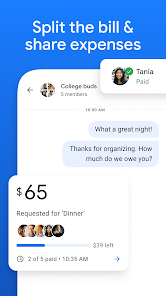
- 👎 Limited Peer-to-Peer Features – You cannot split a dinner bill or send money to a friend without them also having Google Pay installed. Apps like Venmo and Cash App are much better for this social money transfer, offering faster settlement and a public feed.
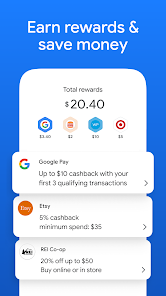
- 👎 No Rewards Program – Samsung Pay has its own reward points system that you can cash in for gift cards. Google Pay offers nothing like this, so you don't get any extra incentive to choose it over a bank's own app that might give you cashback.
- 👎 Regional Restrictions – The full set of features, like transit passes in London or New York, is limited to a handful of countries. If you travel often, you may find that Apple Pay or local payment apps have much better worldwide support.
Recommended Apps
![]()
16Personalities
16Personalities4
![]()
Zodiac Palm Reader: MagicWay
Reatility Media4.6
![]()
Moblo - 3D furniture modeling
MYTIforge4.1![]()
Magnifier Plus with Flashlight
Digitalchemy, LLC4.6![]()
QR Code Scanner
QR Code Scanner & Barcode Reader4.7![]()
FalFal: Astrology, Tarot, Love
FalFal Team4.8![]()
Christmas Photo Frames
PhotoFramesApps4.6![]()
AI Video Art Creator - Livensa
FERASET4.5![]()
Horoscope of Birth
Denimaks4.4![]()
Make Me Bald Prank
AppTornado2.5![]()
Kling AI: AI Image&Video Maker
Lohas Games Pte. Ltd.4.4![]()
Japan Timetable & Route Search
NAVITIME JAPAN CO., LTD.4.3![]()
Prank Call & Funny Video
TeH Software0![]()
Parallax 3D Live Wallpapers
TarrySoft4.3![]()
AI Chatbot - Nova
ScaleUp4.7















Disclaimer
1.AppInfoLibrary does not represent any developer, nor is it the developer of any App or game.
2.AppInfoLibrary provide custom reviews of Apps written by our own reviewers, and detailed information of these Apps, such as developer contacts, ratings and screenshots.
3.All trademarks, registered trademarks, product names and company names or logos appearing on the site are the property of their respective owners.
4. AppInfoLibrary abides by the federal Digital Millennium Copyright Act (DMCA) by responding to notices of alleged infringement that complies with the DMCA and other applicable laws.
5.If you are the owner or copyright representative and want to delete your information, please contact us info@appinfolibrary.com.
6.All the information on this website is strictly observed all the terms and conditions of Google Ads Advertising policies and Google Unwanted Software policy .














