

Waze Navigation & Live Traffic

100,000,000+
Installs
Waze
Developer
-
Travel & Local
Category
-
Rated for 3+
Content Rating
-
support@waze.com
Developer Email
-
http://www.waze.com/legal/privacy/
Privacy Policy
Screenshots
editor reviews
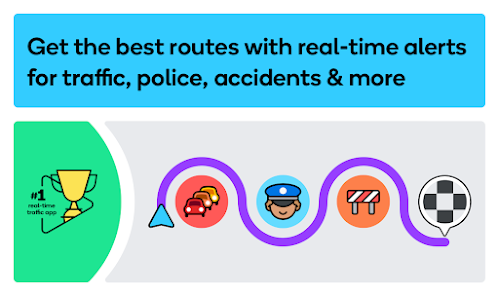
Waze is a community-driven navigation app that relies entirely on real-time user reports to provide the fastest routes and live traffic updates. It's different from most GPS apps because its core data comes from millions of drivers sharing road conditions as they happen, rather than pulling from static maps or historical traffic patterns. People usually download Waze from Google Play or the App Store because they want to avoid traffic jams, find the quickest way to work, or get alerts about police and hazards. The first time you launch the app, you're greeted with a colorful, almost game-like interface featuring a quirky cartoon car and a map that updates every few seconds. It feels more like a social tool than a standard navigation system, and you're prompted to set your home and work addresses right away. The app is free to download and install, has millions of downloads, and includes optional in-app purchases and ads, but no registration is mandatory to start navigating, though you need an account to unlock community features and earn points.
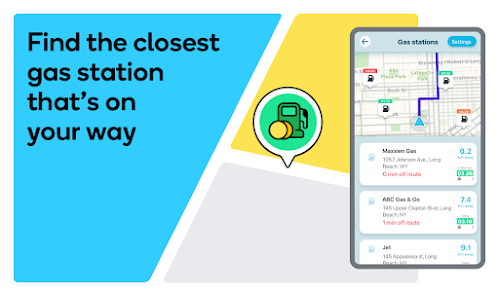
After you start using Waze, the hands-on experience is pretty straightforward but has a unique twist. Once you enter a destination, the app calculates the route based on current traffic data and shows you a few options with estimated times. What stands out is how the map changes as you drive — other Wazers report accidents, stalled cars, potholes, or speed traps, and these announcements pop up as small icons with voice alerts. You can also tap a button to report something yourself, which feels empowering but can be distracting if you're not used to it. The interface is simple: a big green navigation button at the bottom, search bar on top, and a quick menu for traffic, gas prices, and your profile. A small but helpful tip is that you can set a “take me home” button on the main screen to avoid typing the address every time. The app can feel a bit cluttered with all the visible user icons and alerts, but the real-time data is genuinely responsive and makes traffic delays much less stressful.
After living with Waze for a while, I'd say it's great for daily commuters in busy cities who hate sitting in unexpected traffic and want to feel part of a helpful community. It's less suited for long road trips where you prefer stable, pre-planned routes or need offline maps, since Waze requires an internet connection to function properly. What sets it apart from apps like Google Maps is the live, human-driven updates: you get warnings about things like vehicles stopped on the shoulder or police hiding on bridges, which Google Maps doesn't cover as thoroughly. However, the app can be battery-hungry and annoying with its constant pop-up ads for nearby businesses. I keep it installed because it saves me time at least once a week, but I also use Apple Maps for trips outside the city where I want fewer distractions. Overall, it's a specialized tool that nails one thing — avoiding delays — but falls short as an all-around navigation companion.
features
- 🛣️ Live hazard reporting is Waze's standout feature. While Google Maps shows traffic conditions, it rarely warns you about specific hazards like a broken-down car on the shoulder or a deep pothole in your lane. Waze lets you see and report these instantly, making your drive safer and less surprising.
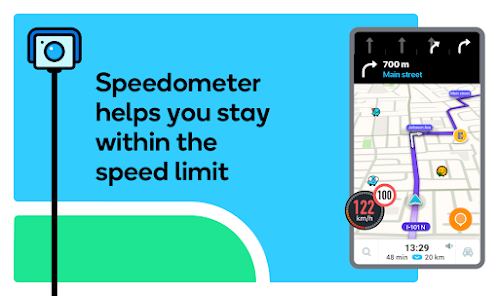
- 🚗 Community-driven speed trap alerts are another big plus. Unlike Apple Maps, which only shows speed limits, Waze gives you frequent voice alerts for police cameras and speed traps ahead. This keeps you aware of enforcement zones without needing to constantly check the map.
- ⏱️ Dynamic rerouting is where Waze truly excels. If there's a crash or congestion on your route, the app will automatically suggest alternative paths within seconds, often pulling you through side streets to save minutes. Google Maps does this too, but Waze's updates feel much faster and more aggressive.
- 🎮 Gamification elements like points, levels, and leaderboards add a fun layer. You earn badges for reporting incidents or driving a lot, which encourages engagement. No other mainstream navigation app rewards contributions this way, making commuting feel a bit like a game.
pros
- ⚡ Real-time data freshness: Waze's traffic info is usually more current than Google Maps because of its sheer volume of user-generated updates. You can spot a new accident minutes after it happens.
- 🗺️ Minimal offline reliance: Unlike TomTom or Here WeGo, Waze doesn't need large map downloads; it streams everything live, which is ideal for drivers who always have data but hate storing maps.
- 🎨 User-friendly customization: You can pick funny car icons, change the map theme, and even record custom voice prompts. Apps like Sygic don't offer this level of personalization without paid upgrades.
cons
- 🔋 Battery drain is a real issue. Waze runs constantly in the background with GPS and live updates, so it drains your phone much faster than Google Maps. A car charger is almost essential for longer drives.
- 🗣️ Frequent voice alerts can get noisy. While Google Maps only chimes in for major turns, Waze announces every hazard and speed limit change, which can feel overwhelming on a quiet drive.
- 🔌 No offline mode whatsoever. Apps like Maps.me or even Google Maps allow you to download areas for offline use, but Waze requires a constant data connection, which is a problem in tunnels or rural areas with poor coverage.
- 📺 Ads are intrusive and poorly placed. Compared to Apple Maps, which has no ads, Waze will show pop-up banners for nearby gas stations or restaurants while you're navigating, which can distract from the road.
Recommended Apps
![]()
16Personalities
16Personalities4
![]()
Zodiac Palm Reader: MagicWay
Reatility Media4.6
![]()
Moblo - 3D furniture modeling
MYTIforge4.1![]()
Magnifier Plus with Flashlight
Digitalchemy, LLC4.6![]()
QR Code Scanner
QR Code Scanner & Barcode Reader4.7![]()
FalFal: Astrology, Tarot, Love
FalFal Team4.8![]()
Christmas Photo Frames
PhotoFramesApps4.6![]()
AI Video Art Creator - Livensa
FERASET4.5![]()
Horoscope of Birth
Denimaks4.4![]()
Make Me Bald Prank
AppTornado2.5![]()
Kling AI: AI Image&Video Maker
Lohas Games Pte. Ltd.4.4![]()
Japan Timetable & Route Search
NAVITIME JAPAN CO., LTD.4.3![]()
Prank Call & Funny Video
TeH Software0![]()
Parallax 3D Live Wallpapers
TarrySoft4.3![]()
AI Chatbot - Nova
ScaleUp4.7















Disclaimer
1.AppInfoLibrary does not represent any developer, nor is it the developer of any App or game.
2.AppInfoLibrary provide custom reviews of Apps written by our own reviewers, and detailed information of these Apps, such as developer contacts, ratings and screenshots.
3.All trademarks, registered trademarks, product names and company names or logos appearing on the site are the property of their respective owners.
4. AppInfoLibrary abides by the federal Digital Millennium Copyright Act (DMCA) by responding to notices of alleged infringement that complies with the DMCA and other applicable laws.
5.If you are the owner or copyright representative and want to delete your information, please contact us info@appinfolibrary.com.
6.All the information on this website is strictly observed all the terms and conditions of Google Ads Advertising policies and Google Unwanted Software policy .














