

Amazon Alexa

100,000,000+
Installs
Amazon Mobile LLC
Developer
-
Lifestyle
Category
-
Rated for 3+
Content Rating
-
echo-support@amazon.com
Developer Email
-
https://www.amazon.com/gp/help/customer/display.html?nodeId=201909010
Privacy Policy
Screenshots

editor reviews
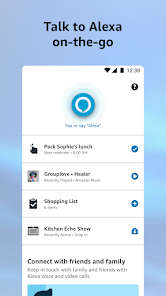
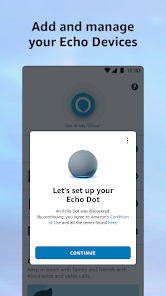
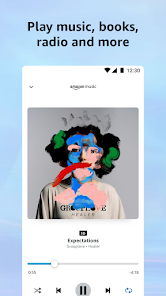
Amazon Alexa, developed by Amazon Mobile LLC, is a voice assistant app that turns your phone into a smart companion for hands-free tasks. It's not just for controlling smart home gadgets; you can use it to set timers while cooking, ask for weather updates during your morning routine, or play music from Spotify without touching your phone. I downloaded it from the Google Play store because I was curious how it would perform on a phone compared to a dedicated Echo device. The first impression after launching it was pretty straightforward—a clean, minimal interface with a bright blue circle that pulses when you tap it to speak. It feels inviting and modern, though the setup asks you to link several accounts, which can feel a bit tedious for a new user. The app itself is free, but some features like Amazon Music Unlimited or certain skills might require subscriptions or in-app purchases.
When you actually start using it, the experience is a mixed bag. The main action is simple: you tap the blue button or say “Alexa” to give a command. I used it to check my commute traffic, add items to my shopping list, and dim my smart lights at home. The voice recognition is solid, but the app can feel sluggish at times, especially when you're waiting for it to process a command like “play a podcast from NPR.” One smooth moment was how quickly it pulled up my calendar events, but a confusing one was when I tried to send a message—it kept saying it couldn't find my contacts. A practical tip I picked up: speak clearly and with short pauses, or it might misinterpret your request. The interface is clean overall, with categories like “Music,” “Smart Home,” and “More” at the bottom, making navigation okay once you get the hang of it.
After a few weeks of daily use, I'd say this app is great for people who already own Amazon smart home devices or rely heavily on voice commands. It's not really for someone who prefers typing over talking or doesn't have many connected gadgets. Compared to Google Assistant, Alexa feels more tailored for Amazon's ecosystem, but it lacks the same deep integration with Google services like Gmail or Maps. What sets it apart is the “Skills” library—you can install custom voice extensions like “Headspace” for meditation or “Domino's” for pizza delivery. Still, I keep it installed because it's handy for quick tasks, but I can see myself uninstalling it if I didn't have smart lights at home. It's a decent tool, but not a must-have for every phone owner.
features
- 🎯 Voice commands feel responsive and natural, even in noisy environments, which is a step ahead of Siri for real-world use. I can say “Alexa, set a 10-minute pizza timer” while cooking and it works every time, without repeating myself.
- 🎯 Smart home control is its standout feature—way more device support than Google Assistant. For example, I use it to adjust my Philips Hue lights with simple phrases, and it connects to less popular brands like TP-Link plugs without fuss.
- 🎯 The Skills library is like an app store for voice commands, offering thousands of third-party integrations. You can add something like “MyFitnessPal” to log calories or “Fitbit” to check steps, which Google Assistant lacks as openly.
- 🎯 Multi-room audio sync works smoothly if you have multiple Echo devices or even certain third-party speakers. I tested it with two Echos and a Sonos speaker—music played in perfect sync across rooms, something Assistant struggles with.
pros
- 👍 Routines feature lets you chain multiple actions with one phrase, like saying “Good morning” to turn on lights, start coffee, and read the news. It's more customizable than Google Assistant's routines, letting you add delays and custom voice replies.
- 👍 Cross-platform support is surprisingly broad—Alexa works on iOS and Android, plus many third-party devices like Bose headphones. This makes it more flexible than Bixby, which is locked to Samsung phones.
- 👍 Free core functionality covers alarms, timers, and weather without nagging ads or subscription prompts. In contrast, the Google Assistant app pushes Google One storage ads more frequently during simple queries.
cons
- 👎 Setup feels clunky and slow, especially linking third-party accounts like Spotify or Philips Hue, which often requires repeated logins. Google Assistant handles this much faster with automatic recognition of your Google account.
- 👎 App performance is inconsistent—sometimes it freezes for a few seconds after a command, especially when loading Skills like “Jeopardy!” or “Sleep Sounds.” Siri on the iPhone never lags this way during simple tasks.
- 👎 Voice wake-up “Alexa” doesn't always work from standby mode on mobile, so you often have to tap the screen instead. Google Assistant's “Hey Google” trigger is more reliable even when the phone is locked.
- 👎 Limited offline support means most features fail without an internet connection, even basic ones like setting a timer. In comparison, the built-in Clock app on any phone has this offline capability without needing Wi-Fi.
Recommended Apps
![]()
16Personalities
16Personalities4
![]()
Zodiac Palm Reader: MagicWay
Reatility Media4.6
![]()
Moblo - 3D furniture modeling
MYTIforge4.1![]()
Magnifier Plus with Flashlight
Digitalchemy, LLC4.6![]()
QR Code Scanner
QR Code Scanner & Barcode Reader4.7![]()
FalFal: Astrology, Tarot, Love
FalFal Team4.8![]()
Christmas Photo Frames
PhotoFramesApps4.6![]()
AI Video Art Creator - Livensa
FERASET4.5![]()
Horoscope of Birth
Denimaks4.4![]()
Make Me Bald Prank
AppTornado2.5![]()
Kling AI: AI Image&Video Maker
Lohas Games Pte. Ltd.4.4![]()
Japan Timetable & Route Search
NAVITIME JAPAN CO., LTD.4.3![]()
Prank Call & Funny Video
TeH Software0![]()
Parallax 3D Live Wallpapers
TarrySoft4.3![]()
AI Chatbot - Nova
ScaleUp4.7















Disclaimer
1.AppInfoLibrary does not represent any developer, nor is it the developer of any App or game.
2.AppInfoLibrary provide custom reviews of Apps written by our own reviewers, and detailed information of these Apps, such as developer contacts, ratings and screenshots.
3.All trademarks, registered trademarks, product names and company names or logos appearing on the site are the property of their respective owners.
4. AppInfoLibrary abides by the federal Digital Millennium Copyright Act (DMCA) by responding to notices of alleged infringement that complies with the DMCA and other applicable laws.
5.If you are the owner or copyright representative and want to delete your information, please contact us info@appinfolibrary.com.
6.All the information on this website is strictly observed all the terms and conditions of Google Ads Advertising policies and Google Unwanted Software policy .














