

WhatsApp Messenger

10B+
Installs
WhatsApp LLC
Developer
-
Social
Category
-
Everyone
Content Rating
-
android@support.whatsapp.com
Developer Email
-
https://www.whatsapp.com/legal/privacy-policy
Privacy Policy
Screenshots
editor reviews
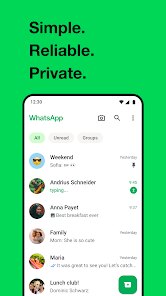
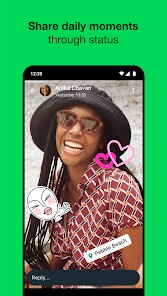
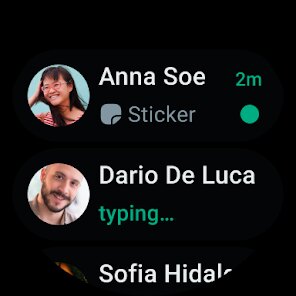
WhatsApp Messenger is a cross-platform instant messaging and voice-over-IP service owned by Meta. It is one of the most widely used communication apps globally, allowing users to send text messages, make voice and video calls, share images, documents, and more. The app is available for free download on both Google Play and the App Store, with over five billion installs on Android alone. After launching WhatsApp, the first impression is clean and straightforward: a simple interface with a tabbed layout for chats, calls, and status updates. Most users download this app because nearly everyone they know is already on it, and the free, ad-free experience feels refreshing compared to other apps that push paid features.
When you start using WhatsApp, the onboarding walks you through verifying your phone number and restoring previous chats if you have a backup. The main interface is intuitive: a list of conversations appears on the home screen, and you can search or start a new chat from the floating action button. Making a voice or video call is just two taps, and the call quality is reliable even on slower internet connections. A small practical tip is to enable disappearing messages for sensitive chats, which you can set to 24 hours, 7 days, or 90 days. One confusing moment for newcomers is understanding why contacts who don't have the app don't appear, but once friends install it, the list populates seamlessly. Overall, the app feels snappy and consistent, which makes daily messaging effortless.
After using WhatsApp for a while, I think it is best suited for people who want a straightforward, no-frills messaging app that integrates well with their phone contacts. It is perfect for group chats with family, colleagues, or friends across different countries because it works over Wi-Fi or mobile data. However, power users who need advanced features like folders, in-app bots, or rich customization might find it too basic compared to Telegram. What sets WhatsApp apart is its massive user base and end-to-end encryption, making it a trust-worthy default for private conversations. I have kept it installed mainly because everyone I communicate with is already there, and the low data usage is a plus when traveling. But if you value channels, stickers, or self-destructing messages, you might still need another app alongside WhatsApp.
features
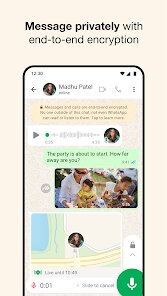
- ✉️ End-to-end encryption by default protects all messages, calls, photos, and videos, ensuring that only you and the intended recipient can read or listen to them. Unlike Telegram, which requires turning on Secret Chat mode for similar protection, WhatsApp keeps everything private automatically without extra steps.
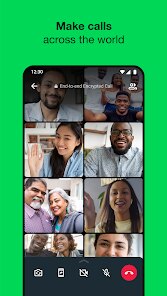
- ✉️ Voice and video calls are seamlessly integrated and use minimal data, working reliably on 3G, 4G, or Wi-Fi. While Skype offers similar functionality, WhatsApp's calls are directly linked to your phone number, making them more accessible because your contacts are already listed without needing a separate account.
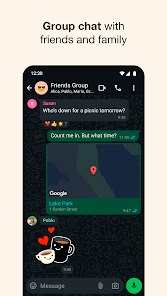
- ✉️ Group chats support up to 1,024 participants, and you can share large files up to 2GB each, which is more generous than Viber's groups capped at 250 members. This makes WhatsApp ideal for organizing events, teams, or community updates across large networks.
pros
- ✅ Vast user base: Nearly everyone you meet already has WhatsApp installed, so there is zero friction when inviting contacts. Compared to Signal or Telegram, adoption is much higher in most regions, making it the default communication tool for social and professional circles.
- ✅ Cross-platform sync: Chats sync seamlessly across Android, iPhone, and WhatsApp Web using your phone number. Unlike iMessage, which is Apple-only, WhatsApp works on any device, so you can stay connected regardless of your friends' phone brand.
- ✅ Low data usage: Messages and calls are optimized for slower connections, which is great for travelers or people with limited data plans. WhatsApp uses less bandwidth than FaceTime or Zoom for similar call quality, saving you money over time.
cons
- ❌ No cloud backup for free: While iMessage uses iCloud and Telegram offers free cloud sync, WhatsApp's chat history relies on Google Drive or iCloud backups, which consume your storage quota. Losing your backup means losing all media if you uninstall or reset your phone.
- ❌ Limited customization: Unlike Telegram or Signal, you cannot change themes, fonts, or bubble styles beyond the default look. Users who enjoy personalizing their chat experience feel restrained, and there is no native support for bots or advanced filters.
- ❌ Privacy concerns tied to Meta: Even with encryption, WhatsApp shares some metadata with Facebook, including your phone number and device information. Privacy-conscious users often prefer Signal, which collects almost nothing about its users, making WhatsApp a less trustworthy option for sensitive communications.
Recommended Apps
![]()
16Personalities
16Personalities4
![]()
Zodiac Palm Reader: MagicWay
Reatility Media4.6
![]()
Moblo - 3D furniture modeling
MYTIforge4.1![]()
Magnifier Plus with Flashlight
Digitalchemy, LLC4.6![]()
QR Code Scanner
QR Code Scanner & Barcode Reader4.7![]()
FalFal: Astrology, Tarot, Love
FalFal Team4.8![]()
Christmas Photo Frames
PhotoFramesApps4.6![]()
AI Video Art Creator - Livensa
FERASET4.5![]()
Horoscope of Birth
Denimaks4.4![]()
Make Me Bald Prank
AppTornado2.5![]()
Kling AI: AI Image&Video Maker
Lohas Games Pte. Ltd.4.4![]()
Japan Timetable & Route Search
NAVITIME JAPAN CO., LTD.4.3![]()
Prank Call & Funny Video
TeH Software0![]()
Parallax 3D Live Wallpapers
TarrySoft4.3![]()
AI Chatbot - Nova
ScaleUp4.7















Disclaimer
1.AppInfoLibrary does not represent any developer, nor is it the developer of any App or game.
2.AppInfoLibrary provide custom reviews of Apps written by our own reviewers, and detailed information of these Apps, such as developer contacts, ratings and screenshots.
3.All trademarks, registered trademarks, product names and company names or logos appearing on the site are the property of their respective owners.
4. AppInfoLibrary abides by the federal Digital Millennium Copyright Act (DMCA) by responding to notices of alleged infringement that complies with the DMCA and other applicable laws.
5.If you are the owner or copyright representative and want to delete your information, please contact us info@appinfolibrary.com.
6.All the information on this website is strictly observed all the terms and conditions of Google Ads Advertising policies and Google Unwanted Software policy .














