

Google Maps

10,000,000,000+
Installs
Google LLC
Developer
-
Travel & Local
Category
-
Rated for 3+
Content Rating
-
apps-help@google.com
Developer Email
-
http://www.google.com/policies/privacy
Privacy Policy
Screenshots

editor reviews
Google Maps is essentially the Swiss Army knife of navigation apps, something most of us have on our phones without even thinking about it. It's a location-based service that handles everything from turn-by-turn driving directions to finding a nearby coffee shop. People download it from Google Play or the App Store because it comes pre-installed on many Android devices, and if not, it's a free install with over 10 billion downloads on Android alone. The first impression after launching it is a clean, minimalist map with your current location pinned, and a search bar at the top that feels intuitive. No registration is needed to start browsing, though signing in with a Google account unlocks saved places and history. You might notice some in-app purchases for things like ride-hailing or food delivery, but the core navigation is ad-supported in a subtle way, with sponsored pins showing up for businesses.
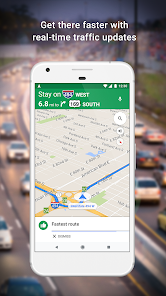
When you actually start using it, the experience is generally smooth. The interface shows a map that you can pinch to zoom or tilt for a 3D view of buildings. For a typical drive, you type in a destination, and Google Maps offers several route options with estimated times, traffic conditions, and even lane guidance. The onboarding is quick—you just agree to location permissions and you're set. One common action is searching for a restaurant, where you can filter by rating, price, or hours. A small practical tip is that you can download offline maps for areas with spotty reception, which is a lifesaver on road trips. There are occasional confusing moments, like when the app routes you through a construction zone or suggests a left turn during rush hour, but those are rare. The voice navigation is clear, and the real-time traffic updates feel accurate, making daily commutes less stressful.
After using Google Maps for a while, my personal take is that it's hard to beat for general navigation, but it's not perfect for everyone. It feels tailored to people who drive regularly or explore new cities—its transit directions and walking paths are decent but not as detailed as specialized apps like Citymapper. What sets it apart is the integration with Google's ecosystem, like syncing saved places across devices. You might keep it installed because it's reliable and constantly updated, but power users who cycle might prefer Strava for routes, or hikers might turn to AllTrails for trails. For me, it stays on my phone because it's the default, and I appreciate the live traffic avoidance, but I can see someone uninstalling it if they switch to Waze for its social features. It's a solid, all-around performer rather than a specialist.
features
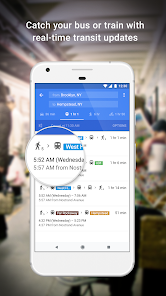
- 🗺️ Offline Maps with Public Transit maps.google.com offline maps let you download entire regions for use without data, covering driving, walking, and public transit. Apple Maps offers offline maps too, but Google's coverage is broader, especially in less-connected areas, making it ideal for travelers.
- 📊 Real-Time Traffic and Route Optimization Google's traffic data comes from aggregated smartphone location data, offering live updates and alternative routes. Waze is more community-driven with police alerts, but Google Maps beats it for accuracy in urban areas where traffic patterns change quickly.
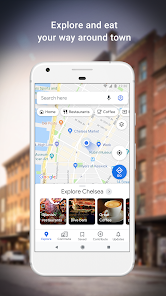
- 🔍 Local Business Discovery with Reviews You can search for any business and see photos, menus, hours, and user reviews integrated directly into the map. Yelp has deeper social features, but Google Maps wins for being a one-stop shop where you can book a table or call without switching apps.
pros
- 🚗 Seamless Google Ecosystem Integration Google Maps syncs with your Google account, so saved places, searches, and photos are accessible across devices. Apple Maps is great for iPhone users, but Google's cross-platform compatibility beats both Apple and Waze for those on Android and iOS.
- 📍 Superior Coverage for Remote Areas Thanks to Street View and extensive satellite imagery, Google Maps offers detailed data for rural and off-road locations. Here Maps is decent for offline use, but Google's global database is unmatched for navigating unfamiliar territory.
- 🗣️ Natural Voice Commands and Integration Activating “Hey Google” lets you add stops or report incidents hands-free. Both Apple and Waze require more taps, making Google Maps safer for drivers who rely on voice.
cons
- 🔄 Overcomplicated Privacy Settings Google Maps collects a ton of location history. Resetting privacy controls requires sifting through multiple menus, while Apple Maps collects less data by default and offers simpler privacy options.
- ⚠️ Inconsistent Navigation in Dense Cities In areas like downtown Tokyo or Manhattan, Google Maps sometimes directs you to the wrong entrance or misses complex pedestrian paths. Citymapper excels in these settings with detailed transit alerts and platform info.
- 📱 Battery Drain and Background Activity The app uses significant battery when running in the background for traffic alerts. Waze is also heavy, but Apple Maps is more efficient on iPhones, making Google a poor choice for long trips without charging.
Recommended Apps
![]()
16Personalities
16Personalities4
![]()
Zodiac Palm Reader: MagicWay
Reatility Media4.6
![]()
Moblo - 3D furniture modeling
MYTIforge4.1![]()
Magnifier Plus with Flashlight
Digitalchemy, LLC4.6![]()
QR Code Scanner
QR Code Scanner & Barcode Reader4.7![]()
FalFal: Astrology, Tarot, Love
FalFal Team4.8![]()
Christmas Photo Frames
PhotoFramesApps4.6![]()
AI Video Art Creator - Livensa
FERASET4.5![]()
Horoscope of Birth
Denimaks4.4![]()
Make Me Bald Prank
AppTornado2.5![]()
Kling AI: AI Image&Video Maker
Lohas Games Pte. Ltd.4.4![]()
Japan Timetable & Route Search
NAVITIME JAPAN CO., LTD.4.3![]()
Prank Call & Funny Video
TeH Software0![]()
Parallax 3D Live Wallpapers
TarrySoft4.3![]()
AI Chatbot - Nova
ScaleUp4.7















Disclaimer
1.AppInfoLibrary does not represent any developer, nor is it the developer of any App or game.
2.AppInfoLibrary provide custom reviews of Apps written by our own reviewers, and detailed information of these Apps, such as developer contacts, ratings and screenshots.
3.All trademarks, registered trademarks, product names and company names or logos appearing on the site are the property of their respective owners.
4. AppInfoLibrary abides by the federal Digital Millennium Copyright Act (DMCA) by responding to notices of alleged infringement that complies with the DMCA and other applicable laws.
5.If you are the owner or copyright representative and want to delete your information, please contact us info@appinfolibrary.com.
6.All the information on this website is strictly observed all the terms and conditions of Google Ads Advertising policies and Google Unwanted Software policy .














