

Webex Meetings

100,000,000+
Installs
Cisco Systems, Inc.
Developer
-
Business
Category
-
Rated for 3+
Content Rating
-
+18662293239
Developer Email
-
http://www.cisco.com/web/siteassets/legal/privacy.html
Privacy Policy
Screenshots
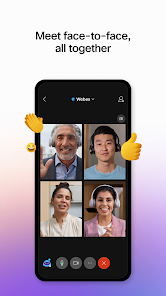


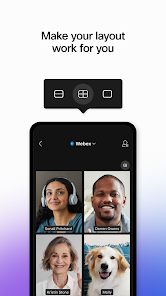
editor reviews
Webex Meetings is Cisco's take on the video conferencing space, a tool that's been around in the corporate world for ages. You'd typically download it from Google Play or the App Store for free, but the catch is that while installation is free, hosting meetings longer than 40 minutes on the free tier requires a paid subscription, and there are in-app purchases for extra storage or features. When you first launch it, the interface feels a bit heavy — like stepping into a professional boardroom rather than a casual hangout. The initial impression is that this app means business, with a login screen that pushes you toward a corporate account or a Webex ID. For a normal user, the first thought might be, “Do I really need this?” because it's not as inviting as something like Zoom. Still, the install count is in the hundreds of millions, so plenty of people rely on it for serious work.
Once you start a meeting or join one, the experience is a mixed bag. The interface is clean but cluttered with options: you've got your mute button, video toggle, share screen, and a chat panel that pops up from the side. Onboarding can be a bit of a maze — you'll need to grant permissions for camera and microphone, and sometimes the app asks for phone access, which feels intrusive. In daily use, the main actions are straightforward: you tap “Join” with a link, or you schedule a meeting from the calendar tab. But there are small hiccups — the app can be slow to load on older phones, and the audio setup might default to the speakerphone rather than your headset. A practical tip: always check the “Audio” settings before a call because the app sometimes forgets your device preferences. For common steps like sharing a screen, it works well, but the whiteboard feature feels tacked on and not as smooth as built-in tools on Android tablets.
After using Webex Meetings for a while, I'd say it's a solid choice for people who need robust security and integration with Cisco systems — think IT teams or large enterprises. For casual users, it's overkill; you'd be better off with Google Meet or even Microsoft Teams, which are more intuitive and less resource-hungry. What sets Webex apart is its emphasis on encryption and compliance, which matters in regulated industries like finance or healthcare. But honestly, the app can feel clunky, and the free limitations (like the 40-minute cap) make it less appealing for personal chats. I kept it installed because some clients insist on it, but if I had the choice, I'd uninstall it for something lighter. It's a workhorse, not a playground, and that's fine if your job demands it.
features
- 🔊 Real-time audio optimization: Webex Meetings has a “noise removal” feature that actively filters out background sounds like keyboard clicks or street noise. Compared to Zoom, which relies on basic suppression, Webex's audio engine feels more aggressive in cleaning up the feed during group calls, making it easier to hear the main speaker without distractions.
- 📊 Integrated polling and Q&A: You can run live polls and a dedicated Q&A panel without leaving the meeting interface. This beats Google Meet, which requires third-party add-ons for polls, and it's more seamless for running interactive sessions where participation matters.
- 🖥️ Full control during screen sharing: When you share your screen, you can annotate in real-time with a toolbar that sticks to the bottom, and the presenter can hand over control to someone else without passing a link. It's more reliable than Microsoft Teams for granular permissions during collaborative edits.
- 🔐 End-to-end encryption by default: Webex applies encryption to all meetings without extra steps. Video calls on Slack, for instance, don't always guarantee this level of security out of the box, which gives Webex an edge for sensitive discussions.
pros
- 🎯 Stronger integration with Cisco hardware: If your company uses Cisco desk phones or room kits, Webex syncs effortlessly with them, unlike Zoom that needs additional bridging software. It's a tighter ecosystem play.
- 📞 No need for third-party dial-in numbers: Webex includes global dial-in numbers in the meeting invite, saving you from apps like Whereby that rely on VoIP only. This is great for users with poor data connections.
- ⚙️ Admin controls for large teams: The dashboard lets IT manage user permissions and recording storage centrally. This outperforms Jitsi Meet, which lacks that enterprise-level oversight and is more DIY-oriented.
cons
- 🐌 Heavy app size and load times: On Android, the app takes up nearly 200MB, and it drags when switching between chats and video. Zoom is lighter and launches faster, making Webex feel laggy in comparison.
- 🚫 Free tier restrictions are strict: The 40-minute limit on group meetings is harsher than Google Meet's 60-minute free window, and you can't record calls without a paid plan. This frustrates small teams on a budget.
- 📱 Mobile interface is less polished: Buttons for “Raise Hand” and “Reactions” are tucked in a submenu, unlike Microsoft Teams' mobile app where they're front and center. It feels less intuitive for quick interactions on the go.
- 🔄 Difficulty switching devices mid-call: Webex treats device switching as a full reconnect, so you lose chat history momentarily. Skype, for instance, handles this transition more smoothly without dropping context.
Recommended Apps
![]()
16Personalities
16Personalities4
![]()
Zodiac Palm Reader: MagicWay
Reatility Media4.6
![]()
Moblo - 3D furniture modeling
MYTIforge4.1![]()
Magnifier Plus with Flashlight
Digitalchemy, LLC4.6![]()
QR Code Scanner
QR Code Scanner & Barcode Reader4.7![]()
FalFal: Astrology, Tarot, Love
FalFal Team4.8![]()
Christmas Photo Frames
PhotoFramesApps4.6![]()
AI Video Art Creator - Livensa
FERASET4.5![]()
Horoscope of Birth
Denimaks4.4![]()
Make Me Bald Prank
AppTornado2.5![]()
Kling AI: AI Image&Video Maker
Lohas Games Pte. Ltd.4.4![]()
Japan Timetable & Route Search
NAVITIME JAPAN CO., LTD.4.3![]()
Prank Call & Funny Video
TeH Software0![]()
Parallax 3D Live Wallpapers
TarrySoft4.3![]()
AI Chatbot - Nova
ScaleUp4.7















Disclaimer
1.AppInfoLibrary does not represent any developer, nor is it the developer of any App or game.
2.AppInfoLibrary provide custom reviews of Apps written by our own reviewers, and detailed information of these Apps, such as developer contacts, ratings and screenshots.
3.All trademarks, registered trademarks, product names and company names or logos appearing on the site are the property of their respective owners.
4. AppInfoLibrary abides by the federal Digital Millennium Copyright Act (DMCA) by responding to notices of alleged infringement that complies with the DMCA and other applicable laws.
5.If you are the owner or copyright representative and want to delete your information, please contact us info@appinfolibrary.com.
6.All the information on this website is strictly observed all the terms and conditions of Google Ads Advertising policies and Google Unwanted Software policy .














