Coloring & Learn

100M+
Installs
Orange Studios Games
Developer
-
Action
Category
-
Everyone
Content Rating
-
orangegstudios@gmail.com
Developer Email
-
https://orangestudiosgames.com/privacy_policy.html
Privacy Policy
Screenshots
editor reviews
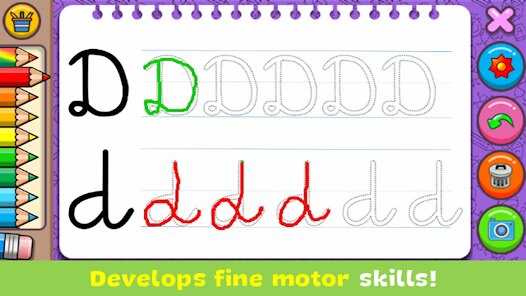
If you've got a kid who loves to scribble or you're just looking for a chill way to unwind on your phone, Coloring & Learn by Orange Studios Games is a solid pick. It's basically an educational coloring book app for Android, and you can grab it directly from the Google Play Store. The game first launched back in 2017, and since then, it's racked up over 10 million installs, which is no small feat for a kids' app. It's free to download and play, which is awesome, but yeah, there are in-app purchases and those occasional in-app ads. The purchases mostly unlock extra content packs or remove the ads, and they usually run between $1.99 to $4.99, so it's not too wallet-crushing. This is a pure mobile game—don't expect to find it on Steam, Xbox, or Switch. It's strictly an Android and iOS thing, designed for touchscreens. Honestly, for what it is, it's a perfect little time-killer for young ones or anyone wanting a no-pressure creative outlet.
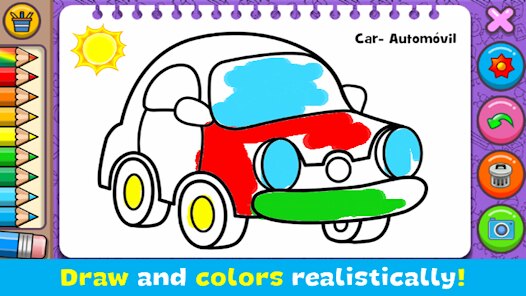
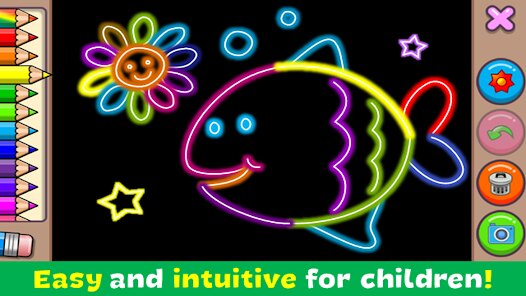
Playing this game is super straightforward. You open the app, pick a category like animals, vehicles, or even musical instruments, and then you tap away to fill in the lines. There are different tools like paint brushes, pencils, and even glitters, which makes it more engaging than just a basic Crayola experience. The best part? The animations when you color. Things move and react when you tap them—a balloon floats up or a fish swims away. My favorite part has to be the “magic” coloring mode where you just drag a finger and the app automatically fills tricky sections. It's a lifesaver for younger kids who get frustrated trying to stay inside the lines. Plus, the app's interface is clean and easy to navigate, even for my 4-year-old niece. She knows exactly how to switch between colors and start over without my help, which is a huge win in my book.
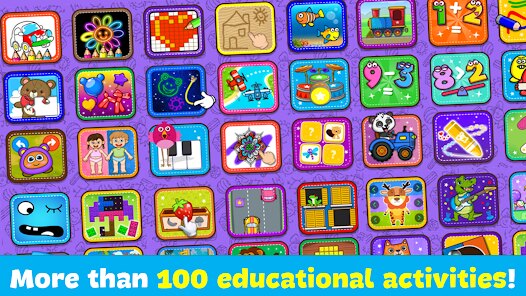
Compared to other apps in this genre like Kids Doodle or Coloring Book for Kids, this one feels more polished and interactive. Kids Doodle is decent but it's more of a freeform drawing app without guided outlines, which can be chaotic for younger players. Coloring & Learn offers a better structure, especially with the learning elements—letters, numbers, and even geometry patterns. It's not a huge, complex game, but that's kind of the point. I recommend it because it's not trying to be an overwhelming gaming experience. It's a simple, honest coloring app that respects your time and doesn't bombard you with confusing menus. If you download it on Google Play, just know that you'll get a full-featured experience right out the gate, and the paid skip-to-remove ads upgrade is actually worth it if your kid plays daily. It's one of those rare free apps that doesn't feel like a cash grab.
features
- 🎨 Interactive Animations: Unlike other apps like Animal Coloring Book, this one has moving objects that respond to your touch, making the coloring process feel alive and rewarding for kids.
- ✏️ Multiple Tool Types: You get basic crayons, but also glitters, patterns, and a “magic brush” that auto-fills smartly. This variety isn't common in many similar Android apps and keeps the experience fresh.
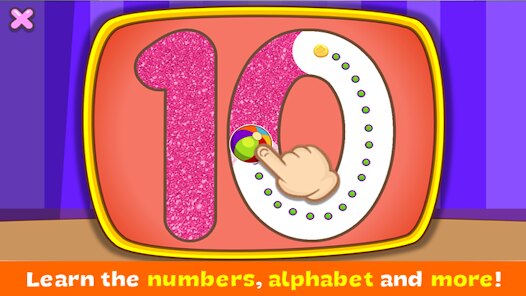
- 🔤 Learning Integration: It cleverly weaves in alphabet letters, numbers, and shape recognition. So, while your child is doodling a dinosaur, they're also seeing “D is for Dinosaur,” which beats passive learning apps like ABC Mouse for simplicity.
pros
- 🎯 Kid-Friendly Interface: The navigation is huge and colorful, so even toddlers can figure out how to install and play without constant parent help. Other apps like Coloring Book for Me bury settings in confusing menus.
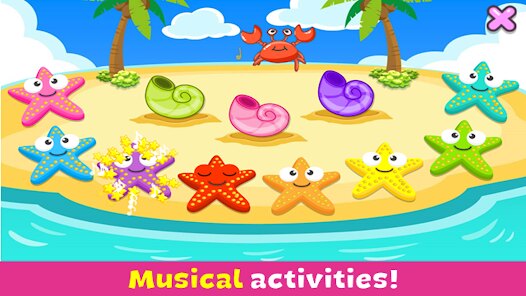
- 🎵 Musical Fun: There's a dedicated music section where you tap instruments and hear sounds. It's not as deep as a real music game, but it's a nice bonus that similar pure drawing games don't offer at all.
- 🌙 No Pressure Gameplay: There's no timer, no scoring, and no “wrong” colors. This makes it a stress-free sleepytime activity compared to more competitive kids' games on Google Play.
cons
- 📺 Repetitive Ads: The in-app ads can be a bit too frequent, popping up between every new picture. It's a common problem for free games like Bini Coloring, but it can interrupt the flow badly for younger players.
- 🖌 Limited Creativity: Unlike Freeform Draw or similar open-ended apps, you're stuck coloring within the given lines. There's no blank canvas or drawing tool to create your own art from scratch.
- 💸 Content Locked Behind Paywall: While the download is free, many of the cooler color packs, like holidays or exclusive characters, require a purchase. It feels a bit limiting compared to Draw & Color Free which sometimes offers more free content upfront.
Recommended Apps
![]()
BMX Cycle Extreme Bicycle Game
PlayFlix4.7

![]()
Save the Doge
WONDER GROUP4.2![]()
Mystical Mixing
CrazyLabs LTD4.7![]()
Yarn Fever! Unravel Puzzle
Brave HK Limited4.7![]()
Steal n Catch the Brainrot
BMH VN Game4.4![]()
I Am Security
Estoty4.6![]()
Geometry Dash SubZero
RobTop Games4.5![]()
Soulmate Sketch
WhatsGood1.7![]()
Mini Block Craft 3D RealmCraft
Tellurion Mobile4![]()
MONOPOLY GO!
Scopely4.6![]()
FamilySearch Africa
FamilySearch International0![]()
Agent Hunt – Hitman Shooter
Homa4.5![]()
Hyper Heroes: Marble-Like RPG
HyperJoy3.5![]()
Brainrot Filter: Fun Challenge
Braly JSC0![]()
Shining Princess Style Hub
Happy Go Game4.4










Disclaimer
1.AppInfoLibrary does not represent any developer, nor is it the developer of any App or game.
2.AppInfoLibrary provide custom reviews of Apps written by our own reviewers, and detailed information of these Apps, such as developer contacts, ratings and screenshots.
3.All trademarks, registered trademarks, product names and company names or logos appearing on the site are the property of their respective owners.
4. AppInfoLibrary abides by the federal Digital Millennium Copyright Act (DMCA) by responding to notices of alleged infringement that complies with the DMCA and other applicable laws.
5.If you are the owner or copyright representative and want to delete your information, please contact us info@appinfolibrary.com.
6.All the information on this website is strictly observed all the terms and conditions of Google Ads Advertising policies and Google Unwanted Software policy .