Disney Coloring World

10M+
Installs
StoryToys
Developer
-
Casual
Category
-
Everyone
Content Rating
-
support@storytoys.com
Developer Email
-
https://storytoys.com/privacy/
Privacy Policy
Screenshots
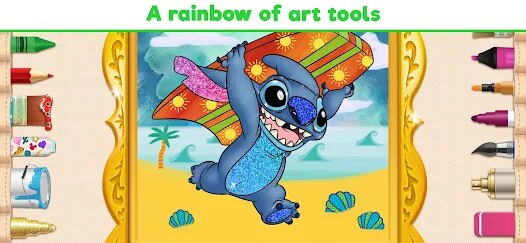
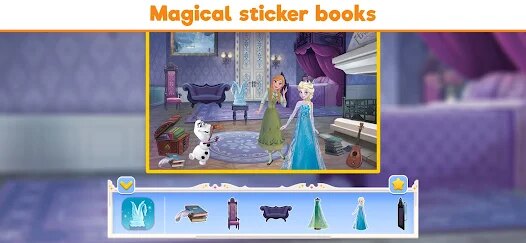
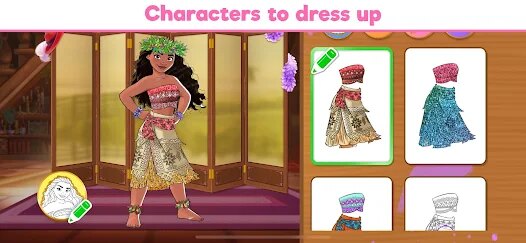
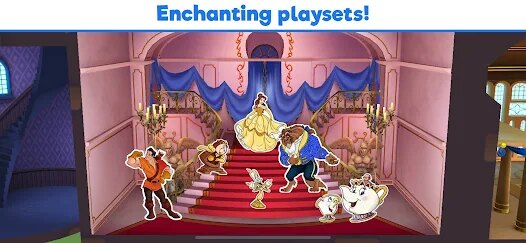
editor reviews
I've been messing around with Disney Coloring World on my Android for a few weeks now, and honestly, it's a solid pick if you're into casual creative apps. This is basically a digital coloring book game, but it's dripping with Disney magic. You can grab it on Google Play or the App Store, and it's also available on PC via Steam and on consoles like the Nintendo Switch, which is pretty cool since most coloring games stay mobile-only. The game first launched back in 2018, and on Android alone, it's racked up over 10 million installs, so a ton of people have downloaded it. The biggest win? It's free to download and install, and you can play a decent chunk without spending a dime. But yeah, there are in-app purchases for extra packs—think specific character bundles or themed collections—and they usually cost anywhere from $1.99 to $9.99 each. You'll also run into occasional in-app ads, but they're not too aggressive, just a short video here and there to unlock a free tool or skip a wait.
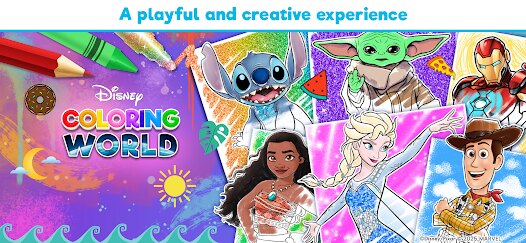
When you jump into the app, it's super straightforward: you pick a character from a huge roster—classics like Mickey, Elsa, or Stitch—and start coloring using a ton of digital tools like brushes, patterns, and glow effects. The best part for me is how smooth the controls feel on my phone; every tap is responsive, and the colors blend nicely without looking wonky. My favorite thing, though, has to be the "magic" tools—like the sparkle brush or the gradient fill—which make even a lazy doodle look polished. You're not just stuck coloring either; there's a stamp mode with stickers and backgrounds, so you can really craft a scene. It's super satisfying to see your work come to life, and the app saves everything automatically, so you can brag to friends later.
Compared to other digital coloring games on Google Play, like Colorfy or Happy Color, this one stands out because of the IP. Those other apps give you generic flowers or mandalas, which are fine, but here you're messing with Disney's actual assets. The art style is lifted straight from the movies, so it feels legit. Also, the variety in tools is way better—Colorfy is mostly just fill-in areas, while Disney Coloring World lets you free-draw and add effects. If you're a Disney fan or just want a chill app to kill time, I'd say download it. It's not trying to be a complex game; it's just a fun, low-stress way to unwind, and the nostalgia factor keeps me coming back.
features
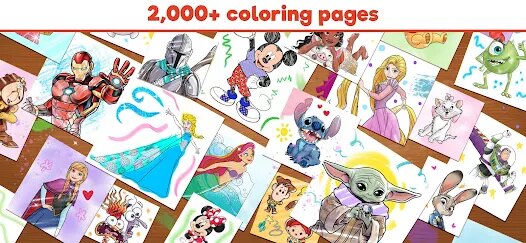
- Huge Roster of Characters 🎨: You get over 100 Disney characters to color, from Toy Story to Frozen, which is way more than similar apps like Colorfy offer. Each one has multiple scenes, so you never run out of stuff to do.
- Magic Tools & Effects ✨: The app has special brushes like glitter, rainbow, and glow that other coloring games don't have. It makes your art pop, and it's super easy to just tap and watch it look awesome.
- Save & Share Features 💾: You can save your work as videos or images, and even see time-lapses of your coloring process. Apps like Happy Color just let you save a flat image, so this is a step up for showing off your creation.
pros
- Official Disney Artwork 🏆: Every character and background is pulled straight from the movies. The line art is clean and accurate, so it feels like you're coloring official merch, not some fan-made stuff. Compared to generic apps, this is a huge selling point.
- No Pressure Gameplay 🧘: There's no timer or score, so you can just chill. I've spent hours on one page without worrying about failing. Other games like Pigment try to add challenges, but this one keeps it simple and relaxing, which I prefer.
- Regular Updates 📅: The devs drop new character packs every few months, like the recent Encanto addition. It keeps the app fresh long after you've downloaded it, unlike some coloring apps that get abandoned quickly on Google Play.
cons
- Limited Free Content 🔒: You only get a handful of free pages when you install the game. After that, you're stuck paying for packs. Apps like Colorfy give you way more free stuff without hitting your wallet, which is a bummer if you're broke.
- In-App Ads Are Annoying 📢: There's no way to completely remove ads without buying a bundle. They pop up between pages or after saving, and it breaks the flow. Happy Color has a similar issue, but Disney's ads feel more forced because they can't be skipped as fast.
- No Offline Mode 🚫: You need an internet connection to download new packs or even access some basic features. If you're on a plane or have spotty data, you're stuck with just the starter pages. Other apps like Recolor let you play fully offline, so this feels like a step back.
Recommended Apps
![]()
BMX Cycle Extreme Bicycle Game
PlayFlix4.7

![]()
Save the Doge
WONDER GROUP4.2![]()
Mystical Mixing
CrazyLabs LTD4.7![]()
Yarn Fever! Unravel Puzzle
Brave HK Limited4.7![]()
Steal n Catch the Brainrot
BMH VN Game4.4![]()
I Am Security
Estoty4.6![]()
Geometry Dash SubZero
RobTop Games4.5![]()
Soulmate Sketch
WhatsGood1.7![]()
Mini Block Craft 3D RealmCraft
Tellurion Mobile4![]()
MONOPOLY GO!
Scopely4.6![]()
FamilySearch Africa
FamilySearch International0![]()
Agent Hunt – Hitman Shooter
Homa4.5![]()
Hyper Heroes: Marble-Like RPG
HyperJoy3.5![]()
Brainrot Filter: Fun Challenge
Braly JSC0![]()
Shining Princess Style Hub
Happy Go Game4.4










Disclaimer
1.AppInfoLibrary does not represent any developer, nor is it the developer of any App or game.
2.AppInfoLibrary provide custom reviews of Apps written by our own reviewers, and detailed information of these Apps, such as developer contacts, ratings and screenshots.
3.All trademarks, registered trademarks, product names and company names or logos appearing on the site are the property of their respective owners.
4. AppInfoLibrary abides by the federal Digital Millennium Copyright Act (DMCA) by responding to notices of alleged infringement that complies with the DMCA and other applicable laws.
5.If you are the owner or copyright representative and want to delete your information, please contact us info@appinfolibrary.com.
6.All the information on this website is strictly observed all the terms and conditions of Google Ads Advertising policies and Google Unwanted Software policy .