Halloween - Coloring & Games

1M+
Installs
Orange Studios Games
Developer
-
Casual
Category
-
Everyone
Content Rating
-
orangegstudios@gmail.com
Developer Email
-
http://orangestudiosgames.com/privacy_policy.html
Privacy Policy
Screenshots
editor reviews
Alright, so let me break down Halloween - Coloring & Games for you. This is a casual coloring book and mini-game collection, squarely aimed at kids and anyone who just wants to chill out. It's not a hardcore RPG or a competitive shooter; it's a pure mobile game through and through. You won't find it on Steam, Xbox, or Switch. It's strictly on mobile, so you can download it directly from the Google Play Store or the Apple App Store. The developer, Orange Studios Games, first launched this thing years ago, and it's been updated steadily. On Android alone, it's racked up over 10 million installs, which is pretty solid for this genre. The big question: is it free? Yes, it's free to download and play. But like most free apps, it has in-app purchases. You can buy packs to remove ads or unlock some extra content, and those purchases usually range from a dollar or two up to maybe $5. There are also in-app ads, which is the trade-off for the free download. Honestly, for a kid's game, the ad frequency is acceptable—it's not spamming you every five seconds.
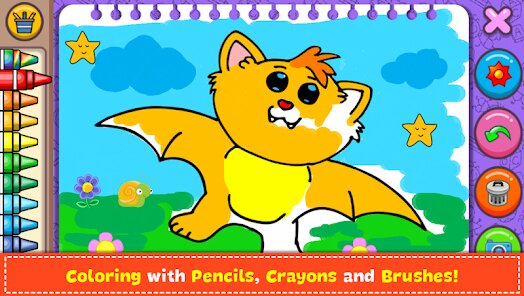
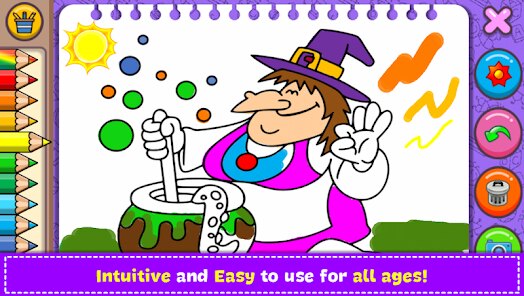
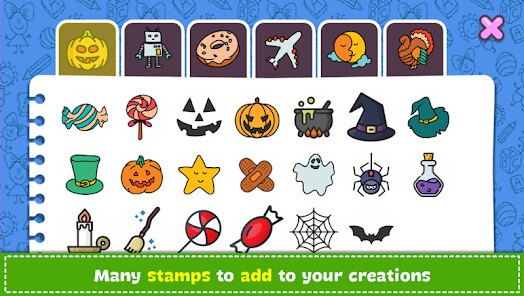
Playing this game is super straightforward. You basically pick a Halloween-themed coloring page—think pumpkins, ghosts, witches, and creepy houses—and then you just tap to fill in the sections. The controls are insanely simple; even a toddler can figure it out. The best part is the "glow" coloring mode, where your colors have a neon, glowing effect. It looks really cool on a phone screen, especially in a dark room. My personal favorite part, though, isn't even the coloring—it's the mini-game mode. Alongside the coloring pages, there are these tiny puzzle games and memory match challenges. I've spent way more time playing "Spot the Difference" on a spooky scene than I expected. It's the variety that keeps me coming back. You're not just endlessly coloring; you can switch to a quick puzzle and then go back. It makes the whole experience feel less like a single-purpose app and more like a little Halloween activity book for your phone.
So, how does it stack up against other coloring apps? Well, there are tons of them on the Google Play store, like "Happy Color" or "Coloring Book for Adults." The difference here is the specific Halloween theme and the built-in mini-games. "Happy Color" is great for realism and complex images, but it doesn't have that playful, holiday-specific vibe or the extra mini-game distractions. If you're looking for a general coloring app, go with something else. But if you want a single app that covers both coloring and light puzzles for a holiday event, this one wins. It's not trying to be the most detailed or challenging coloring app ever—it's just fun. I recommend it to parents who want a safe, easy app for their kids during October, or even to adults who just want a relaxing, low-stakes way to unwind without needing to think. It's not a masterpiece, but it does exactly what it promises: it's a solid, themed time-waster.
features
- Holiday-Themed Content 🎃: Unlike generic coloring books, this app is 100% focused on Halloween. Every image, from cute cats to spooky skeletons, fits the October season perfectly. It gives the whole app a unique, cohesive vibe that other generic coloring apps lack.
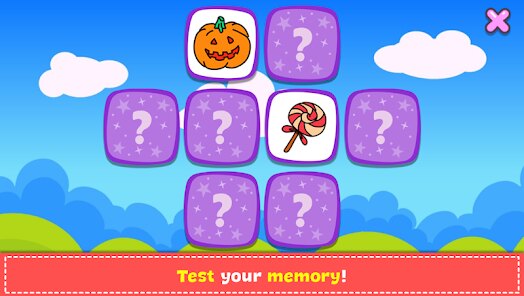
- Built-In Mini-Games 👻: This is the killer feature. You're not just coloring. There are memory cards, spot-the-difference puzzles, and jigsaw challenges. Games like "Happy Color" or "Color by Number" don't have this, so you get a two-for-one deal in this single app download from Google Play.
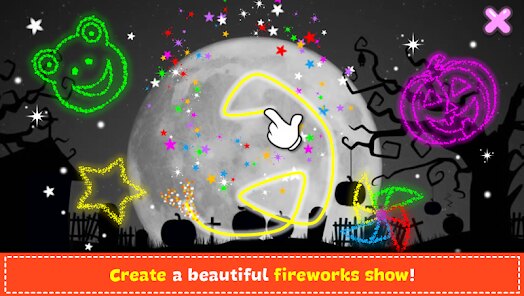
- Glow Coloring Mode ✨: The color palette includes a special "glow" effect that makes your drawn lines and filled sections look like neon lights. It's a simple trick, but it adds a surprising amount of fun, especially on an OLED screen. It makes your creations pop in a way that static coloring apps can't.
- Kid-Friendly Interface 🧸: The UI is designed for small fingers. Buttons are big, the back button is clear, and there's no confusing menu navigation. If you are a parent, you can install this on a tablet and hand it to a child without needing to supervise constantly. It's that straightforward.
pros
- Perfect for Short Sessions ⏱️: This game is built for quick play. You can finish a small coloring page in under two minutes during a commute or while waiting for a download to finish. Compared to something like "Minecraft," which demands a big time investment, this app respects your limited time.
- No Skill Barrier 🎨: You don't need to be an artist. You just tap. This is a massive strength over apps like "Draw Something" or even the "LEGO" games, where you need some coordination. Anyone can pick this up and make something that looks decent.
- Great for Anxiety Relief 🧘: The repetitive motion of tapping and the friendly, non-competitive atmosphere make it a legit tool for winding down. While "Angry Birds" gets frustrating, this app stays calming. It's a low-stress way to spend ten minutes.
- Frequent Free Updates 📅: Orange Studios Games regularly adds new coloring pages and mini-games for free during the Halloween season. You don't always have to buy a new pack to get fresh content, which is more generous than most other free-to-play games on the Google Play store.
cons
- Repetitive Gameplay Loop 🔁: The core fun is very simple, and it gets old fast for adults. After you've colored five pumpkins, you've basically seen the main draw. Games like "Crossy Road" or "Subway Surfers" have endless variety because of procedural generation. Here, it's the same 30-40 images on a loop.
- Intrusive Ads Sometimes 📺: While not constant, the ads can pop up at awkward times, like right in the middle of a coloring page. Compared to a premium app like "Monument Valley," where there are zero interruptions, this can be a buzzkill. You often have to wait 5 seconds to close the ad.
- Limited Color Palette Depth 🎨: For a coloring app, the color selection feels small. You get the basic 24 crayon colors, but not much variety for shading or blending. Apps like "Color by Number" offer hundreds of shades. This one feels a bit limited if you want to get detailed.
- Mini-Games Are Shallow 🧩: The mini-games are a nice addition, but they are very simple. The memory game has only a few cards, and the puzzles are quick to solve. Compared to a dedicated puzzle game like "Sudoku.com," the challenge here is minimal. It's more of a distraction than a real game mode.
Recommended Apps
![]()
BMX Cycle Extreme Bicycle Game
PlayFlix4.7

![]()
Save the Doge
WONDER GROUP4.2![]()
Mystical Mixing
CrazyLabs LTD4.7![]()
Yarn Fever! Unravel Puzzle
Brave HK Limited4.7![]()
Steal n Catch the Brainrot
BMH VN Game4.4![]()
I Am Security
Estoty4.6![]()
Geometry Dash SubZero
RobTop Games4.5![]()
Soulmate Sketch
WhatsGood1.7![]()
Mini Block Craft 3D RealmCraft
Tellurion Mobile4![]()
MONOPOLY GO!
Scopely4.6![]()
FamilySearch Africa
FamilySearch International0![]()
Agent Hunt – Hitman Shooter
Homa4.5![]()
Hyper Heroes: Marble-Like RPG
HyperJoy3.5![]()
Brainrot Filter: Fun Challenge
Braly JSC0![]()
Shining Princess Style Hub
Happy Go Game4.4









Disclaimer
1.AppInfoLibrary does not represent any developer, nor is it the developer of any App or game.
2.AppInfoLibrary provide custom reviews of Apps written by our own reviewers, and detailed information of these Apps, such as developer contacts, ratings and screenshots.
3.All trademarks, registered trademarks, product names and company names or logos appearing on the site are the property of their respective owners.
4. AppInfoLibrary abides by the federal Digital Millennium Copyright Act (DMCA) by responding to notices of alleged infringement that complies with the DMCA and other applicable laws.
5.If you are the owner or copyright representative and want to delete your information, please contact us info@appinfolibrary.com.
6.All the information on this website is strictly observed all the terms and conditions of Google Ads Advertising policies and Google Unwanted Software policy .