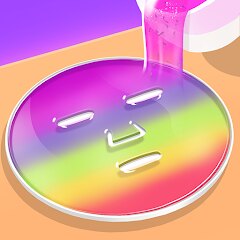
DIY Makeup

50M+
Installs
TabTale
Developer
-
Simulation
Category
-
Everyone
Content Rating
-
support@crazylabs.com
Developer Email
-
https://crazylabs.com/privacy-policy/
Privacy Policy
Screenshots

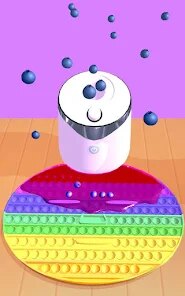


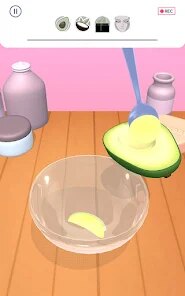

editor reviews
I've been diving into DIY Makeup on my Android phone for a bit now, and honestly, it's a fun little time-waster if you're into the simulation or casual creativity genre. This is a pure mobile game, so you won't find it on Steam, Xbox, or Switch—it's strictly a Google Play and App Store title. It first launched a while back and has racked up over 100 million installs on Google Play alone, which is wild for a makeup app. The download is free, and the install is quick, but you'll run into in-app purchases for things like extra makeup palettes or to remove ads. Prices usually range from $0.99 to $4.99, and, yeah, there are in-app ads that pop up between sessions, which can be annoying but not a deal-breaker for a free app.
Playing DIY Makeup is pretty straightforward: you pick a face model, then go wild with eyeshadows, lipsticks, blushes, and even some wacky accessories like freckles or glitter. The best part for me is the sheer variety—you can blend colors, adjust opacity, and layer stuff until you create something that actually looks salon-grade or totally ridiculous. My favorite part? Probably the “Crazy Makeup” mode, where you get to go overboard with neon shades and stickers. It's a great way to unwind after a long day, and the touch controls on mobile feel surprisingly smooth. You tap, swipe, and pinch to zoom, and the app responds well even on older devices. No real skill curve, which makes it perfect for casual players who just want to mess around without pressure.
Compared to other makeup sims like MakeupKit or Real Makeup Studio, DIY Makeup stands out because it feels less like a tutorial and more like a sandbox. Other games force you into step-by-step instructions, but here you're free to create without limits. I've tried both on Google Play, and while MakeupKit has better realism, DIY Makeup wins on sheer fun and variety. It's not trying to be serious—it's a game where you can slap on purple lipstick and green highlights just because. If you're looking for a chill, creative outlet that doesn't demand time or money (unless you want extras), this is a solid pick. Just don't expect hyper-realistic textures; it's more cartoony and vibrant.
features
- Sandbox Creativity 🎨: Compared to MakeupKit, which forces you through step-by-step tutorials, DIY Makeup gives you full control to experiment with any color or accessory on your Android device. You can blend shades freely, undo mistakes easily, and create looks that are totally yours without restrictions.
- Wacky Customization 🎭: Unlike Real Makeup Studio's realistic but boring palette, DIY Makeup offers crazy stuff like neon hair, animal stickers, and glitter bombs. It's perfect on Google Play for players who want something less serious and more playful with their app download.
- Accessible Controls 📱: The touch interface on mobile is super intuitive—tap to apply, swipe to blend, pinch to zoom. No complicated menus like on PC sims; just install and start playing. Great for casual sessions on the go.
pros
- Huge Content Selection ✨: With over 100 million installs on Google Play, the variety of makeup items—from natural shades to sci-fi themes—keeps me coming back. Other sims like MakeupKit feel limited after a few tries, but DIY Makeup always has something new to try after each download update.
- Relaxing No-Pressure Vibe 🌟: No timers, no scores, no “right” way to play. This is a pure stress reliever compared to competitive or story-driven games on Steam. Free to play on Android, and the ads are manageable if you don't mind a short wait after each session.
- Great for Sharing 📸: The in-app save feature lets you export your creations to social media easily. Other apps like Real Makeup Studio have clunky export options, but DIY Makeup makes it simple to show off your wild looks after you install it.
cons
- Repetitive Ads 🛑: The in-app ads interrupt flow too often compared to paid sims like MakeupKit Pro. After every third look, you sit through a 30-second video unless you pay to remove them. It's a drag for a free app on Google Play.
- Realism Lags Behind 📉: The graphics are cartoony and not as sharp as Real Makeup Studio, which uses 3D models. If you want realistic skin textures, this isn't it. Fine for casual players, but hardcore simulation fans might be disappointed after the download.
- Limited Updates 🔄: Compared to games on Steam that get regular patches, DIY Makeup's content feels stale after a few months. New palettes come slowly, and the Android version sometimes lags in updates versus iOS. Hope TabTale fixes this over time.
Recommended Apps
![]()
BMX Cycle Extreme Bicycle Game
PlayFlix4.7

![]()
Save the Doge
WONDER GROUP4.2![]()
Mystical Mixing
CrazyLabs LTD4.7![]()
Yarn Fever! Unravel Puzzle
Brave HK Limited4.7![]()
Steal n Catch the Brainrot
BMH VN Game4.4![]()
I Am Security
Estoty4.6![]()
Geometry Dash SubZero
RobTop Games4.5![]()
Soulmate Sketch
WhatsGood1.7![]()
Mini Block Craft 3D RealmCraft
Tellurion Mobile4![]()
MONOPOLY GO!
Scopely4.6![]()
FamilySearch Africa
FamilySearch International0![]()
Agent Hunt – Hitman Shooter
Homa4.5![]()
Hyper Heroes: Marble-Like RPG
HyperJoy3.5![]()
Brainrot Filter: Fun Challenge
Braly JSC0![]()
Shining Princess Style Hub
Happy Go Game4.4















Disclaimer
1.AppInfoLibrary does not represent any developer, nor is it the developer of any App or game.
2.AppInfoLibrary provide custom reviews of Apps written by our own reviewers, and detailed information of these Apps, such as developer contacts, ratings and screenshots.
3.All trademarks, registered trademarks, product names and company names or logos appearing on the site are the property of their respective owners.
4. AppInfoLibrary abides by the federal Digital Millennium Copyright Act (DMCA) by responding to notices of alleged infringement that complies with the DMCA and other applicable laws.
5.If you are the owner or copyright representative and want to delete your information, please contact us info@appinfolibrary.com.
6.All the information on this website is strictly observed all the terms and conditions of Google Ads Advertising policies and Google Unwanted Software policy .